MINI's Gallery: Newest: Just couldn't resist a Christmas Update!

  • Thread starter Thread starter dylansan
  • 168 comments
  • 13,918 views
I have an idea:

British Engineering

Anyway if I think up anymore ideas, I will be sure to let you know.
 
Not a bad shot. I love that lime green though. The front of the NSX is awesome too.
 
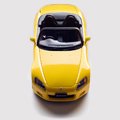
My second try at an anaglyph (first was a long time ago, and really crappy...):
anaglyph1gp3.jpg


Best when viewed at around 2 feet, depending on computer screen. Also, you need the special glasses, and some are different. THis probably only works for my glasses and comp, but it's really cool if you can see it. :D
 
Thats pretty cool MINI, it worked some for me, not alot, but a little.

EDIT: it works alot now, the car really pops from the screen. I had to flip my glasses around for it to work though. Very, Very cool. +rep to you man for such a cool shot. You do some more of these.👍

EDIT: Must spread rep around. Sorry man.
 
Squinting hard at the picture kind of works too :dopey:
 
Doesnt work for me but there again the last time I used mine was at MPH05 so they probably don't work. But very nice effort just wish I could see it properly!:)
 
You have really great shots in your gallery, my favorite is the Peugeot 206 CC awesome:)
 
EDIT: it works alot now, the car really pops from the screen. I had to flip my glasses around for it to work though. Very, Very cool. +rep to you man for such a cool shot. You do some more of these.👍
Well, it's not the way it should work according to physics, but it does make it pop out more. Apparantly you have to view the car from the left with your right eye and vice versa to get it to pop. It will work the other way though, just instead of popping out, it makes it looks like it actually is inside the screen, or behind it.
EDIT: Must spread rep around. Sorry man.
DOes that mean you've given me rep before? :dopey:

Anyway, here's a verion I had to whip up to make it easier. If you hadn't seen it well before, don't bother flipping the glasses on this one. I switched the colors for you. :)


THis one also links to a full size!
 
Originally Posted By MINICOOPER120
DOes that mean you've given me rep before?

Yeah, I think I +rep'd you on a report you did.👍
 
That does work! it looks really cool! 👍
 
I think I'm getting better at these, but they never pop out as much as I expect. AH well, it's either I stay realistic, or the colors don't line up with your eyes and it doesn't work at all:
anaglyphlotusfe0.jpg
 
I guess you guys have had enough of those then... ;)
Here's something I was just trying to practice with. I needed to find a better blurring technique, but it wasn't the best starting picture. Ah well, I thought I'd post it up anyway, so you guys can tell me what I can improve/what I did well.


Click for full size.
 
everything looks good to me so far...i love the way the car looks in that photo.
 
Well, it's been a while, but here's a preview of something new, based on GTA cover art:
groovyvwtj4.jpg


Should take a week or two; probably less.
 
i see. i'll have to wait for the full udpate. this preview looks pretty funky.
 
I like the cell shaded look of the car.
 
A little progress, and a slightly better picture to show:
groovyvw001fc0.jpg

Any suggestions? I think I might be having trouble with the wheels.
 
Well, it's hard for me to comment on this, as I'm not sure of what's your final aim, in terms of result.
But the wheels look good to me.

Are you using only vectors for this, Mini?
 
So are you going for a full vector image Mini?
It can take a lot of time to do vector images, looks good so far, keep it up. 👍
 
It's mostly vectors, but sometimes I've had to use other tools to fix errors and create certain effects. Otherwise, it's pretty much all vectors. I'm going for a style similar to the covers of GTA games.

What do you guys think I should do to the car itself? I think I'm going to leave the rear wheel covered like that, and also leave the badge off. I think I might change the color too, but the green isn't bad either. I'm sort of moding it as I go.
 
Hey I just got 3d glasses at Nasa's JPL open house... must remember to visit your gallery tomorrow...
 
OK, interior and small lights, and I'll only have the background and a few fixes left. :)
This is going fast! (Bigger preview)
groovyvw002ao8.jpg
 
Hm. The 3d isn't really working well but nice effort and cool idea.
 
Ok guys, the files from the beetle were deleted. I have started on a Honda Beat. I have 3 more pictures to show, but before I clean them I need advice.


I just need some help with the clean-up and then I'll post more.
 
I thought you already had some experience with cleaning up in the past.
 
Well, I do, but I still want to improve. I want my pictures to eventually get as clean as Moglet's or Bram's shots. Right now I often see jagged edges and messed up gradients. I just need to know how to make it more realistic, and bring out reflections.
 
Sorry for the double post, I've got 3 more:


Back