Assetto Corsa EVO PC Optimization Guide: The Best Graphics Settings

  • Thread starter Thread starter Terronium-12
  • 4 comments
  • 960 views

Terronium-12

For My Mom, Always
Moderator
Messages
28,801
United States
Brooklyn, NY
Messages
KR_Viper
Messages
I Renown I
This is the discussion thread for an article on GTPlanet:
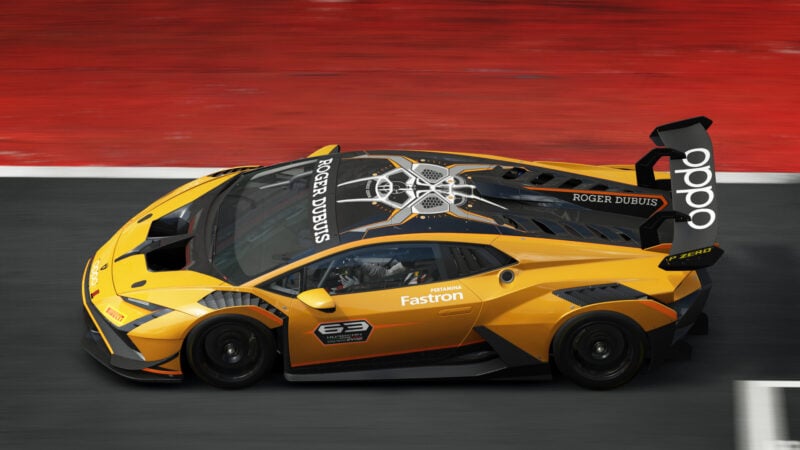
Assetto Corsa EVO PC Optimization Guide: The Best Graphics Settings

Assetto Corsa EVO is the third title in the franchise developed by Kunos Simulazioni. Currently available via Steam Early Access, the game gives players a taste of what’s to come from Kunos’ latest racing simulation...
 
Thanks for putting this together.

I went looking for a guide like this a few months back and I found this video. The whole first half is dedicated to Windows and NVIDIA app settings, not even the game. I almost skipped it because I thought I already had PC settings dialed but ended up learning a few things and finding surprising improvement - which is why I share it here.

 
I went and tried the settings suggested. My PC runs with an Intel i5 12600KF, 32 GB of DDR4 memory and an RTX 4070 Super. For driving solo, I'm getting between 100-120 fps at 1440p resolution, and from 90-110 fps when racing with say, 15 other AI cars. Visuals look good, no stutters or extreme frame drops that I can see.

But I turned DLAA on and the aliasing is so much better, and races now average 130 fps, and the replays average between 100-120 fps and look great. I don't think the veil type is mentioned in the article, but I've been using the cinematic one, which gives it a "GT" type look.
 
Last edited:
I almost given up on getting smooth FPS out of AC Evo. My rig has a 3080. which is a decent GPU, albeit memory limited at 10GB of Vram. But the processor is the bottle neck. A Ryzen 5 3600...
I've set the game to potatoe, just to see if the FPS would smoothen out, but no. It was still looking like 45FPS, even with low settings across the board.

Went back to recommeded, and just put AC Evo on ice for a while. I'll give this a try when I get more time. Thanks.
 
I don't think the veil type is mentioned in the article, but I've been using the cinematic one, which gives it a "GT" type look.

Options that are solely personal preference went unmentioned as there's no "recommended" option to speak of.

Hope that makes sense. 👍
 
Back