Runtastic or Google My Tracks should be able to do that. You can export the exact files the GT6 course maker uses, but so far I have heard mixed results with it actually working. Possibly if your route has no crazy elevation changes it might work fine.
If you use Google's My Tracks make sure you export the file as a .gpx. You should then find it, using your file Explorer app, in a folder named "My Tracks". From there you must move it to whatever device you're using to run the course maker app. It MUST go into your "Downloads" folder in order for the course maker app to see it! Good Luck!
If you use Google's My Tracks make sure you export the file as a .gpx. You should then find it, using your file Explorer app, in a folder named "My Tracks". From there you must move it to whatever device you're using to run the course maker app. It MUST go into your "Downloads" folder in order for the course maker app to see it! Good Luck!
Yes I have got it to work. It only gives you a red line that is in the shape of the course you drove. You still have to create a track, by tracing over the line it provides... It sure would've been nice if it would've done it all by itself though!
Yes I have got it to work. It only gives you a red line that is in the shape of the course you drove. You still have to create a track, by tracing over the line it provides... It sure would've been nice if it would've done it all by itself though!
Like others have said, I would recommend using imagery..UNLESS you have a high resolution GPS unit. Most phones only record at a 1Hz rate and not very accurate. Maybe if you drove the route slowly it would work....but then again not great.
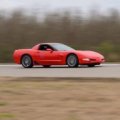
If you had something like this, the GPS logging route would work pretty well. I use one of these for track day datalogging/overlays: