Cars look goofy in HD

  • Thread starter Thread starter vrossi
  • 10 comments
  • 1,355 views
Messages
142
United States
Seattle
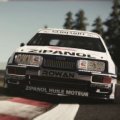
I'm having a problem with cars in GT5(and all racing games) when I am in HD 16x9. The cars tend to get stretched up, and look like little "toys", rather than hunkered-down race cars. When I switch to 480 4:3 ratio, I loose the great graphics, but gain "normal" looking cars. I went out and bought a Sony Bravia 46 inch full HD TV, thinking this will solve my problem. But...the cars still look like ****. I see clips on line of people having the same problem. But...I also see clips of people racing GT5, and their cars look great. I don't get it. I saw a behind the scenes clip of work going on at Polyphony Digital, and all of their cars on screen looked perfect. My question is...Is their some sort of adjustment I need to do to my PS3 and or my TV. I'm sick of always having to be in 480 4:3 for race games.
Thanks-
J.
 
What are you using to hook up your PS3 to your TV?
 
You need to change your display settings in the PS3. Set your PS3 to send 720p or 1080i/p to the television.
 
And you need an HDMI cable... Basically connect your PS3 to your HDTV (with an HDMI cable), put the TV on an HDMI input source then there should be a screen asking if you want to use HDMI to connect your PS3 to your TV, at this screen you should say yes and set it up to send 720p, 1080i or 1080p. You can find out which your TV supports by looking at the manual (and it's probably all over the box), setting it on auto should do it but when I do that it always sets the PS3 to 1080i when my screen only does 1080p, so you might want to set it manually, I dunno.
 
And you need an HDMI cable... Basically connect your PS3 to your HDTV (with an HDMI cable), put the TV on an HDMI input source then there should be a screen asking if you want to use HDMI to connect your PS3 to your TV, at this screen you should say yes and set it up to send 720p, 1080i or 1080p. You can find out which your TV supports by looking at the manual (and it's probably all over the box), setting it on auto should do it but when I do that it always sets the PS3 to 1080i when my screen only does 1080p, so you might want to set it manually, I dunno.

1080p is better than 1080i, last I checked.
 
Yeah, when you select "16:9" in GT5's options, it's showing a widescreen picture through a normal screen's size--which means the picture gets squeezed and all the cars look tall and skinny.

What you need to do is change your PS3's video output setting. Sounds like you're using composite cables (yellow video, white and red audio). Component cables (blue, green, and red video, white and red audio--colors vary sometimes) will allow you to show up to 720p resolution. An HDMI cable will allow you to show 1080 resolutions, both interlaced and progressive.

So, get some cables that support HD video output. Then, go to the PS3's video output settings and change it to the highest that your cables allow and/or the highest your television supports. I personally prefer 720p over 1080i, because it's a smoother, but smaller picture. Once you get your video output settings corrected then you can mess with the 4:3 and 16:9 settings in the game. But once you have this root problem corrected you should set the game to 16:9, because that's what it's supposed to be.
 
Component cables (blue, green, and red video, white and red audio--colors vary sometimes) will allow you to show up to 720p resolution.
Component can carry 1080p, also. :)
 
Haha, apparently our TV is 720p--maybe that has something to do with my components only showing 720p...

The difference between HDMI and component cables lies in the audio support, then--up to 7.1 surround for HDMI, but only 2-channel for components and the two audio cables.
 
I'm suprised D-N has got in on this yet. If one member can clear this up then it most likely to be him.
 
OK as you have a Sony Bravia you should be able to set this up to look perfect (provided you use component or HDMI cables)

First make sure you PS3 is set up correctly by using the autoset-up found under this option.................

http://manuals.playstation.net/document/en/ps3/current/settings/videooutput.html

............auto will always select the correct 16:9 for a Bravia.


Then you need to make sure that GT5:P is also set to output 16:9, thsi you will find in the options area.

Unless both of these are set then you will get wierd looking cars.

Now most Bravia's also allow you to do something else as well (as long as its a 1080p display - which you say it is), and that's head into the TV options and switch on the 'True Pixel' option. This gives true 1:1 pixel mapping from the PS3's video output to what you see on screen, which means nothing will ever get manipulated by the TV.


Get that lot set and you should be sorted.


Regards

Scaff
 
Thanks for all the great info. I'll try 'em, & let ya know how I did.
J.
 
Back