Cockpit camera adjustments

  • Thread starter Thread starter cbrown119
  • 17 comments
  • 19,639 views
Messages
103
Messages
cbrown119
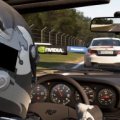
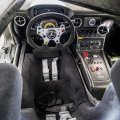
Is there a hidden menu/setting where I can adjust the height of the view. I've been using the Focus RS and have trouble seeing over the steering wheel .

I tried the zoom, but that limited my FOV.

Is there a "booster seat" option?

But besides, I'm really enjoying this game!

 
Is there a hidden menu/setting where I can adjust the height of the view. I've been using the Focus RS and have trouble seeing over the steering wheel .

I tried the zoom, but that limited my FOV.

Is there a "booster seat" option?

But besides, I'm really enjoying this game!
You need to.go into the control settings and map the seat movement buttons to your wheel or pad. Can move up, down, forward, backwards... The game will also save the position per car if you didn't want them mapped permanently.
 
Or plug a usb keyboard in and follow my little diagram i did for project cars 1, tried it on number 2 and it still works..Im on ps4

project-cars-how-to-adjust-view-ps4-jpeg.674413
 
Or plug a usb keyboard in and follow my little diagram i did for project cars 1, tried it on number 2 and it still works..Im on ps4

project-cars-how-to-adjust-view-ps4-jpeg.674413
It's well known that this doesn't work currently on PS4... What have you done differently to make it respond to input?
 
I'm not an idiot.... of course it's in cockpit view. I'm talking about when do you hit control k to activate the keyboard and set up the controls....
 
Wheb are you activating the keyboard. I got mine to respond but I can't assign anything to it. Says multiple inputs detected
 
Im not assigning anything to keyboard, its just when playing you can move the views all over the place, thats all i use a keyboard for..start a race, then ctrl and k, and then you can move the camera, if that helps.
 
That doesn't help at all. You're saying you plugged a keyboard in and it automatically got assigned the functions.
 
Finly figured it out...

We shouldn't have to figure things out like this wtf
 
project-cars-how-to-adjust-view-ps4-jpeg.674413
So basically the buttons he highlighted here are what's used automatically. Seems you can't adjust them.

Q/E - Side-step left/right
A/D - Seat forward/backward
W/S - Seat up/down
-/+ - Field of View closer/farther
4/6 - Rotate right/left
1/3 - Angle tilt left/right
5 - Reset
 
I wonder why they added a tilt and rotate though. Maybe to position it where you would put a GoPro on the outside?
 
Back