- 27

- Costa Rica
- Void_Chevalier
Hi everyone.
I just got the free version of DaVinci Resolve to edit videos for YouTube.
I know how to use it at the most basic level...import media, trim and deliver.
Now, this blew my mind and it's making me crazy because ChatGPT keeps telling me to look for options that clearly do not exist on the software.
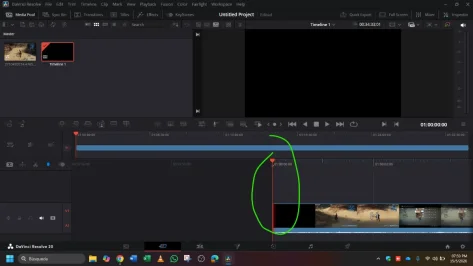
My problem is: out of a video of 5 hours and 6.5 GB (to round up) I got a clip of 1:15 hour AT 6 GB!!!! Isnt it stupid crazy!? 4 hours off only reduced 500 Mbs... Could anyone be so kind as to teach me how to reduce the quality or Kb/s which is what GPT keeps telling me to change?
Thanks in advance for any help.
I just got the free version of DaVinci Resolve to edit videos for YouTube.
I know how to use it at the most basic level...import media, trim and deliver.
Now, this blew my mind and it's making me crazy because ChatGPT keeps telling me to look for options that clearly do not exist on the software.
My problem is: out of a video of 5 hours and 6.5 GB (to round up) I got a clip of 1:15 hour AT 6 GB!!!! Isnt it stupid crazy!? 4 hours off only reduced 500 Mbs... Could anyone be so kind as to teach me how to reduce the quality or Kb/s which is what GPT keeps telling me to change?
Thanks in advance for any help.
Last edited: