- 17

- United Kingdom
Gran Turismo 4 High Contrast Mod
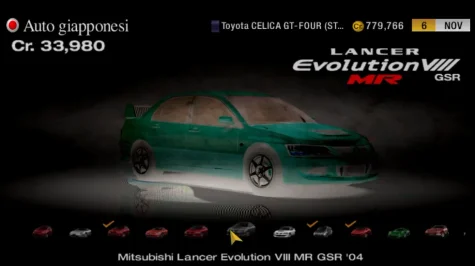
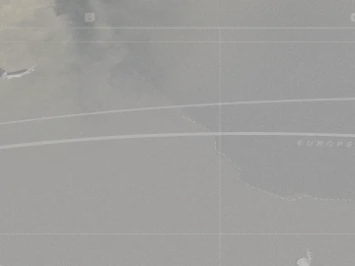
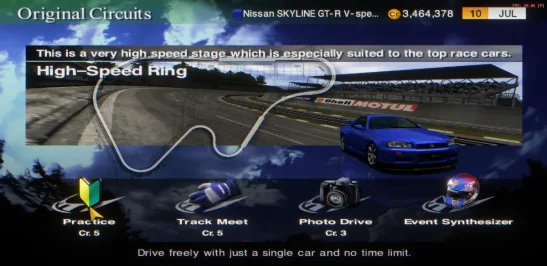
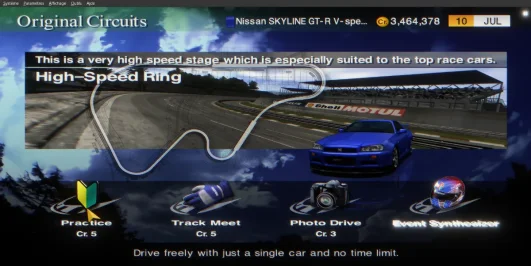
I present my work in progress mod, a proper Dark Theme mod for Gran Turismo 4. Built on top of GT4 Spec II and using some elements from the HD HUD and UI mod, plus a bunch of custom textures and internal data edits, I have spent the last few days creating a mod that many will want to use. If they are like me and hate using anything that has a light theme, that is...
Anyway. Nearly every single UI element has been modified to be easier on the eyes, and on your screens if you use high quality OLED or AMOLED screens.
Because this is a hybrid mod, as in, makes both external and internal changes, this mod is only compatible with PS2 Emulators. If I can figure out how to physically replace images in the vol data I may make a fully internalised version one day (or someone else can do it...)
Instructions for how to install and use are in the included readme.
It does have the following minor issues currently:
Credits:
BETA 1:
Initial release
BETA 2:
Modified replay theatre textures
Modified Jukebox textures
American events background has been tweaked
Modified some elements within the "Car Settings" menu
Modified car reward background.
Modified Options menu background and panels.
Modified Options menu settings text and backgrounds.
Arcade Mode selector icons have been improved (sadly because it is a FMV I can't do much about the background right now...)
Fixed "Spec II" Menu footer background colour.
Fixed "Typical Opponents" Menu footer background colour.
BETA 3:
Modified background colouring of event restriction values
Modified colour of the text that is shown when a vehicle does not meet event requirements.
Modified the the "car settings" page.
Modified Championship Prize money backgrounds.
Modified Tune Shop pricing window.
Restored original Diary Log window.
Modified Tuner events transitioning backgrounds.
Beta 4:
Added stand-alone working pseudo-dynamic Racing Line to every track. Disclaimer, some AI use was involved with mapping memory regions, debugging and fixing a game engine related issue pertaining to this feature.
Modified Licence centre test background
Fixed issue whereupon the Car Dealership textures would flicker when switching vehicles. This was caused by a texture that I made opaque that should have stayed with its default transparency.
Beta 5:
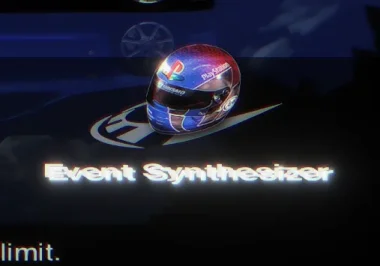
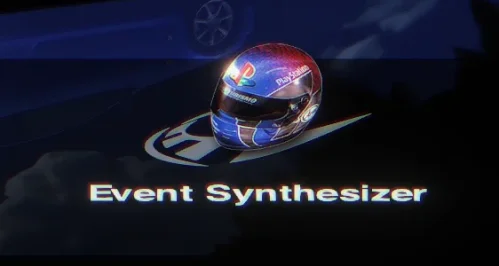
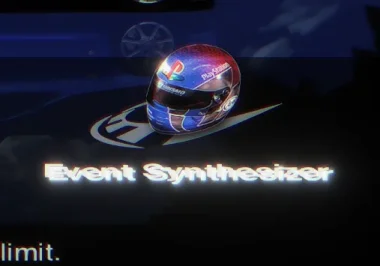
Fixed minor shadow colour issue with the Event Synthesizer icon in the
courses modes
Improved tuning menu icons
Updated tune shop icons
Fixed issue where tune shop icons had a texture problem when highlighted
BETA 6:
Modified purchase popup inside GT Auto
Modified Info and Error popups to match the rest of the UI.
Modified the custom clearance messages for cup prize generation in race events
If you are super against any AI use - that is fine, just don't use Beta 4, your feelings about it won't change my decision, though, as I have been asking for help on this for a good while now.
Happy trails
BETA 1 link: https://www.mediafire.com/file/cyawktxrmbqpv3s/GT4_High_Contrast_Mod_BETA.7z/file
BETA 2 Link: https://www.mediafire.com/file/cckqeqikvbczu89/GT4_High_Contrast_Mod_BETA2.7z/file
BETA 3 Link: https://www.mediafire.com/file/gmvppotv6fvblsj/GT4_High_Contrast_Mod_BETA_3.7z/file
BETA 4 Link: https://www.mediafire.com/file/cz9yul67yu2y2e3/GT4_High_Contrast_Mod_BETA_4.7z/file
BETA 5 Link: https://www.mediafire.com/file/nbrb5t459ni1uw0/GT4_High_Contrast_Mod_BETA_5.7z/file
BETA 6 Link: https://www.mediafire.com/file/zor91m38jsrbfvi/GT4_High_Contrast_Mod_BETA_6.7z/file


BEta 4
I present my work in progress mod, a proper Dark Theme mod for Gran Turismo 4. Built on top of GT4 Spec II and using some elements from the HD HUD and UI mod, plus a bunch of custom textures and internal data edits, I have spent the last few days creating a mod that many will want to use. If they are like me and hate using anything that has a light theme, that is...
Anyway. Nearly every single UI element has been modified to be easier on the eyes, and on your screens if you use high quality OLED or AMOLED screens.
Because this is a hybrid mod, as in, makes both external and internal changes, this mod is only compatible with PS2 Emulators. If I can figure out how to physically replace images in the vol data I may make a fully internalised version one day (or someone else can do it...)
Instructions for how to install and use are in the included readme.
It does have the following minor issues currently:
- Diary log text cannot have its text colour changed. It is done internally via scripts, not via the configurable mproject files.
- Endurance Races background may not have been changed. I sadly do not have a save file that can yet access them to dump the textures...
Credits:
- TheAdmeister: for his excellent GT4 Spec II mod and for helping me track down some of the more obscure data anchors.
- SilentWinter1: for his excellent HD HUD and UI pack, of which provided about 50% of the source files for this mod.
- Arnie: For getting bored of waiting for someone else to make a Dark theme mod for Gran Turismo 4 so learned how to mod the game to make it himself.
BETA 1:
Initial release
BETA 2:
Modified replay theatre textures
Modified Jukebox textures
American events background has been tweaked
Modified some elements within the "Car Settings" menu
Modified car reward background.
Modified Options menu background and panels.
Modified Options menu settings text and backgrounds.
Arcade Mode selector icons have been improved (sadly because it is a FMV I can't do much about the background right now...)
Fixed "Spec II" Menu footer background colour.
Fixed "Typical Opponents" Menu footer background colour.
BETA 3:
Modified background colouring of event restriction values
Modified colour of the text that is shown when a vehicle does not meet event requirements.
Modified the the "car settings" page.
Modified Championship Prize money backgrounds.
Modified Tune Shop pricing window.
Restored original Diary Log window.
Modified Tuner events transitioning backgrounds.
Beta 4:
Added stand-alone working pseudo-dynamic Racing Line to every track. Disclaimer, some AI use was involved with mapping memory regions, debugging and fixing a game engine related issue pertaining to this feature.
Modified Licence centre test background
Fixed issue whereupon the Car Dealership textures would flicker when switching vehicles. This was caused by a texture that I made opaque that should have stayed with its default transparency.
Beta 5:
Fixed minor shadow colour issue with the Event Synthesizer icon in the
courses modes
Improved tuning menu icons
Updated tune shop icons
Fixed issue where tune shop icons had a texture problem when highlighted
BETA 6:
Modified purchase popup inside GT Auto
Modified Info and Error popups to match the rest of the UI.
Modified the custom clearance messages for cup prize generation in race events
If you are super against any AI use - that is fine, just don't use Beta 4, your feelings about it won't change my decision, though, as I have been asking for help on this for a good while now.
Happy trails
BETA 1 link: https://www.mediafire.com/file/cyawktxrmbqpv3s/GT4_High_Contrast_Mod_BETA.7z/file
BETA 2 Link: https://www.mediafire.com/file/cckqeqikvbczu89/GT4_High_Contrast_Mod_BETA2.7z/file
BETA 3 Link: https://www.mediafire.com/file/gmvppotv6fvblsj/GT4_High_Contrast_Mod_BETA_3.7z/file
BETA 4 Link: https://www.mediafire.com/file/cz9yul67yu2y2e3/GT4_High_Contrast_Mod_BETA_4.7z/file
BETA 5 Link: https://www.mediafire.com/file/nbrb5t459ni1uw0/GT4_High_Contrast_Mod_BETA_5.7z/file
BETA 6 Link: https://www.mediafire.com/file/zor91m38jsrbfvi/GT4_High_Contrast_Mod_BETA_6.7z/file
BEta 4
Last edited: