GT7 HUD

GT7 HUDMisc  1.2.0

  • Thread starter Thread starter Inori GC
  • 37 comments
  • 27,897 views
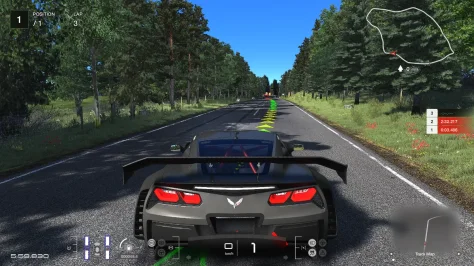
Working on an UI Popup when you overtake a car, mildly inspired by GT7's implementation, using the preview image of the skin. Still needs a bit of work, though, as it's a bit taxing on performance right now, and it sometimes triggers on its own.

 
Working on an UI Popup when you overtake a car, mildly inspired by GT7's implementation, using the preview image of the skin. Still needs a bit of work, though, as it's a bit taxing on performance right now, and it sometimes triggers on its own.


Hello, nice to hear from you again. Sorry i just open the forum just now. Your new feature is really interesting
 
1771965701377.webp


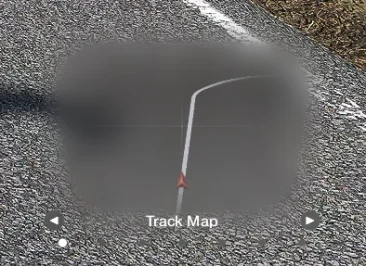
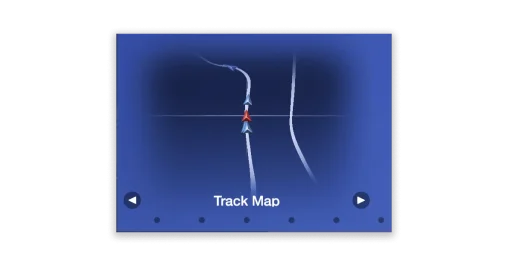
In case some one is having the "too dark icons" in the map/track map/radar for GT7 HUD (probably because of Pure LCS), you can fix it by changing a line in these two files: screens\multi_function_display_hud.lua screens\map_hud.lua
render.quad(c1, c2, c3, c4, rgbm.colors.white, arrowTexture) -change this to-> render.quad(c1, c2, c3, c4, rgbm(2.4, 2.4, 2.4, 1), arrowTexture)

1771965957091.webp


(you can play with the numbers to get your desired brightness)
 
Last edited:
View attachment 1515747

In case some one is having the "too dark icons" in the map/track map/radar for GT7 HUD (probably because of Pure LCS), you can fix it by changing a line in these two files: screens\multi_function_display_hud.lua screens\map_hud.lua
render.quad(c1, c2, c3, c4, rgbm.colors.white, arrowTexture) -change this to-> render.quad(c1, c2, c3, c4, rgbm(2.4, 2.4, 2.4, 1), arrowTexture)

View attachment 1515748

(you can play with the numbers to get your desired brightness)
Nice job! That's a thing I wanted to get on fixing but I couldn't get Pure LCS to work.

Great to see more people working on this HUD app :)
 
the KERS (ERS ?) portion of the hud doesn't tell about the available charge in the battery, but instead how much charge you can deploy in an entire lap, which is limited for some cars (LMP1 hybrids) and unlimited for others (Mclaren P1 GTR). In case of unlimited, the meter never depletes even if battery drops to 0.

1773781879008.webp
I added a number below the meter to tell the actual charge available to you, which decreases when you deploy it, and increases when you brake/coast

go to the file steamapps\common\assettocorsa\apps\lua\GT7HUD\screens\tach_hud.lua, and find the line with
if CAR.kersCharging then <code below>

add these lines above it,

Code:
        local batteryBoxWidth = scale(80)
        local batteryBoxHeight = ers_arrow_h
        ui.setCursor(vec2(
            fuel_arc_pos_x - (batteryBoxWidth / 2),
            ers_arrow_pos_y
        ))

        -- if available battery less than 20%, show in red color
        local textColor = rgbm(1, 1, 1, 1)
        if (CAR.kersCharge or 0) < 0.2 then
            textColor = rgbm(1, 0.5, 0, 1)
        end

        ui.pushDWriteFont('MyFont:\\fonts;Weight=Regular')
        ui.dwriteTextAligned(
            string.format("%.0f", (CAR.kersCharge or 0) * 100),
            scale(22),
            ui.Alignment.Center,
            ui.Alignment.Center,
            vec2(batteryBoxWidth, batteryBoxHeight),
            false,
            textColor
        )
        ui.popDWriteFont()
 
so i'm not the best with breaking/ and timing so do help i modified the multi-function screen , track map , so it shows more of the road/ turns coming up a head

this was vibe coded but theres what happened,

What Changed in the Code​

This mod modifies a single file: multi_function_display_hud.lua.

  1. The Config: Added a new trackMapLookAhead = 30 variable to the config block (around line 500).
  2. The Camera Math: Updated the camPos calculation in drawMFDTrackMapModule (around line 733) to push the camera focus forward along your driving direction.

How to Customize the Map​

You can fine-tune the layout by opening multi_function_display_hud.lua in Notepad and adjusting a few numbers.

1. Shift the Player Icon (Up / Down)​

Find trackMapLookAhead = 30 inside the config block (~line 500).

  • To sit lower (see more road ahead): Increase the value to 50, 60, or higher.
  • To sit higher (closer to center): Decrease the value to 15 or 0.

2. Zoom Out / In​

You have two ways to change the zoom:

Global Zoom (Affects Track Map & Radar)Find tilt = 0.7 inside the config block (~line 500).

  • Zoom out: Increase to 1.0 or 1.2.
  • Zoom in: Decrease toward 0.5.
Track Map-Only ZoomFind this line around 737:canvas:update(camPos, camDir, CAR.look, actualFOV + 20)

  • Zoom out: Change + 20 to a higher number like + 35 or + 50.
  • Zoom in: Change it to a lower number like + 10 or 0.


here are images the normal and player icon shifted down and the edited files
 

Attachments

  • Screenshot 2026-07-10 101323.webp
    Screenshot 2026-07-10 101323.webp
    238.8 KB · Views: 1
  • 1708370656868.webp
    1708370656868.webp
    18.6 KB · Views: 1
  • Screenshot 2026-07-10 101323.webp
    Screenshot 2026-07-10 101323.webp
    38.9 KB · Views: 1
  • multi_function_display_hud.zip
    multi_function_display_hud.zip
    7.2 KB · Views: 1
Hi everyone,

I noticed the thread has been quiet for a while, but this HUD remains a high-quality recreation of the GT7 interface. I have been working on a few personal tweaks to introduce some features I personally felt the need for during my driving sessions, and I thought I'd share them here for anyone interested.

Here's what I worked on, based on the original code:

  1. In-game Clock: I tweaked "positions_hud.lua" to display the in-game Time of Day (HH:MM format) right below the position box. Its style is inspired by the race timers introduced in the GT7 Power Pack endurance races, using the same font scaling as the rest of the UI.
  2. Time Control App (Standalone): I wanted a quick, on-the-fly way to adjust the session time of day without having to open the Photo Mode app or other config menus, so I wrote a custom standalone utility app designed to visually match the HUD's button cluster (ABS/TCS style). It adds + and - buttons to skip time forward/backward by 30 minutes. It functions as a standard draggable app, so you can position the buttons wherever you prefer on your screen (e.g., stacked right next to the speedo or near the track map). To keep the UI clean and mostly untouched, the buttons automatically fade to transparency when not in use.
While the Time Control app is not tied to the HUD, it’s still using design elements from it, so I’ve decided it would be best to share it here in this thread.

Installation:

Clock: Replace the positions_hud.lua file located in: assettocorsa\apps\lua\GT7HUD\screens\ (Backup the original first!).
Time Control: Simply drag and drop the zip file into Content Manager (or manually extract to your apps/lua folder).

Disclaimer: Given the thread's long inactivity, I chose not to disturb the original author with direct requests. However, these are strictly unofficial contributions meant to keep this amazing HUD app fresh. If the original author (Which I can't seem to manage to ping in this post) has any objections or feels this infringes on their work in any way, please simply send me a message and I will remove the files immediately.

Huge thanks to the original author for the base work. Hope you guys find these edits useful!
I love that you guys start working on it again! Amazing!!!! I suffered so long through grey arrow icons 😂 Thank you all for start optimizing and adding functionality!!!
 
Back