My first Photoshop attempt

  • Thread starter Thread starter Rossell
  • 17 comments
  • 600 views
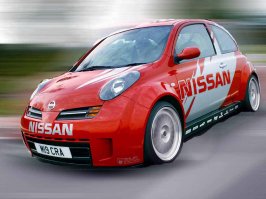
Did you just motion blur the background? You missed the spots behind the windows.

http://www.freewebs.com/rossell/Micra.jpg

Just copy and paste into your address bar if it doesn't work.
 
Just add the pic in the post instead of linking it..
 
Its too big Jugend.

Comes in at 132Kb.

Thanks Klos.
 
reduce the quality if you have adobe photoshop..
 
I'm new to this Jugend.

I don't quite know how yet.
 
Oh ok rossell, if you have adobe photoshop and save it as a jpeg then you have the option to choose what quality you want to save it as.. Do you use photoshop?
 
PS 7 yes.

Thanks for the tip. I understand it now. I'll get a Micra R pic in a moment.
 
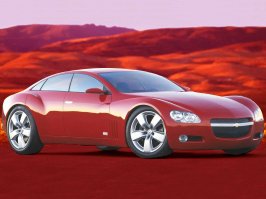
Lets give this a shot.

Different pic altogether. Micra next since it was 103Kb :/
 

Attachments

  • ss.jpg
    ss.jpg
    95.1 KB · Views: 63
The micra looks cool. Another tip when using psp is that under the image menu you can choose to reduce the image size, I got a 17" and those are too big to get a good view on my size of monitor. I use to restric my imgs to 1.000-1.100 in with.

/D
 
They were designed to be desktop quality since I operate at 1280x1024 but I understand. Thanks for that man :)
 
No probs rossell.. And the last tip: Post originals or include them in a corner of the chop so one can get a feeling for the mods you've done

/D
 
I'll remember. Major problem though is I overwrote them :S

But if you want, their both on Supercars.net somewhere.
 
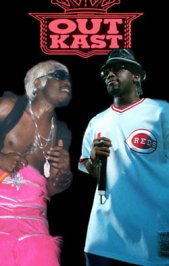
Here's my last one for tonight. Some clever use of layers and the advantage of both stars being in dark backgrounds already making the job easier.

If anybody wants to expand this - feel free.
 

Attachments

  • outkast.jpg
    outkast.jpg
    19.8 KB · Views: 52
Back