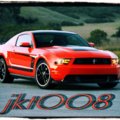
lol this is my first GT game so this question will probably sound really stupid, but can you take photo's of your cars racing? If so how? And how do transfer your photo's from gt onto a pc?
To take a photo of your car racing, go to the replay of that race, pause at the moment you want to take your photo at, and hit Photo Mode.
To transfer photos to your computer, go to your Photo Album in GT5 and select Export to XMB Menu on that photo. After that, you will be able to go to the XMB Menu, and transfer all of your selected photos to your USB device. Then, just transfer them over to your computer.
and if you need to know any more things about photomode, the topics stickied at the top of the photomode subforum have some excellent articles that really helped me


 but can you take photo's of your cars racing? If so how? And how do transfer your photo's from gt onto a pc?