PSC: Official GTPlanet Weekly Abstract: Week 3

  • Thread starter Thread starter Giancarlo
  • 46 comments
  • 1,475 views
Yep, looks good. 👍
 
too bad that was me...
 
You select the black parts, hit Ctrl+Shift+I to select everything else, make a new layer out of it, go to Filter>Blur>Gausian Blur (however it's spelled), set it to a 5 pixel radius. Next, set the layer-blending mode to "screen" and duplicate it 2-5 more times (depending on how bright the backlight is). I used a gradient tool to add some color (i.e. the purple around the edges). This can be applied when making other sillhouetted things...
 
You select the black parts, hit Ctrl+Shift+I to select everything else, make a new layer out of it, go to Filter>Blur>Gausian Blur (however it's spelled), set it to a 5 pixel radius. Next, set the layer-blending mode to "screen" and duplicate it 2-5 more times (depending on how bright the backlight is). I used a gradient tool to add some color (i.e. the purple around the edges). This can be applied when making other sillhouetted things...
 
heres my 2nd version
 

Attachments

  • abstract2ba.jpg
    abstract2ba.jpg
    83.8 KB · Views: 29
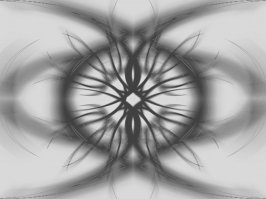
heres one my bro made...

its about as abstract as they come.
 

Attachments

  • matthew ness.jpg
    matthew ness.jpg
    11.1 KB · Views: 60
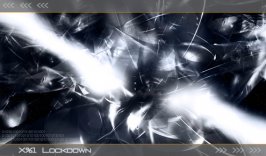
Bryce & Macromedia Fireworks MX
 

Attachments

  • x961lockdown66272.jpg
    x961lockdown66272.jpg
    35.2 KB · Views: 49
Whoa!

Been busy this weekend... the poll will be up soon. :)
 
Back