The slo-car gallery !

  • Thread starter Thread starter slo-car
  • 16 comments
  • 1,480 views
Messages
645

WELCOME TO MY GALLERY !
( I plan on updating this thread frequently, so check back. )

cover2.jpg


THE PICTURES:
(In no particular order)


MAGAZINE COVERS / PAMPHLETS:


OTHER PHOTOSHOPS:
Some of the photoshops are in the main pictures section above


Thanks for looking !

my.php
 
Nice assortment!....That alfa pic is still your "center piece" shot though :)
 
Very nice stuff, bro. Good to see you finally put up a gallery.
 
Thanks for the comments guys. Expect more pics in the next day or 2. School and work are keeping me busy, so I don't really have much time to play games.
 
Woolie Wool
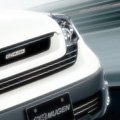
How did you get an orange Spoon Civic in GT4?

with photoshop....


Awsome pics slo-car. I really like this one in particular
pic34mz.th.jpg

and of course the alfa pics is fantastic... 👍
 
Woolie Wool
How did you get an orange Spoon Civic in GT4?

Photoshopped :)

Yeah, the Alfa pic seems to be my best pic -- after all, it was good enough to win one of the Photomode competitions. :dopey:
 
Well, I decided to do one of these too ...
evonightwoo9lx.jpg


Original

The Other Images:

 
What type of lightning filters did you use?

I can't get that reflection on the road as yall can.
 
Nice gallery 👍 haven't seen you around in a while welcome back
 
Div is back
What type of lightning filters did you use?

I can't get that reflection on the road as yall can.

Here's how I do it:
1. Take original pic, duplicate it on new layer, and make that new layer invisible.
2. I make the original darker via layers etc
3. Go to new layer and go Filters > Render > Lighting Effects (use Spotlight, make it narrow and have it start well on the car)
4. Take a soft brush eraser and erase everything but the light field in front of the car -- also shape the edges up around it to have it look the way I need it.
5. Tweak the layer through Brightness/Contrast and layers.

Then after that, just merge it all, duplicate it, and on the new layer do color balance etc to get the environment look and then the blur. After that, just erase over the car to get it in focus. Might need to adjust layers a bit more, but that's about it. :)

Thanks for replies all.
 
lots of cool shots from you
keep it up 👍
 
Hah I tried another (this one took a while):


And with rain (didn't turn out quite like I wanted, but oh well):
 
Those night pics are awesome. Especially the last 2.
You also seem to be good at taking pics of Spoons.
 
Back