Upgrading CPU\Mobo\Ram\HD for Xmas, need opinion

  • Thread starter Thread starter corporatesteve
  • 40 comments
  • 4,219 views
Messages
289
Hey everyone,

I will be upgrading my build for xmas 👍👍 I will be doing a motherboard, cpu, ram, hard drive upgrade. Like to keep total cost below $450... need opinion on my choices...

Currently have a 775 Mobo... upgrading to 1155
Currently have a Intel core 2 dua quad...upgrading to i5 sandy
Currently have 4gb DDR2...upgrading to 8gb DDR3
Currently have 400gb HD..... upgrading to 1tb or SSD.


All choices and purchases will be made on newegg. Here we go...

MOTHERBOARD:

ASRock Z77 Extreme4 LGA 1155 $124.00
http://www.newegg.com/Product/Product.aspx?Item=N82E16813157293

CPU:
Intel Core i5-2500K Sandy Bridge 3.3GHz $209.00
http://www.newegg.com/Product/Product.aspx?Item=N82E16819115072

RAM
G.SKILL Ripjaws Series 8GB (2 x 4GB) 240-Pin DDR3 SDRAM DDR3 1600 $26
http://www.newegg.com/Product/Product.aspx?Item=N82E168202313147

HD OR SDD?
Need help deciding if its worth the money... will be using for gaming like GW2 and BF3...


XXXXXXXXXXXXXXXXXXXXXXXXXXXXX


Hopefully you guys can help me out and let me know if I made a good choice for this budget build..... Heres an old post I made from a previous upgrade a few months back if you want to know more... Thanks :cheers:


So today I finally got my shipment in on my EVGA GTX460 Superclocked, and 4gb DDR2 Corsairs XMS2TWIN 800's.

My old setup:
Intel Core 2 Quad
Asus P5b Deluxe motherboard
Asus 8800 series video card
2 GB ddr2
750W PS

XXXXXXXXXXXXXXXXXXXXXXXXXXXX

Here is what I got:
IMG_1174.jpg


This is what the inside looked like before the installation
IMG_1175.jpg


The old ASUS video card:
IMG_1176.jpg


The old ram:
IMG_1177.jpg


Heres a better view of my old setup:

IMG_1178.jpg


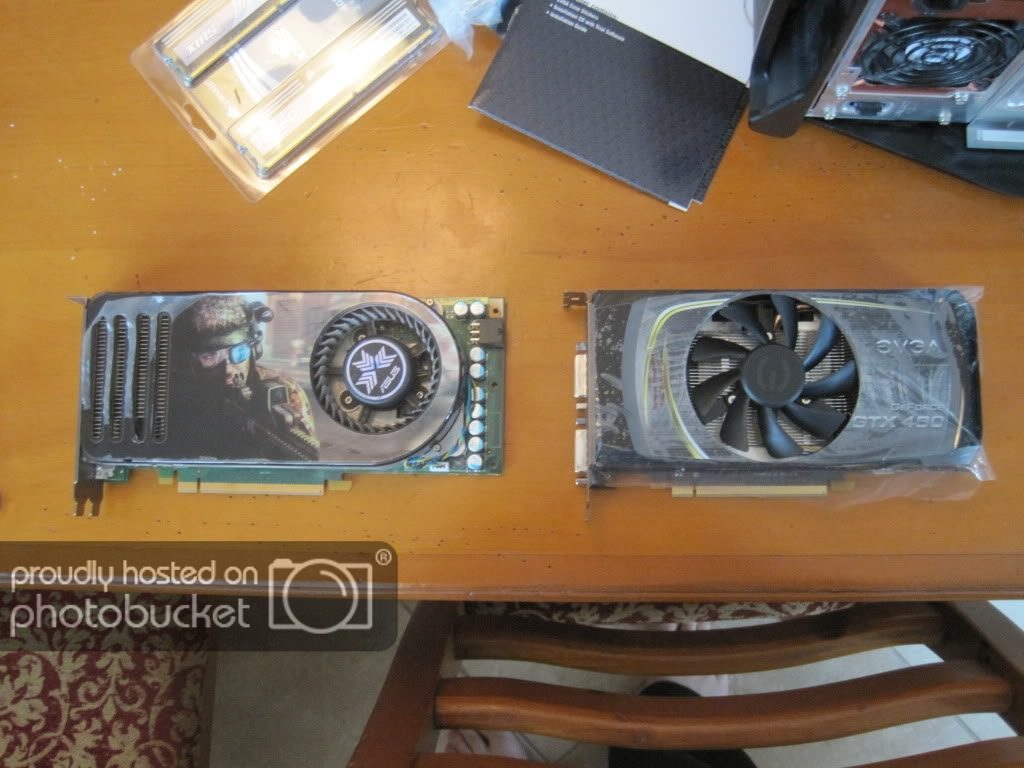
Current comparison between the video cards and ram:

IMG_1181.jpg

IMG_1179.jpg


One thing I did notice was the videos cards weighed about the same and have almost the same dimensions, nothing really different. Fan placement on the new EVGA card is in the middle and much bigger. Exhaust/Cooling ports have changed. My old ASUS video card took one 6port connector, while the new EVGA card takes 2 6port connectors. If you notice my NIC blocks the lower portion of the fan, but who cares :). In addition, the new Corsair ram seemed very sturdy and heavy, it gave me a positive feeling about it for some reason.


Ram is installed:
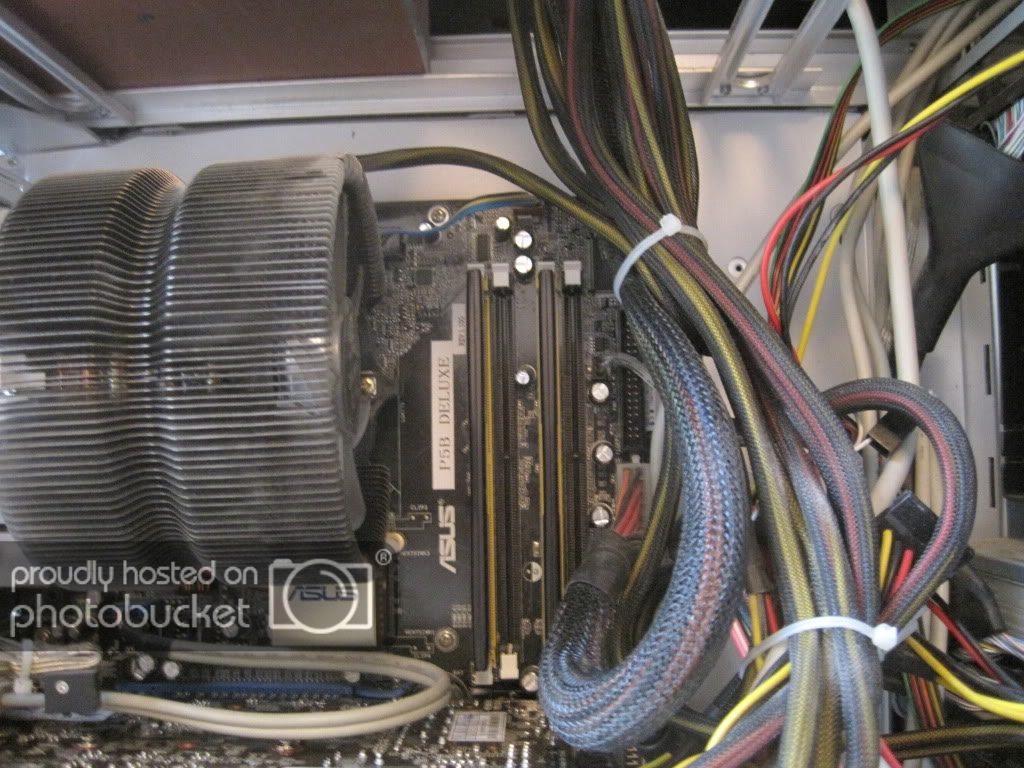
IMG_1182.jpg


Here is the new complete setup with the addition of the new video card:
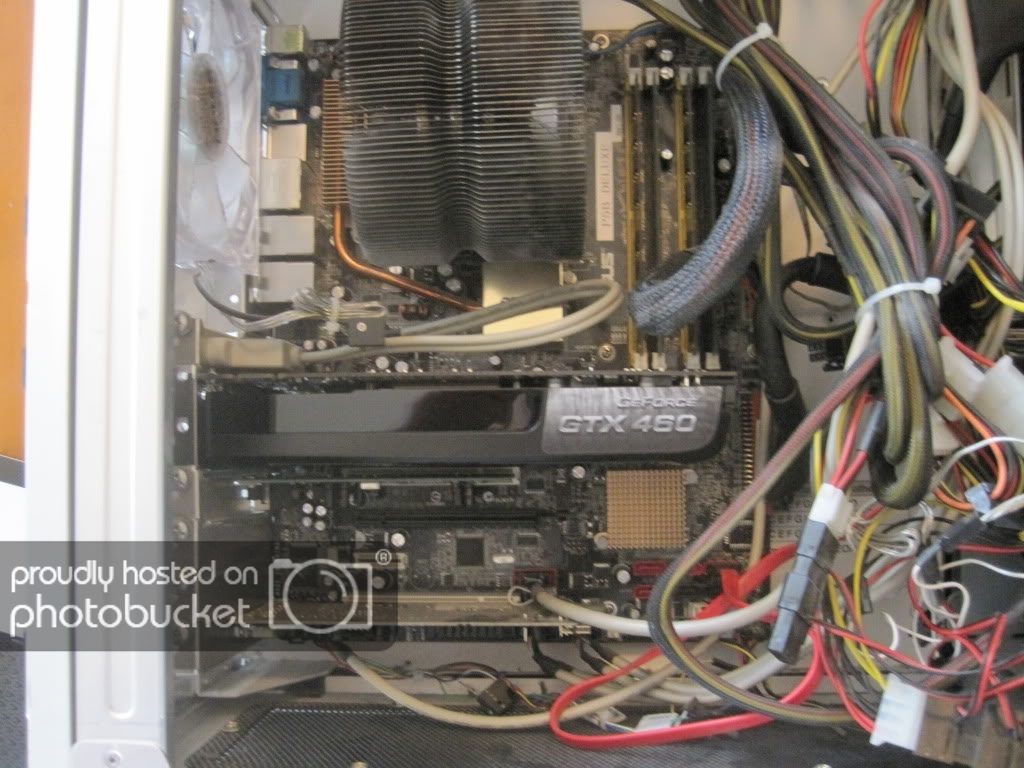
IMG_1180.jpg


Everything booted up, Windows went back to integrated graphics, installed drivers, no problems whatsoever:
IMG_1183.jpg


PS dont forget to do this before handling your installation:
IMG_1184.jpg


And now it runs!!! Finally ready for guild wars 2, and whatever else comes its way!

IMG_1185.jpg


Overall, im happy with the purchase total came out to $200 from amazon. Lifetime warranty. Cant beat it. :). Ram now indicates 4gb installed with 3 usable, before it was only 2gb. Stay tuned next year for an entire computer upgrade! Big shout outs to tlowr4,nick09,and bergauk for helping me make my decision on the upgrade.
 
Last edited:
Here's a 120GB SSD for $90, as far as I know Samsung is a reliable SSD manufacturer:

http://www.newegg.com/Product/Product.aspx?Item=N82E16820147188
I use a 128GB Samsung 830 as a boot drive and it is fantastic. The 840 is supposed to be even better, so take this as a +1 :)

Get a 3570K over a 2500K, the latter overclocks better but the former is more power efficient and at any speed is equivalent to a 2500K running around 300-400MHz higher. I assume you're buying two of those 2x2GB RAM kits?
 
I would also recommend the 3570K. It's an awesome chip and doesn't need an extreme cooling solution if you were to ever overclock it somewhat. Also the added benefits of native USB 3.0 support and the power efficiency like what was mentioned before, well worth the slight price jump.

I agree with the rest of your items as well and I have a 128GB Crucial M4 for the OS and a few games, so far I love it and is well worth the cost. My best estimate is that after you post you should be at the login screen in about 8 seconds.

I have heard great things about the Samsung SSDs, I just went with Crucial because it was on sale on the time and from my viewpoint is near equal quality (not including the new Samsung 840).

Hope this helps you out. :)
 
Get a 1155 Motherboard and a i5 3570k

Get a new gen CPU rather than an old one that is still pricey.

Get a 120GB SSD for windows and some programs like firefox or photoshop(if used) and a 1TB drive for non essential programs and games.

If you want a new GPU a 650Ti or 660Ti is a good choice.
 
Thanks for all the input...

Is the 3570k the older generation cpu? ( Code name ivy ? ), and the current gen is Sandy?. Im not going to overclock my system so with the power consumption maybe I will just pay a little for that.

As far as ram goes 8gb should be enough for gaming right? 16 gig seems to be for high end video editing and the sorts. Im not doing anything else with the system besides office applications.

Has anyone heard any good stuff from the mobo company ASRock? Ive been using ASUS boards forever and Im wondering if I should just spend the extra money for the P series boards from ASUS http://www.newegg.com/Product/Product.aspx?Item=N82E16813131837

Can someone explain what the z68 and z77 is on motherboards?
Can the aftermarket cpu cooling fans fit the new 1155 if it came from a 775 mobo?


EDIT: I meant to put 8gb of ram so I fixed the original link ( the original link had 4gb )
 
Other way around. Ivy Bridge (eg 3570K) is the current generation of CPU, Sandy Bridge (eg 2500K) is the older :)
 
Thanks for all the input...

Is the 3570k the older generation cpu? ( Code name ivy ? ), and the current gen is Sandy?. Im not going to overclock my system so with the power consumption maybe I will just pay a little for that.

Sandy Bridge is a predecessor to Ivy Bridge, so for example the i5-3570K is newer and more efficient than the i5-2500K.

As far as ram goes 8gb should be enough for gaming right? 16 gig seems to be for high end video editing and the sorts. Im not doing anything else with the system besides office applications.

Yes, 8GB is a good, future-proof amount of memory, no worries of running out when multitasking, unless dealing with ultra-heavy software which is obviously not the case here.

Has anyone heard any good stuff from the mobo company ASRock? Ive been using ASUS boards forever and Im wondering if I should just spend the extra money for the P series boards from ASUS http://www.newegg.com/Product/Product.aspx?Item=N82E16813131837

As far as I know, Asrock used to be dubious among PC enthusiasts some years ago but nowadays their products should be just fine.

Can the aftermarket cpu cooling fans fit the new 1155 if it came from a 775 mobo?

Well it pretty much depends on the cooler itself. Can you give us the full, exact model name of it, please?
 
Well it pretty much depends on the cooler itself. Can you give us the full, exact model name of it, please?

Ok I see, Ill def go for the newer gen cpu. I was mixed up between the two.
I think its a cooler master...too lazy to look up it up, it was just a general question.... i was just wondering if the mounting was different in general...

Thanks for all the feedback


PS Im thinking of selling off my mobo/cpu/gpu/ram all together if anyone here is interested in it. Ill pay for shipping anywhere in the world. If anyone is interested I can give exact details on the equipment and how long Ive used it. I might make a thread on this sale today.
 
PS Im thinking of selling off my mobo/cpu/gpu/ram all together if anyone here is interested in it. Ill pay for shipping anywhere in the world. If anyone is interested I can give exact details on the equipment and how long Ive used it. I might make a thread on this sale today.

Posting items for sale on GTPlanet needs to be done in the designated area. You also need to be a premium member to take advantage of this. Please review this thread here that will tell you all about it if you have any questions.
 
After looking around for a while, that cooler looks like it's a Zalman CNPS9700NT. The Asrock Z77 Extreme4 has the installation holes for a Socket 775 CPU cooler so it should support it (as seen in here, Figure 6).
 
Well its looks like I'm upgrading everything. Sold most of my old hardware. I'm also looking into a new case and cooling system for the cpu. Also going for a modular 750w for the hell of it.

As far as my budget build I'm going to downgrade to a midtower because I honestly dont believe with my build that I will need the extra space ( right now i have a cooler master CM stacker 830, the cooling is great but I think I can achieve the same with the right setup in a midtower).

The problem I'm having is deciding on the right midtower. I want a side window with a side fan, of course with the cable management and great airflow.

The best I could find is the antec 900 two v3.
http://www.newegg.com/Product/Product.aspx?Item=N82E16811129097 Corsair came close with the 500r but they didnt have any side windows.
NineHundredTwo.jpg


Next is the cooling....

Im contemplating this beast of a cpu air cooler the phanteks yadda yadda yadda...
http://www.newegg.com/Product/Product.aspx?Item=N82E16835709002
index.php


However I strongly like to try out the new Corsair Hydro Coolers but from the small percentage of reviews of leaks Im afraid to try it and have my computer ruined and Corsair not doing anything about it.

What I've been looking at is the H50
http://www.newegg.com/Product/Product.aspx?Item=N82E16835181010
corsair2.jpg


I would pick the H100 but only if it fits good in the case on the top which only seems great on the corsair cases ( see 500r ).


If anyone has any opinion please let me know.... im kind of 50/50 on the case/cooling situation. If anyone knows any great midtowers that would be awesome. I want to get the full tower cooler master haf X but thats just too expensive.
 
Last edited:
I have a 500R, and while it doesn't have an acrylic/perspex/whatever side window you can mod one in with little hassle - remove the existing mesh, replace with transparent material of choice in the correct size, drill side fan mounting holes, ???, profit.

Cable management and all-around internal space is excellent in the 500R :)
 
Cable management and all-around internal space is excellent in the 500R :)

Yes, I can agree to this just by comparing inside photos with the Antec Nine Hundred Two.

And with a giant cooler like that I would go with either some Crucial Ballistix Sports or G.SKILL Ares blue or orange. The sticks I mentioned in the second post of this thread are very likely going to get blocked by it.

EDIT: That is unless you get a hydrocooler, obviously.
 
Last edited:
Might want to check out some Cooler Master cases as well. They have some mid-size cases that could meet your needs. I personally have an Antec 1200 full tower but I've done some builds for friends with http://www.newegg.com/Product/Product.aspx?Item=N82E16811119216 and they were much easier to work in.

Also, I've installed a few Corsair water coolers for people and none of them have had any problems with leaks.
 
Posting items for sale on GTPlanet needs to be done in the designated area. You also need to be a premium member to take advantage of this. Please review this thread here that will tell you all about it if you have any questions.

Going back to this, are we allowed to organise a sale via PM? I would be interested in buying his CPU depending on the model.
 
Ive kind of narrowed my choices down to 2 options for cases/cooling...

1. Corsair midtower 500R with H100 cooling, with frozen cpu window kit ( no side fans ), or even do h50.


2. Cooler Master full tower HAF X w/ Phanteks CPU cooling ( 3 fan option )


However I just have a small build... basically a z77 mobo with a single gtx460 GPU... with one SSD and HD , and one optical drive, so its not like i need a billion bays or a huge computer...

So is the full tower worth it for more air flow even though I dont need the extra space compared to the midtower, or go with the midtower but might be limited in airflow?

Im just trying to figure out the best option for performance/space.... the price for both options are around the same.


500r w/ h100 vs haf x w/ phanteks
103020113400.jpg

amd_phantek-1505-rz3_zps3acdf260.jpg
 
Last edited:
UPDATE: Just ordered my build, will be coming in soon

Totally went overkill and spent way above what I originally wanted...


Cooler Master HAF X ( with 5 new red mega flow fans )
ASRock Extreme 4 Z77 LGA 1155 mobo
Intel i5 3570k
Phanteks red cpu cooler
Seasonic x650w PSU full modular
Gskill ripjaws X (2 x 4gb) 8gb ddr3
1 TB WD black HDD
Windows 8 64bit OEM build

Total was close to $1,000

WIll be posting pics when the shipment arrives and maybe some installation and completion pics of the build.
 
Just received all my parts, will be updating in parts as I go along... I'm a 2nd time builder so I'll probably have some questions here and there. Enjoy!


CODENAME BUILD: NOD
Brotherhood_of_NOD_wallpaper_by_NeoApocalypse.jpg


XXXXXXXXXXXXXXXXXXXXXXXXXXXXXXXXXXXXXXXXXXXX

PART 1

XXXXXXXXXXXXXXXXXXXXXXXXXXXXXXXXXXXXXXXXXXXX

Ok lets start it off with the case... its a beast, I def went overkill on the case, im happy :)

IMG_1617_zpsa460b1d7.jpg


Comparing to my old cooler master stacker its about the same dimensions in some areas, but the features and how cooler master designed the best possible use of the space available are what makes it amazing...

IMG_1608_zps0afb739c.jpg


IMG_1610_zpse3b06bcc.jpg


IMG_1609_zps71737886.jpg


IMG_1612_zps6a7d7edc.jpg


Inside of the case

IMG_1616_zpse3ec8ea8.jpg


Back of case

IMG_1628_zps13c87cb6.jpg


3 200mm cooler master megaflow led red fans , 1 120mm cooler master sythe red led fan.... realizing the 120mm fan I bought for the rear was a mistake because the rear exhaust is actually 140mm ( will be picking up a 140mm led fan from the store to replace it)...so now I have this spare 120mm fan, ended up noticing I can use it in the VGA port intake area ( awesome :) )....

IMG_1626_zpsc6c08694.jpg


Case came with 1 200mm top mounted exhaust fan, will be using 2 of the 200mm megaflow led fans for the top exhaust....

IMG_1629_zpsf81b25ba.jpg


IMG_1630_zps4f37dbee.jpg


Here is the side panel 200mm fan, the image does not show the fan shroud that helps direct intake airflow to the gpu, which is installed on the panel at a later time...

IMG_1627_zpsad891b4a.jpg


And here the 120mm led spare fan that I used for the VGA fan, so now airflow is coming from the front of the case into another fan which helps direct airflow straight to the gpu along with the side panel cooling...

IMG_1631_zps9e285c75.jpg


Here is the ASROCK motherboard

IMG_1613_zpsfc727380.jpg


Closeup, I really like this motherboard the build quality looks great...im def happy i bought this over gigabyte and asus... we shall see about initial testing and reliability as this continues on, but from others I heard this board is great...

IMG_1615_zps38cafbd1.jpg


And here is the BEAST from Austria, the Phanteks CPU cooler in red

IMG_1618_zps784defdc.jpg


IMG_1620_zps290c90de.jpg


THIS THING IS HUUUUUGE!!!

IMG_1621_zpsf363b656.jpg


IMG_1624_zps579a179e.jpg


IMG_1623_zps61162c70.jpg


And lastly, Gskill ripjaws ram

IMG_1625_zps2af7f916.jpg


END OF PART 1
XXXXXXXXXXXXXXXXXXXXXXXXXXXXXXXXXXXXXXXXXXXXXXX


Next in part 2 ill be showing the cpu installation, cpu cooling mounting, mobo mounting into tower, and power supply installation....
 
QUESTION HELP


I notice the fans come with 2 connectors, what is the usual installation for this? is it the small pin or the big 3 pin connectors?

IMG_1632_zps83904c94.jpg


I also notice that my motherboard has some case fan hookups, should I use them or just use all the case fan hookups through my PSU? I hope that makes sense...

THANKS!
 
Hook the CPU fan to the fan header on the mobo labeled CPU. Otherwise once you run out of motherboard fan headers start using Molex (the big 3 pin connector).

Edit: Are you sure that ram will fit with that heatsink?
 
Hook the CPU fan to the fan header on the mobo labeled CPU. Otherwise once you run out of motherboard fan headers start using Molex (the big 3 pin connector).

Edit: Are you sure that ram will fit with that heatsink?

ok thanks... yeah it will clear, I checked the compatibility list from Phanteks and other builders before buying this setup
 
The red connector you are holding there goes into your motherboard fan headers (usually marked cpu_fan [CPU cooler only], pwr_fan, cha_fan or similar variations), and can alternatively be connected into the white connector to link several fans together and run them off a single fan header on your motherboard. Also ensures the 'grouped' fans run at the same speed :)
 
Back