Wanting a new 19'' LCD DVI Monitor

  • Thread starter Thread starter Delirious
  • 32 comments
  • 1,307 views
I can't speak about Half-Life 2 or any other games, but I used to have one (it's now on my mom's computer) and it is an amazing display. The image quality is remarkably better when using DVI, it's really the only way to go. Even when compared side-by-side with Dell's 2405FPW, the 1905 looks beautiful. I highly recommend it!
 
I fully endorse the use of Dell LCD screens. We use them at work and they are amazing. I've also used a 2001fp and a 2405fpw and both were breathtaking.

But you should also look into the Hyundai L90D+. Me and emad both have it, and last time I checked, he still loved his, and I still love mine. I bought mine 6 months ago at $350, so it's probably cheaper now, and cheaper than a Dell LCD.
 
If you're going to be gaming, make sure it's a monitor with an 8ms response time — you shouldn't experience any ghosting on these. There are 4ms monitors, but the colour isn't as great on those, so 8ms is the ideal solution for now.

I have a Samsung SyncMaster 913B and it's great! The Hyundai L90D+ is pretty good too, and they use Samsung's panels. So, going with Hyundai or Samsung is a safe bet. I've heard Dell have some good LCD's too.
 
The latest BenQ LCD monitors are the fastest at the moment. Guaranteed no ghosting!!!

They have 8ms, 4ms and even 2ms. How much they cost?? I don't know but I guess more than 350

4ms

2ms
 
Shannon
I have a Samsung SyncMaster 913B and it's great!

👍 I have the 913N and it's a beaut :) It's a nice looking monitor too, which is important imo.

HardwareCatalogs%5CSamsung%5C913N-sam-8ms-web.jpg
 
Jordan
I can't speak about Half-Life 2 or any other games, but I used to have one (it's now on my mom's computer) and it is an amazing display. The image quality is remarkably better when using DVI, it's really the only way to go. Even when compared side-by-side with Dell's 2405FPW, the 1905 looks beautiful. I highly recommend it!

I actually received the 1905FP as a birthday gift... I've got it hooked up to my Linux Machine using the VGA connector (my Ti4200 in that machine has no DVI output) and it looks perfectly fine. I've even watched movies (using Xine) on it briefly and it performs rather well.
 
I personally went for a no frills LCD screen and its great! It's a 'QUEST' 19" LCD DVI screen with built in speakers and its a nice 2 tone silver and shadow silver finish.... its really thin and has a quality metal base...

Plays games really nicely and the desktop looks picture frame perfect (doesnt move at all)

The name doesnt matter but what I do know is that the panel is made by LG so its effectively a Flatron..... with the same warrenty and quality etc for alot cheaper....

I other words I would go for decient lesser known brands of screen cause you will probably want to go bigger after a while to there is no real point spending alot on it...
 
You'll want an 8ms LCD - the samsungs mentioned are great. The Hyundai that Event and I have use the same panel and offer the same image quality at a slightly lower price.

There's monitors faster than 8ms out there, but for the most part, their color reproduction capabilities are awful. They also suck for any office type applications and day to day use.
 
Sorry to revive this thread again but I have a question about LCD and stuff.
I want to play ps2 and pc games on the same monitor. I used to have an older Neovo S-18 LCD (25ms), too much ghosting. Using the ps2 (S-video input), I always seem to lose a part of the screen.
My question:
I want to use this cable (is it good enoug).
I want a LCD screen (no ghosting) DVI-I input
I think I going to get a "tv play box" from pixeview. They guarantee a full seize screen (PAL signal). There are 2 versios ==> PV-STV102+ and PV-STV302+. The latter has component output and gives 480p and higher.

Is it possible to use an LCD monitor (ps2) with the PV-STV302+, component cable. I mean is it possible to get a good images on a LCD using component and 480p or higher??? Or is this not possible on a LCD monitor?????
 
Try to aim for one of those LCD Monitor/TV combo units. The reason is because they carry the standard 4:3 screen resolution that your PS2 outputs in. Most LCDs output at 1280x1024 which isn't 4:3. That's why you're getting the chunks clipped out. As for your ghosting issue, you'll be at a reasonable level at 12ms, and you'll be surprised to see any amount of ghosting at 8ms. Anything faster will have terrible color representation thanks to the state of LCD technology at the moment.
 
I just bought the SAMSUNG 940b-Black 19" 8ms LCD Monitor. It is supposed to be one of the best 19" for games. I haven't got to play in DVI yet but the quality looks great set at 1280x1024. With the DVI it will be a lot better. I cant wait!!
 
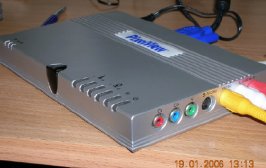
Thx for the help but I found a very good solution. It's called: tv play box 3.
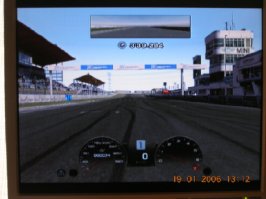
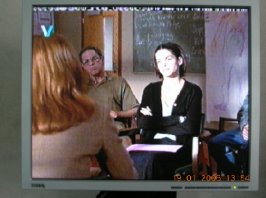
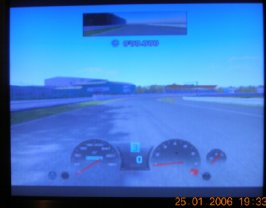
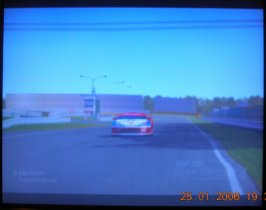
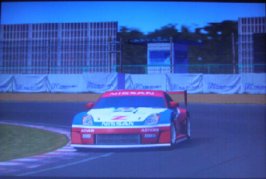
I hooked up the PS2 (GT4) and tv (vcr as well) and got full screen on a simple older BenQ LCD pc monitor, using only composite input.
 

Attachments

  • GT4.jpg
    GT4.jpg
    29.5 KB · Views: 21
  • tv play box3.jpg
    tv play box3.jpg
    28.2 KB · Views: 16
  • TV-VCR.jpg
    TV-VCR.jpg
    32.4 KB · Views: 16
kikie
Thx for the help but I found a very good solution. It's called: tv play box 3.
I hooked up the PS2 (GT4) and tv (vcr as well) and got full screen on a simple older BenQ LCD pc monitor, using only composite input.
Get the component cables or at least the s-video cables and you will be much happier. The s-video cables are only $9.00 and look a lot better. Component is obviously the best if you can afford it but those are between $25.00-$70.00(Monster name brand). 👍
After you get the component cables go buy the RSC rally car. The green red and blue look amazing with component cables.
 
I ordered the standard component PS2 cable. I don't know where to get the monster cable. I don't trust the internet to order one online.
 
kikie
I ordered the standard component PS2 cable. I don't know where to get the monster cable. I don't trust the internet to order one online.
Those will work just fine. The monster cables are extremely heavy duty but not necessary. I had component monster cables and standard xbox component cables at the same time. I put each one in and really didnt see any difference in quality. To the naked eye they were very very close. Now I have monster cable for the PS2 and standard components for my xbox because of the way I run my optical cord.
Anything in the world is better than the red white and yellow composite cords. Pure crap quality.
 
I just tested the component cable and it makes a whole lot of difference. 👍
 
I bought a 19" AOC LCD Screen off of NewEgg and it works magical wonders compared to my 17" CRT (which was over 4 years old).

I haven't noticed any ghosting problems but I do have 2 dead pixels, 1 of which is dead center of my screen and shows up as a pretty little red dot when the screen gets semi-dark :grumpy:
 
kikie
Thx for the help but I found a very good solution. It's called: tv play box 3.
I hooked up the PS2 (GT4) and tv (vcr as well) and got full screen on a simple older BenQ LCD pc monitor, using only composite input.

Now that's what i've been looking for. What's the picture quality like? My Samsung 710MP is an LCD screen with a TV tuner, but the TV tuner isn't very good.
 
@ Jon.
When I have my new LCD monitor, I'll post some photos of GT4 in component quality. It's a LCD monitor without a build in tv tuner. As you already read in my previous post, I bought a external tv tuner (tv playbox 3 form pixel view).
The photos in #18 are GT4 with composite quality and a picture of a film (vcr).
 
Exactly. What i want to do is avoid the tv tuner in mine completely, and use that little box instead. What's the quality of the picture when you use the tv playbox thing?
 
The quality is pretty good. It's not as good as a classical CRT but it is, considering watching a LCD monitor with an external tuner, pretty good. I'm very pleased with the result. I'll let you know more when I get my new LCD monitor. The one I used for testing is an older BenQ monitor (25ms). GT4 with this tv tuner on this older benq monitor with component is comparable with GT4 on a tv (composite), which is pretty good. You need to know that if you convert a signal (PAL into VGA), there's always signal degradation.
 
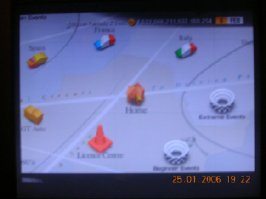
Some photos. There are not sharp but that has nothing to do with the tv tuner (pixelview). I had to take photos without the flash and they came out a little unsharp. And I just got the monitor, so I haven't found the correct settings yet.
 

Attachments

  • GT4 home.jpg
    GT4 home.jpg
    21.5 KB · Views: 10
  • GT4 cockpit.jpg
    GT4 cockpit.jpg
    21.7 KB · Views: 9
  • GT4 lic test.jpg
    GT4 lic test.jpg
    16.2 KB · Views: 10
  • GT4 replay.jpg
    GT4 replay.jpg
    21 KB · Views: 8
  • GT4 replay2.jpg
    GT4 replay2.jpg
    23.2 KB · Views: 13
Alright I've got a question. Does anyone know of a 19inch LCD that has 1600x1200 resolution? I can't seem to find them made anywhere.
 
Back