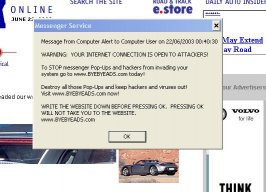
Where does this come from, and how can i get rid of it?

  • Thread starter Thread starter -Fred-
  • 17 comments
  • 1,298 views

-Fred-

This is a custom title
Staff Emeritus
Messages
25,551
Canada
Somewhere.
I have these annoying ads popping up (as shown in attachment), that even my pop up stopper can't stop. I ran Ad-aware, but it didn't find anything, and those things piss me off. They pop up everywhere, no matter which website i'm on.

Is there a way to get rid of them, aside reformatting everything as a panic situation?
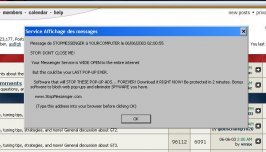
 

Attachments

  • image3.jpg
    image3.jpg
    52.3 KB · Views: 131
What 'Messanger Service' is it that you're running?

Try uninstalling that or downloading a newer version of it.
 
Hmmm... I've used Outlook for a while now. That's where it comes from?
 
Nah, Outlook Express is an email client. That pop-up mentions messenger service, the likes of AIM and MSN..
 
I've seen that before... go to Run>type services.msc>scroll down to Messanger>double click on it>Under Startup type select Disable>Hit Apply and Ok and it should be killed. If you're on a big network I would advise against not disabling it though.

You can also Right-click on "Messanger" and click stop to stop it from running while your system is up but next time you boot up it will have started again.

It's a hole in Windows that was discovered sometime last year. I made a thread about it a few months ago, maybe it will help if I can find it.

EDIT: Found this link... not the thread I made but it was link to in it. https://www.gtplanet.net/forum/showthread.php?s=&threadid=14958 It basically tells you what I've said already though.
 
Originally posted by Matrixhasu77
I've seen that before... go to Run>type services.msc>scroll down to Messanger>double click on it>Under Startup type select Disable>Hit Apply and Ok and it should be killed. If you're on a big network I would advise against not disabling it though.

You can also Right-click on "Messanger" and click stop to stop it from running while your system is up but next time you boot up it will have started again.

It's a hole in Windows that was discovered sometime last year. I made a thread about it a few months ago, maybe it will help if I can find it.

EDIT: Found this link... not the thread I made but it was link to in it. https://www.gtplanet.net/forum/showthread.php?s=&threadid=14958 It basically tells you what I've said already though.
So, if you disable Messenger, can you still use MSN Messenger (the Instant Messenger) because I use it to talk to people.
 
Originally posted by Shannon
So, if you disable Messenger, can you still use MSN Messenger (the Instant Messenger) because I use it to talk to people.

Yes. The "Messenger Service" is a completely different animal to MSN Messenger.

"Messenger Service" is the tool used to receive network broadcasts (which is what your post contained). It's a system component, but Windows can survive without it.
 
Originally posted by GilesGuthrie
Yes. The "Messenger Service" is a completely different animal to MSN Messenger.

"Messenger Service" is the tool used to receive network broadcasts (which is what your post contained). It's a system component, but Windows can survive without it.
Thanks Giles! :dopey:
 
Fast and easy. All you have to do is right click “My Network Places” select “Properties” then right click on “Local Area Connection” select “Properties” again and select the “Advanced” tab and where it says “Protect my computer and network by limiting or preventing access to this computer from the internet” Click that box and press okay. That will solve your problem. Now if you want to go and use some kind of downloading P2P program you might have to go back in there and uncheck it. Just keep that in mind.
 
Originally posted by Matrixhasu77
I've seen that before... go to Run>type services.msc>scroll down to Messanger>double click on it>Under Startup type select Disable>Hit Apply and Ok and it should be killed. If you're on a big network I would advise against not disabling it though.

You can also Right-click on "Messanger" and click stop to stop it from running while your system is up but next time you boot up it will have started again.

Or you could go to control panel > Administrative tools > Services then search for the Messenger service, double click on it stop the service and select the disabled option.
 
I would've guessed it was ICQ, I never really liked that program, too much spam on it...
 
Look undeer you C:\ drive or C:\Windows folder and look for any Messanger program or anything suspicious.
 
about icq/ i have icq on my comp but i dont use it my aunt uses it.. barely !
 
Does anyone here have any idea how to use "net send" outside of LAN? I would love to use that rather than an instant messenger - the recipient is forced to read the message. I have tried before, but it has never worked for me. Perhaps a port/ip/modem issue?
 
i believe its "netsend <ip> <message>", but they have to be using xp or win2k i think....since win95/98 and such use winpopup...
 
Back