[1.9.2] GT5 Master Mod

  • Thread starter Thread starter Nenkai
  • 468 comments
  • 387,841 views
Anything beyond 2.11 has no new content and only bug fixes, but in my general browsing, I haven't seen anything about 2.11 being particularly buggy, and if there is any stand out bugs, there's a chance the Master Mod fixes them.
I am not aware of any bug fixes beyond 2.11 either. The things I remember those updates consisted of are mainly measures that prevent hybriding, the removal of the XXXXXXX, the X2010 JP Flag Color, and the hidden performance parts, and then the very last update, allowing you to keep your DLC after the servers shut down. You really aren't missing much at all by staying on 2.11; if anything, those updates took a lot more away.
Also updating past 2.11 removes certain cars like the redbull 5G and some other cut cars
The 5G was never removed; it was the JP Flag Color and the XXXXXXX that got removed.
 
I am not aware of any bug fixes beyond 2.11 either. The things I remember those updates consisted of are mainly measures that prevent hybriding, the removal of the XXXXXXX, the X2010 JP Flag Color, and the hidden performance parts, and then the very last update, allowing you to keep your DLC after the servers shut down. You really aren't missing much at all by staying on 2.11; if anything, those updates took a lot more away.

The 5G was never removed; it was the JP Flag Color and the XXXXXXX that got removed.
Ahhh thank you.

I am not aware of any bug fixes beyond 2.11 either. The things I remember those updates consisted of are mainly measures that prevent hybriding, the removal of the XXXXXXX, the X2010 JP Flag Color, and the hidden performance parts, and then the very last update, allowing you to keep your DLC after the servers shut down. You really aren't missing much at all by staying on 2.11; if anything, those updates took a lot more away.

The 5G was never removed; it was the JP Flag Color and the XXXXXXX that got removed.
Are you the guy that made one of the GT5 garage editors?
 
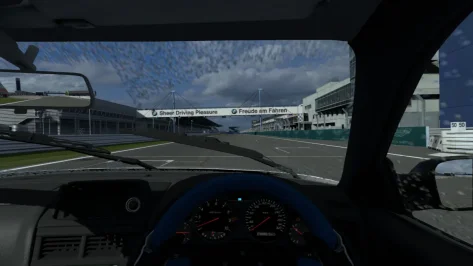
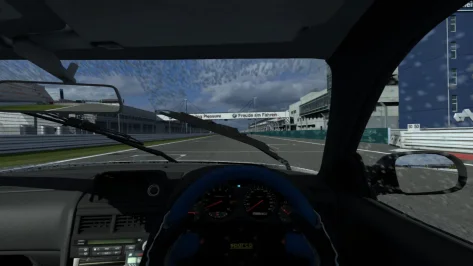
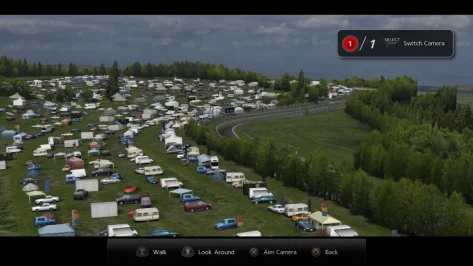
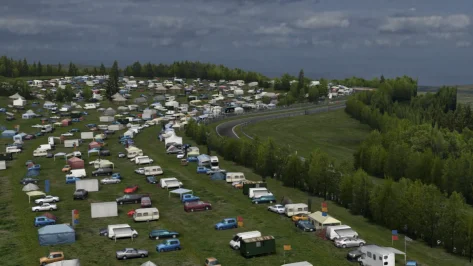
Very nice! Here are a few minor .ncl tweaks to certain elements of the game, especially for wheel users whose wheels are already aligned with the in-game dashboard.

Field of view: 2 014B137C
Gran Turismo 5_2.webp
Gran Turismo 5_3.webp

Steering Wheel: 2 015BCAFC 0 = off, 1 = on. This can lead to some odd side effects with certain cars, like removing doors, bumpers, headlights, and hoods, so it’ll need to be reverted during replays. Changing this value simply shifts the wheel out of the player’s view.
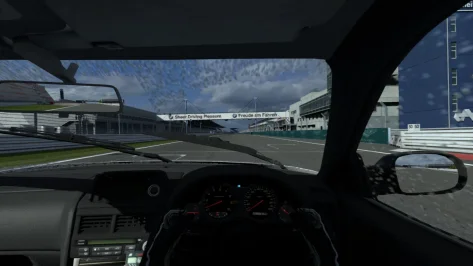
Gran Turismo 5_4.webp

Driver arms: 2 01424C4C 0 = off, 1 = on. Again, this is just adjusting the positioning, and setting the value to 0 will move the arms completely out of sight. It will need to be changed back for the driver to be properly positioned for replays.

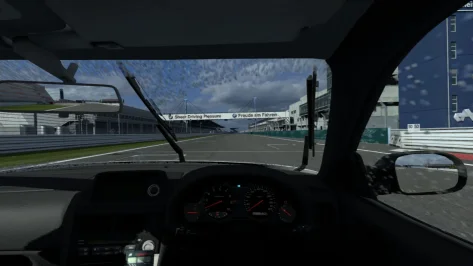
Gran Turismo 5_5.webp


Screen overlay remover for the photo mode debug camera, perfect for recording videos with a clean, unobstructed view: 2 01461C04 0 = off, 1 = on. It will need to be reverted after use to navigate through the menus.

Gran Turismo 5.webp
Gran Turismo 5_1.webp
 
Debug menu not opening. The game must be usa version? Because i was did the exacly what tutorial said. I just canceled the update in 11th part and transferred the PDIFS to gt5 game directory.
 
Debug menu not opening. The game must be usa version? Because i was did the exacly what tutorial said. I just canceled the update in 11th part and transferred the PDIFS to gt5 game directory.
You need to install update 2.11. Did you overwrite the existing PDIPFS folder?
 
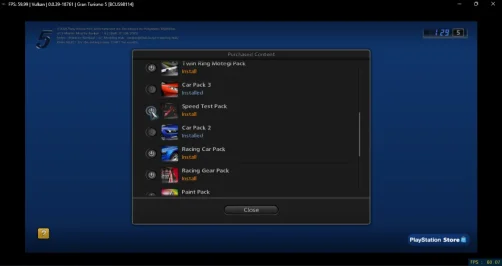
After installing any of the DLC cars from the MM icon, each car has a yellow tick next to and I cant use it.


I have obviously done something wrong - I setup using EU game and change all the settings to UK, should I just leave everything on default??
Same here, don't know how to fix this bug. :confused:
 

Attachments

  • Captura de tela 2026-02-05 012613.webp
    Captura de tela 2026-02-05 012613.webp
    50.1 KB · Views: 1
Every time I close the game and open it again, the option to download the DLC again appears.
I'm going to install the mod from scratch and start a new game to see if this bug disappears.

----

After starting a new game, the screen format gets messed up, so I give up. :guilty:
 

Attachments

  • Captura de tela 2026-02-05 012951.webp
    Captura de tela 2026-02-05 012951.webp
    22.3 KB · Views: 1
  • Captura de tela 2026-02-05 015713.webp
    Captura de tela 2026-02-05 015713.webp
    33.9 KB · Views: 1
Last edited:
Every time I close the game and open it again, the option to download the DLC again appears.
I'm going to install the mod from scratch and start a new game to see if this bug disappears.

----

After starting a new game, the screen format gets messed up, so I give up. :guilty:
Are you on a PS3 or using an emulator?
 
Emulator, sorry I didn't mention before.
The problem with the screen appearing smaller is because I had activated an aspect ratio patch.
 
Last edited:
Emulator, sorry I didn't mention before.
The problem with the screen appearing smaller is because I had activated an aspect ratio patch.
I was going to suggest checking the aspect ratio in the game properties in the emulator itself, but if you had a patch activated that could also do it.

Has the reinstall fixed the issue you have with the DLC cars?
 
Back