- 325
Hi guys! I started creating simple Livery Editing tips videos on youtube for some friends. You can find it here:
https://www.youtube.com/channel/UCIqI85_54rz7mGhpUTZvWKA
Hope some of you guys find them useful. I have been creating liveries for other games like Live for Speed and rFactor so I was pleasantly surprised to find out GT finally incorporated a livery editor.
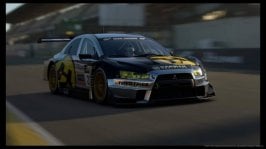
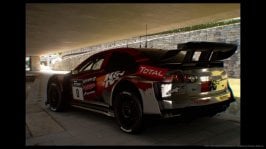
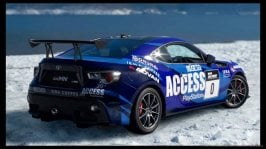
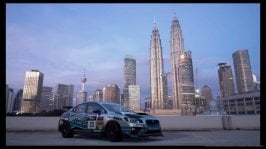
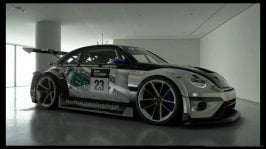
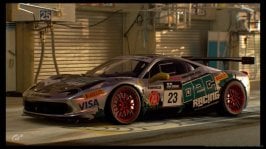
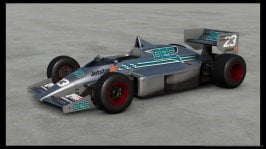
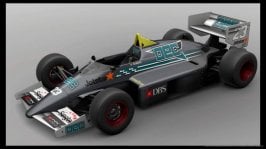
I'll be posting some of our livery pics here. You can also search for the ones I share online with the search key blue chicken.
Tips:
Understanding Work Areas
How to Use Skew
Kill Switches, Extinguisher switches, Clip Arrows and Tow Arrows
How to Match Colors with Logos
Create a Tear Away Effect
Create a Tear Away Effect - 2
Decal Creation and Upload
Creating an SVG file using Inkscape
Projection Areas and how to fix Glitches
Understanding the Color Picker tool
Projection Method: Align with Camera (or how to project a decal at the bottom of the rear wing)
More Align with Camera Tips
Choosing Sponsors and Decal PlacementNEW!!!
Livery Design Basics Part 1 - Follow the Car's Natural Lines
Livery Design Basics Part 2 - Using Shapes as a Contrasting Element
Livery Design Basics Part 3 - Using Texture as a Contrasting Element
Helmet Liveries - BasicsNEW!!!
Helmet Liveries - Align with Camera NEW!!!
Creation - arranged from basic to complex (Quick runs of Livery Creation with some thoughts and notes):
Create a Basic Livery in 15 minutes
Create a Striped livery in 15 minutes
Minimal Decals Challenge
Jupiter Fictional Livery
Advan Based Livery
Advan Based Livery - 2
Using a Splash on Chrome Effect
Using a Fade or Gradient
Ink Spill style Livery using Lucas Ordonez' HAYATE logo.
https://www.youtube.com/channel/UCIqI85_54rz7mGhpUTZvWKA
Hope some of you guys find them useful. I have been creating liveries for other games like Live for Speed and rFactor so I was pleasantly surprised to find out GT finally incorporated a livery editor.
I'll be posting some of our livery pics here. You can also search for the ones I share online with the search key blue chicken.
Tips:
Understanding Work Areas
How to Use Skew
Kill Switches, Extinguisher switches, Clip Arrows and Tow Arrows
How to Match Colors with Logos
Create a Tear Away Effect
Create a Tear Away Effect - 2
Decal Creation and Upload
Creating an SVG file using Inkscape
Projection Areas and how to fix Glitches
Understanding the Color Picker tool
Projection Method: Align with Camera (or how to project a decal at the bottom of the rear wing)
More Align with Camera Tips
Choosing Sponsors and Decal PlacementNEW!!!
Livery Design Basics Part 1 - Follow the Car's Natural Lines
Livery Design Basics Part 2 - Using Shapes as a Contrasting Element
Livery Design Basics Part 3 - Using Texture as a Contrasting Element
Helmet Liveries - BasicsNEW!!!
Helmet Liveries - Align with Camera NEW!!!
Creation - arranged from basic to complex (Quick runs of Livery Creation with some thoughts and notes):
Create a Basic Livery in 15 minutes
Create a Striped livery in 15 minutes
Minimal Decals Challenge
Jupiter Fictional Livery
Advan Based Livery
Advan Based Livery - 2
Using a Splash on Chrome Effect
Using a Fade or Gradient
Ink Spill style Livery using Lucas Ordonez' HAYATE logo.
Last edited: