C: Official GTPlanet Weekly Abstract: Week 11

  • Thread starter Thread starter Jpec07
  • 32 comments
  • 1,083 views
Messages
5,842
Messages
Forgotten Wing
Another week, another sleu of entries. Make them good this week, and there is an optional theme "Winter is Coming" which might inspire some of you. Same rules apply:
  • No violations of the AUP will be tollerated (I doubt we'll have trouble with that...)
  • Image Resolution is to be at or less than 610 x 610 pixels
  • All entries due by Saturday, December 6, 2003.
  • Have fun.

Does anyone have any suggestion as to what my cheesy inspirational line that goes here should be? Good Luck!

Here it is, the due date and there is but one entry. I'm extending the due date to Saturday, December 11, 2003 and allowing 2 entries per user. I hope the competition doesn't die out this week, as that would make a 5th weekly comp that I've killed...
 
I like that topic, it definitely inspired me. I'm in for this week. 👍
 
is it ok if i had one laying around from a long time ago?

mine is 640x480 and hosted on my long since dusty deviantart page
 
Originally posted by emad
is it ok if i had one laying around from a long time ago?

mine is 640x480 and hosted on my long since dusty deviantart page

No. It's too big.
 
Originally posted by emad
is it ok if i had one laying around from a long time ago?

mine is 640x480 and hosted on my long since dusty deviantart page

If you can resize it to 610x457 then you'll be set. I can't bend the rules for just one person, sorry...
 
172moreabstract.jpg

No hidden messages this week.:D glad to have won last week.;)
 
:drool: Very nice OmicroN! I love it! Great Job! 👍
 
Good use of the filters. It's gonna take me a while to determine exactly what you did, but it looks good...
 
Here's my uh, first entry...
 
And of coure my second entry.

attachment.php
 
Hey, that's kickass. Can I see the original picture of the boarder on the left in your first one?
 
Originally posted by Ryan
Hey, that's kickass. Can I see the original picture of the boarder on the left in your first one?

You sent it to me, actually. :D

I'll give to you over AIM as soon as i finish some work i'm doing. I won't post the picture here and in turn clog up the thread. :)
 
Alright, I'd be alot more comfortable with the poll if a few more people posted images, but if this is the way it stays then so be it.
 
Mucho bump-age
 
I forgot about this competition for a few weeks.

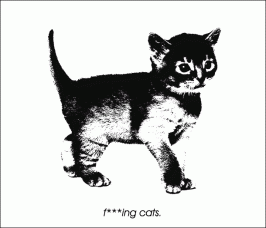
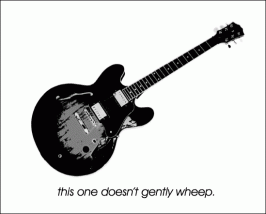
I made a couple entries and they follow a simple theme.
 

Attachments

  • effingcats.gif
    effingcats.gif
    31.9 KB · Views: 113
Well Jpec since you didn't get many entries I figured I would post this one to up the amount of entries. Just finished it.
EDIT: It looks big but if you check the canvas size it's 610x610.
 

Attachments

  • hernando-tiger-whirlwind.jpg
    hernando-tiger-whirlwind.jpg
    57.8 KB · Views: 103
you're right, but I can tell it's not too big. My entries are not forthcoming but there will be something of mine by the time Sunday afternoon rolls around...
 
I was tinkering around with the filters again, and here's what I came up with.
172burn.jpg
 
Originally posted by OmicroN
I was tinkering around with the filters again, and here's what I came up with.
172burn.jpg


How do you get the quad heart shaped thing to look so on fire?
Is the filters that are used for the background, inclusive of clouds then some type of texture or mosaic?
 
Well, here's the story behind that one, lol.

I started out by making the background white, then I drew 6 seperate lines, at 3pixels wide, with the brush tool. After that I went to the filter>distort>twist, and I forget what the settings were. After that I duplicated the layer, and vetically flipped it, and set it to "multiply." After that I simply merged the layers and duplicated again, and turned it 90 degrees clockwise, and blended it with multiply again.

After that was done I turned the black into red. Then I made a duplicate of that and made it orange, then I gaussian blurred it a bit. Then I blended it to look like it's on fire. I did some tweaking using fade and such after that. Then I merged all and duplicated again, and went to filter>distort>ripple, set to large, turned it up a bit, and then it looked kinda funky. After that I set another blending and made it look like it was on fire. The rest you can figure out yourself, lol.

As for the background I simply took the cloud filter, made it red, duplicated, pixelated, and ink outlined it. Then I turned it orangish-yellow and used another blending, and that's about it.
enjoy.
 
Not that hard to do. I can see a polarize filter, a clouds colorized to mimic fire, then the extrude filter used to make it squarey. I don't know where the polarized layers came from, but they are original (if you could do it with a paint-brush instead of the filter then we'd be set). I think there may be another filter or two in there on the combined layer of the polarizationd, but I can't put my finger on it (something in the artistic filters, n'est pas?)
 
Originally posted by Jpec07
Not that hard to do. I can see a polarize filter, a clouds colorized to mimic fire, then the extrude filter used to make it squarey. I don't know where the polarized layers came from, but they are original (if you could do it with a paint-brush instead of the filter then we'd be set). I think there may be another filter or two in there on the combined layer of the polarizationd, but I can't put my finger on it (something in the artistic filters, n'est pas?)

No polarization filter was used. It started off with an airbrush, but from there I used filters and hue&sat tool, and levels, and dodge and burn. Also extrude wasn't used either. it was filter>artistic>ink outline
 
well then.I thought it had been a polarization (the circles look like it). I need some inspiration formy entry, as I have no clue what to do for it...
 
Originally posted by OmicroN
I was tinkering around with the filters again...

Go deeper than just filters...
 
that's not just filters, he's said that. I've found that a good abstract entry needs to have both filters and some actual photochopping...
 
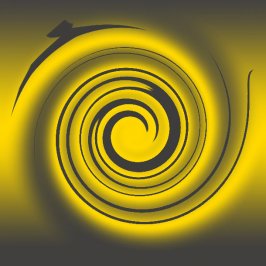
No Filters again this week, decided that maybe they aren't as important as other things. I did an experiment this week, didn't quite turn out as I'd planned but it's still good. Here's my entry:
(P.S. subliminal message added)
 
Back