***D1 Grand Prix USA***

  • Thread starter Thread starter ethikz
  • 167 comments
  • 8,738 views
try upload your video at kazaa . but you must download it first ...:D
 
There you go, Gushi thats him, I always forget his name heh. And the D1 Videos? There was a vendor there selling A LOT of them and i bought a double tape set for 25 bucks. ConvictKid it depends what ure gunna put on it and do with it.
 

Attachments

  • 122_2290.jpg
    122_2290.jpg
    61.3 KB · Views: 175
DUDEEEEE THATS TAKAHIRO UENO he drives the red toyota soarer he has my favorite car other then that silver blitz chaser
 
Seriously...I do love that red soarer...however my fav's gotta be the Green FD3S...it just looks so coo
 
here i im trying to help you ethikz ( sorry if wrong )
 

Attachments

  • dsc_4478.jpg
    dsc_4478.jpg
    44 KB · Views: 164
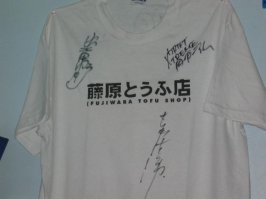
Initial-D shirt signed by the drivers... Keiichi's is the bottom one
 

Attachments

  • 123_2353.jpg
    123_2353.jpg
    22.3 KB · Views: 161
Dang it, I should of gone there, but I had to go to a party in San Francisco :(

I can probably go on August 31st :D:D:D
 
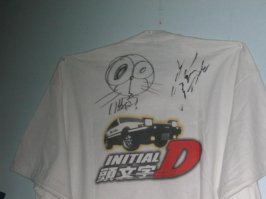
the back
 

Attachments

  • 123_2354.jpg
    123_2354.jpg
    23.2 KB · Views: 159
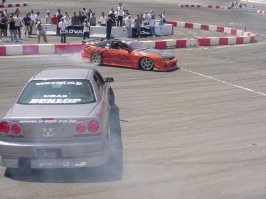
I love this angle
 

Attachments

  • dsc03891.jpg
    dsc03891.jpg
    53.2 KB · Views: 158
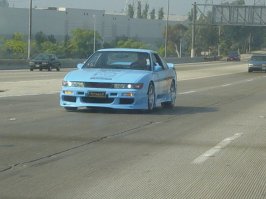
what we found on the way there on the freeway....very clean car
 

Attachments

  • dsc03852.jpg
    dsc03852.jpg
    52.8 KB · Views: 198
Originally posted by Thio
lol, nice attempt by Nomu Ken :lol:

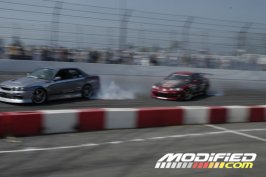
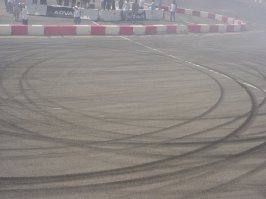
they werent drifting, this is the Exhibition run number 1...they are doing donuts in sync...heres what they left behind
 

Attachments

  • dsc03892.jpg
    dsc03892.jpg
    48.3 KB · Views: 190
ConvictKid it depends what ure gunna put on it and do with it.

I just wanna crop them down and resize them so I can use them in my sig. They are nice pics.
 
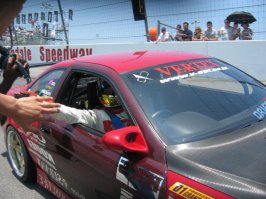
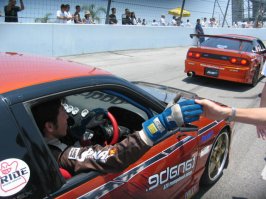
Ok the following pix i took face-2-face with the D1 Pro's themselves, giving me high 5's, thumbs up, and actually talking to me, and laughing n' smilin'

122_2286.JPG

122_2287.JPG

122_2288.JPG

122_2289.JPG

122_2290.JPG

122_2291.JPG

122_2293.JPG
 

Attachments

  • 122_2294.jpg
    122_2294.jpg
    65.2 KB · Views: 179
meee to exspecially er34 ...loved those skyline
****SKYLINE RULES****
 
DAMN you left early. i want to go to the august one. im so-cal anyways so i'll be able to get there.
 
im trying to see if i can get airfare to cali just to see that. but then again theres a good chance they might hold one here in hawaii :)
 
if your planning to go in August, by your tickets ASAP...i already pre-ordered mine
 
ethikz , nice avatar btw can u tell me how to dod it . i got adobe protoshop i can small the size but how can i put at my avatar
....btw my avatar was made by thios . he help me ...so can u help me 10q:D
 
im kinda confused on what your asking, "make a avatar for you?" or "show you how to make your own image a avatar?"
 
make my own image to avatar .... im just teeling you my avatar was made by thios ... so i need to make by my self but how ...
10q
 
From vinkento in another thread

" - 06-17-03 @ 6:51 PM (Post #21)

Go to: My GTPlanet, Edit Options, Change Avatar at the bottom, At the very bottom you have two choices:
1) Link to an image for use as an avatar
or
2) Upload an avatar from your computer.
Your custom avatar must be within the limits of 100x100 pixels.
"

there you go drifterzzz
 
I have still yet to find a host for my video clips i took for the D1 Japan drivers exhibition runs...any one?
 
i know it but how to change the avatar . for example
i got image i already small thesize & save at desktop when i want to change at option i cant it say the size is big s, so what should i do is that some thing wrong . btw at protoshope i put 100x100pixel than i save other just standard so is that im doing wrong ...plzzzzzzz :confused:
 
ok when u save it as a JPG, there should be a little screen that pops up. the box sould say JPEG Options. Go to the section that says "Image Options". There you will see the "quality" section. Next to it there should be 2 boxes. The one on the right should be a drop down box where it should have a list, "Low, Medium, High, Maximum". If you are using Maximum, the file will be big. Try using High, or Medium. Or, right under you will see a line with a small arrow on it. The left of the "line" should say "small file" and the right should say "large file". Move the arrow left or right depending on the file size. You can check how big the file size by looking to the bottom of the "Image Options" box, where it says "Size"
 
.gif is much more convenient for low res images ;)
 
Back