Hello everyone,
Sixxdog_UK here, and I wanted to say a quick hello and thank you. What an awesome community GTPlanet and the GT7 telemetry crowd are – the time people put into sharing what they've learned has been a huge help to me.
A broad idea of what I've been up to: I've been building a small Raspberry Pi Pico 2 W unit (I call it the DoggieBox™©) that connects to GT7 over Wi-Fi and logs the telemetry packets to an SD card. Alongside that I've been writing tools on my Mac to decode the data, work out lap times, and mark up sectors from replays.
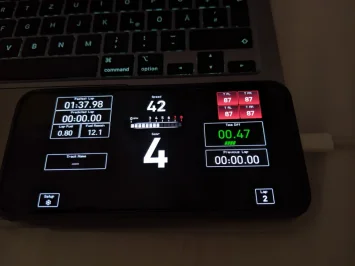
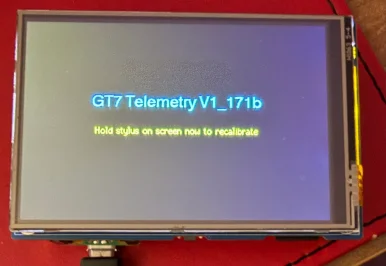
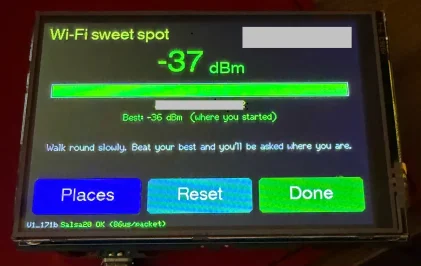
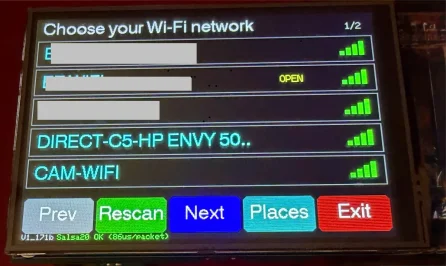
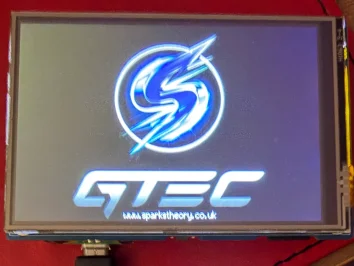
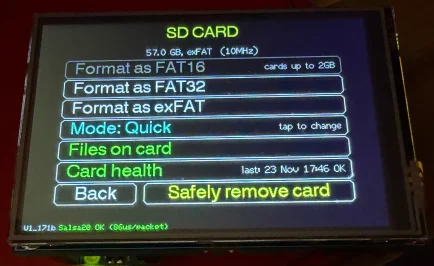
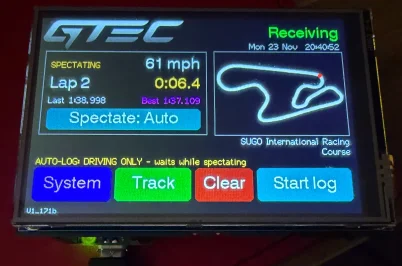
I've added a few pictures below so you can see what I'm working with: the race screen, the SD card menu, the Wi-Fi network picker, the Wi-Fi sweet spot finder, the start-up logo screen and the start-up/touch calibration screen.
HARDWARE SPECIFICATIONS
- Raspberry Pi Pico 2 W: RP2350 chip with dual Arm Cortex-M33 cores (up to 150 MHz), 520 KB RAM, 4 MB flash
- Wi-Fi: 2.4 GHz 802.11n, built into the Pico 2 W
- Display: Waveshare 3.5" LCD, 480x320, resistive touchscreen
- Storage: SD card slot on the display board (SPI); currently running a 57 GB exFAT card
- Power: USB
FEATURES SO FAR
- Connects to the PS5 over Wi-Fi and decrypts the GT7 packets
- Logs every packet to SD card, using both processor cores so nothing is dropped while writing
- Sets the time and date automatically from the internet at power-up, with a time zone picker, so every log file is stamped correctly
- Live track map with a moving dot for the car
- Detects the track automatically, with a track list as a backup
- Lap timing: lap number, current, last and best lap, with speed shown in mph
- Works with replays as well as live driving, with an automatic Spectating mode
- Auto-log option that only logs while you are driving
- Wi-Fi network picker with signal strength bars, and a Wi-Fi sweet spot finder: walk around the house and it tracks signal strength, asks where you are at each new best spot and saves the places, so you can see where the signal is strongest for your setup
- Live data sent to SparksTheory's GTEC timing board
- On-screen keyboard for Wi-Fi details
- Touch calibration at start-up
- Fully customisable logos: the start-up and race screen logos load from the SD card, so you can load your own JPGs and brand it however you like
SD CARD MANAGEMENT
- Format as FAT16, FAT32 or exFAT, with quick or full mode
- Card health check, with a progress bar and a terminal-style readout, and it shows the date and result of the last check
- Read-only file browser, so logs can't be deleted by accident
- Clean Mac files option, which removes the hidden files a Mac leaves on the card
- Safely remove card button, which closes the logs properly and tells you when it's safe to pull the card
FUTURE FEATURES
- Car name shown from the car ID in the packet, plus personal bests per track and per car
- Tyre temperatures and road surface (kerbs, grass) from the extra "C" packet
- Pre-loaded sector gates for every track
- Speed heat-trail on the track map
- Wired Ethernet option to avoid Wi-Fi packet loss
- Support for more than one PS5 at once
- A Mac app that listens over cable and writes the same log format
- 3D-printed case
Once I have a release candidate (RC1) ready, I'll make all my work available on GitHub.
Which brings me to a question, just in case I've missed something: does anyone know whether the data packets contain any sector information? As far as I know they don't, so I've been working sectors out myself, but if it's hiding in there I'd love to know where to look.
I'm also able to upload my data to SparksTheory's live lap database. If you haven't seen it, it's well worth a look:
https://sparkstheory.co.uk/endurance/
Thanks again, and I'd love to hear what everyone else is working on.
Take it easy out there,
Dogman