PSC: Deutsches Automobil Fest

  • Thread starter Thread starter Ryan2
  • 164 comments
  • 4,561 views
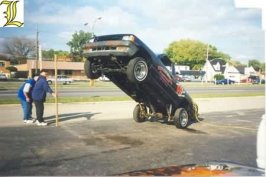
I got your Eurofest right here!
 

Attachments

  • hydraulics504.jpg
    hydraulics504.jpg
    20.8 KB · Views: 76
The Dream Bumpersticker for all Carmageddon Fanz
 

Attachments

  • pic00147.jpg
    pic00147.jpg
    7.8 KB · Views: 72
mmmm, Cartoon version of, THE CAR
 

Attachments

  • pic00243.jpg
    pic00243.jpg
    6.1 KB · Views: 69
Here is my car...i call it the Chazinator!
 
Something you might find at a Eurofest
 

Attachments

  • 3557inportsjam.gif
    3557inportsjam.gif
    45.1 KB · Views: 71
Could you please stop posting random pictures?
I would really appreciate it as I'm sure there are many other threads for you to do that in and that is far from the purpose of this thread.
 
It's lookin pretty nice. The rims are a little crooked though.
 
The rims look fine. Lots cars have rims that slant like the BMW Roadster.
 
Originally posted by StevieMo
It's lookin pretty nice. The rims are a little crooked though.


yea...the front is all wackey.but the back looks fine to me...BTW:thanx for the compliments
 
thanx Mr Deap!BTW:how do u put those letters on the car like u do..
 
You just have to write something with photoshop. It will automaticly put it in a simple layer.

Go to the layer menu go to Transform-> Distord. Arrange it like you want.

After put all the opacity of the other layers to 0 except the thing you've written.

Go to the select menu & choose color range. & select the color of the thing you have written.

Your word should still be selected at that part. Put all the other layer to 100 & the thing you've written to 0. After, play with the Hue/Saturation or Varation.

I know it's confusing, but maybe you'll understand what I mean with time. If someone could explain that better than me, I'll thanks him for helping you to understand! :D

& it should look like that! :D
 

Attachments

  • test.jpg
    test.jpg
    32.2 KB · Views: 102
Originally posted by Mr Deap
You just have to write something with photoshop. It will automaticly put it in a simple layer.

Go to the layer menu go to Transform-> Distord. Arrange it like you want.

After put all the opacity of the other layers to 0 except the thing you've written.

Go to the select menu & choose color range & select the color of the thing you have written.

Your word should be selected at that part. select the chassis layer & put the opacity 100. After, play with the Hue/Saturation or Varation.

& it should look like that! :D
I don't know if this is the same thing, but your post seemed kind of confusing.:nervous: I just use the "Text" tool, and write what I want, then resize the font, and put it into place.;)
 
I use the color of the car, so it look more real.

If you use the way you do, you'll lose some part of the car color & other stuff!

I agree it's confusing. English isn't my first language & It's hard for me to explain that procedure! :cool:
 
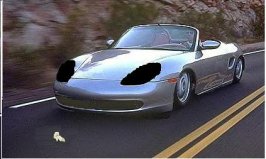
damn... turned out the Bimmer wasn't that good...

i'll do a 911 instead
 
here is an updated version!

Fixed-Front Left wheel.
Additions-Vynel on the left side of the car
 
original:
911_carrera_cabriolet_01.jpg


my version, didn't do much, but still...
 
You call that "Not much?" :eek:

Very nice :smilewink:thumbsup:
 
can we enter more than one? and then you get to choose which one one to keep for the finals?
 
i hope so


and BTW: that is a squirrel in front of the car :p
 
Originally posted by PunkRock
can we enter more than one? and then you get to choose which one one to keep for the finals?
There's nothing about that in the rules......you'll have to wait for bimmerkid to come back I guess.
 
Back