Sim Dashboard Tips & Tricks Thread

  • Thread starter Thread starter CodeRedR51
  • 33 comments
  • 28,237 views

CodeRedR51

Premium
Messages
55,970
United States
United States
I thought it would be a good idea to separate this from the original thread, seeing as that one is getting deep into nerdy numbers and Sim Dashboard questions are getting lost in the fray. So if you are using this app (or a similar one), feel free to share any good community templates or tips that you may have for setting up a good sim dashboard. I will do my best to update the OP so they are easy to find. 👍

I do have one question myself, and that is - what should the tire temperature settings be for min/optimum/max?
 
1660750855338.png

This is how i run it, i use my second Pc screen with this android emulator.
From my testing the lap times never display correctly untill the lap is finished, everything else works well. I have not worked out Tire Teps at the moment.
 
I've been using it mostly for brake numerical value. And laps remaining because subtraction while driving is hard. :lol:

The tire temp is neat but ultimately it's likely the values are based on wear. Wear is based more on BOP, the tire wear multiplier and road conditions. In a real car the temp reading would be directly from the tire, separate from those factors. It's a good way to see slight differences like +/- 1 degree though.

1 feature I wish they or anyone else had is connection strength.
 
View attachment 1184477
This is how i run it, i use my second Pc screen with this android emulator.
From my testing the lap times never display correctly untill the lap is finished, everything else works well. I have not worked out Tire Teps at the moment.
Where does one find this?
 
I've been using it mostly for brake numerical value. And laps remaining because subtraction while driving is hard. :lol:

The tire temp is neat but ultimately it's likely the values are based on wear. Wear is based more on BOP, the tire wear multiplier and road conditions. In a real car the temp reading would be directly from the tire, separate from those factors. It's a good way to see slight differences like +/- 1 degree though.

1 feature I wish they or anyone else had is connection strength.
Did some testing with it tonight. Seems the "optimal" temp is in the 150-160°F range. Ran about 10 laps at Watkins Glen in my S15 on SS tires and the fronts settled in around 150-155°, and the rear around 160-165°. The left sides were highest due to the track being mostly RH corners.

So I've set the threshold to start at 120°F, ends at 180°F and the "ruined" threshold to 250°F. Thats around the same place where the tires on the HUD turn red when you're doing a burnout.

Edit: did a few laps in a MX-5 and the front tires are 135-140 and the rears 135-145.
 
Last edited:
Did some testing with it tonight. Seems the "optimal" temp is in the 150-160°F range. Ran about 10 laps at Watkins Glen in my S15 on SS tires and the fronts settled in around 150-155°, and the rear around 160-165°. The left sides were highest due to the track being mostly RH corners.

So I've set the threshold to start at 120°F, ends at 180°F and the "ruined" threshold to 250°F. Thats around the same place where the tires on the HUD turn red when you're doing a burnout.

Edit: did a few laps in a MX-5 and the front tires are 135-140 and the rears 135-145.
I did a test i destroyed the rear tires doing doughnuts and the temperature once the tires cooled down was the same ever after all the rubber was worn down so I'm not sure what these numbers do.
 
@Pizzapants @mattikake


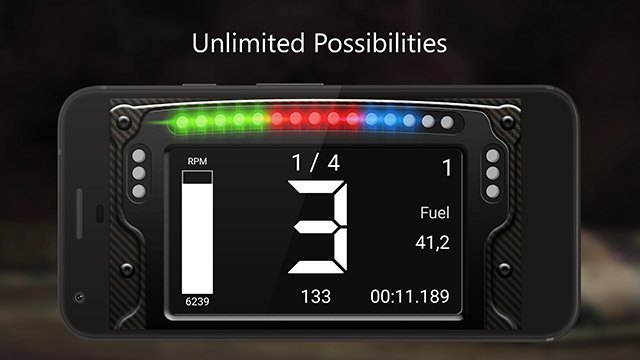
Simdashboard is a Mobile App that allows you to take telemetry data from a Sim Racing Game and Display it on said device.

This App now works with GT7 and you can display all sorts of data from Throttle and Breaking Input to items such as Track Time, Shift Points, Tire Wear, RPM, Speed, and Boost Pressure. Hopefully, PD will add more data so you can have things like fuel level tyre wear, I have been using it and removing the games HUD it's so much nicer.

1660824067876.png

Follow the link and download it to your mobile or tabllet or if you have a second screen download an android emulator, it does cost to get access to the GT7 compatability its only a few £/$, then just add your Ip address from the PS4/5 and the game will start transmitting Telemetry data to it.
 
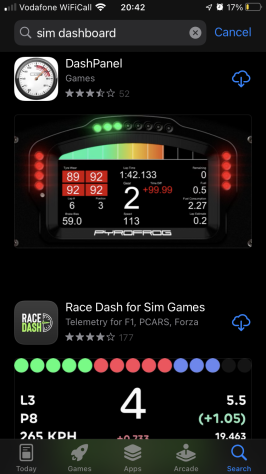
iOS users can use this app:

Thanks again for the hint, @F1Bernardo :cheers:
 
I will update the OP with more info tonight when I can access GTP on a PC. Its blocked at work. 😆
 
THIS IS AMAZING

Now if only we can customise the onscreen hub and get rid of the things I don't need!
 
THIS IS AMAZING

Now if only we can customise the onscreen hub and get rid of the things I don't need!
most of it can be on sim dashboard however if you remove the hud completely then you will find it hard to refuel when pitting.

My current screen:

1660844356545.png
 
Last edited:
Eagerly awaiting my phone mount for my DD Pro, I have an old phone lying around that will be perfect for this.
 
Is it possible to display position ? I doesn't seem to be available. Nor tire durability too.
 
Is it possible to display position ? I doesn't seem to be available. Nor tire durability too.
No sadly, that might come in an update.
 
Dashpanel has removed GT support
Yeah, already issued a refund when **** hit the fan in the motion rig thread. Kinda bummed about it, I really liked it.
 
Sim dashboard works on ios.
None of the apps on the App Store work with GT7 - just tried them
 

Attachments

  • IMG_8237.PNG
    IMG_8237.PNG
    124.6 KB · Views: 78
None of the apps on the App Store work with GT7 - just tried them
I use an android emulator for windows called MEmu, I also have it on my phone, It looks like IOS has no support.
 
Back