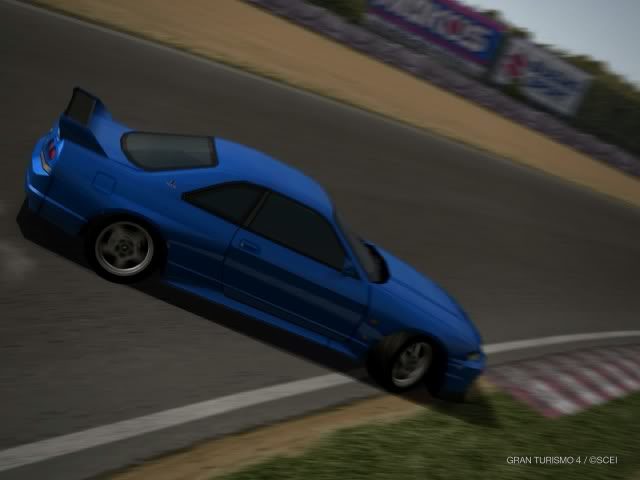
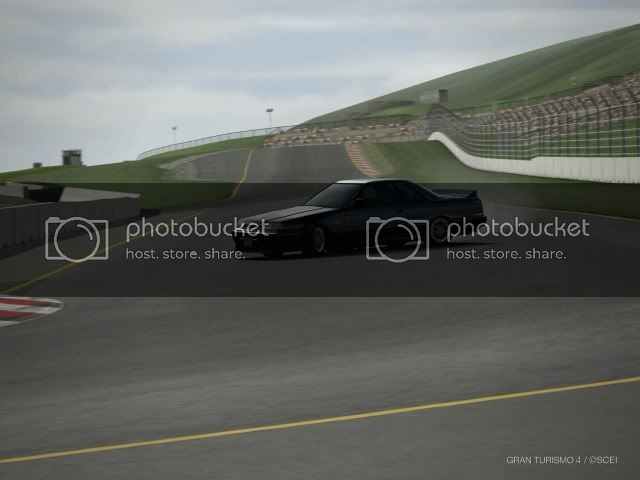
Drift Photos [THUMBNAILS ONLY]

  • Thread starter Thread starter Gen.
  • 2,066 comments
  • 269,241 views
can i post this w/o getting flammed???

eh-vo IV dorifto(see sig)

evo_4_drift.gif


proof of my no spinning-outness


ps-photobucket is sux pm me if anyone can host the full size version
 
I get this picture when trying to crawl drift RUF RGT, it's fun :D.
 
I was just playing around with making photos look old because I never tried it ... threw in the fisheye lens look too. I know car doesn't go with the photo because the car is new and the photo looks old, but whatever.


Did someone request some D1 shots?

 
Slo-car, you should have blurred the shadow with it too. Otherwise when selecting out the car, you need to guess where the wheel is. Just leave in the shadow, looks more realistic too:

MGF '97 Fun;)


​
 
Niels
Slo-car, you should have blurred the shadow with it too. Otherwise when selecting out the car, you need to guess where the wheel is. Just leave in the shadow, looks more realistic too:

MGF '97 Fun;)


​

wow those look awesome how did u get them to look like that? what effects did u use in photoshop?
 
Well, I got a gallery where I sometimes explain how I did it.
-I resized the picture to 600*450.

-I messed around with "image-->adjustments-->levels".
-I messed around with "image-->adjustments-->contrast/brightness".
Note: I dont only adjust the whole picture, I often make new layers via copy, and erase the background for example to seperatly adjust the levels and contrast on the car. And vice versa. See my tutorial on the layer stuff.

-I used a technique of motion blur (if you go to my tutorial in my sig, you will see a link in my tutorial again, for how this blurring technique works).

-Then I copied a layer, erased the car and went to "image-->adjustments-->hue/saturation". Now for the first picture I increased the saturation with...I cant remember, something like +30, I don't know.
For the second picture I decreased saturation with something like -50.

-Then I went "filter-->sharpen" and just used the first sharpen option.

-Then I got the blur brush, set the brush size to 2 pixels and zoomed in on the edges of the car. I blurred the parts that were pixelated/too sharp.

-Then I added a little border and saved it as JPEG with highest quality:)

Really, you should start a gallery in the video/photomode section of the GT4 forums. Thats where I learned all this stuff.
 
I will be posting some pics tomarrow.....but dont get excited cause there going to be crap cause i stink at drifts
 
Hi there,

i'm new in drifting, and i tried it out with a stock Skyline R34 V-Spec II.

here are the pics. :)


Thx. =)
 
Some of my pictures ^_^ i'm a noob to all this drifting in gt4, but i think i've found my drift car. (Honda NSX Type R)

now for a couple of shots

my favourite
th_IMG0005.jpg


Yum
th_IMG0007.jpg


th_IMG0000.jpg


th_IMG0002.jpg


th_IMG0011.jpg


barely held this one i was surprised i pulled it off.
th_IMG0003.jpg


and for the larger pictures click here
 
My pics. the toyota is the best. its so balanced and only has 220BHP.:)

1.JPG

MX-5_2.JPG

slide.JPG

stingray.JPG

click photos to enlarge
 
dude i just noticed that in the pic with the vette the cars in the back ground are all '00 Honda Accord Euro Rs...
 
Ok it has been a while. But i must say that im happy to see some new faces around here. and having a good time drifting on gt4.
Now im back in my drifting mood so i go out and take my low powerd drift cars this time. And put som drifty pics.

to begin this some FF action. Hmmm still need to practice this technik but it came out pretty good huh :sly:
​

Now this one just join my driftcars collection. still stock. suspension upgrade thats it.

​
be sure to chek my Underdog drift squad tommorow.
 
Back