Dumb AI Settings
Settings are avaible at the start of each session, in the setup menu
- Default Tyre Compound = replace the default tyre compound of CSP. This means that if you choose "Soft" and start a session under rain conditions, if the track dries enough, AI will get back to pits and mount its softest tyre compound. DumbAI assumes that tyres compounds are ranged from the softest to the hardest, removing Wet Tyres from the list. It is not the case for all cars so check it carefully.
- Qualifying Behavior = in a Qualify session, each AI randomly waits a bit (beween 0 and 30 sec) before going on track, then makes a maximum of 3 laps and goes back to pit to change tyres to its softest compound before making another run, until the session ends.
- Pit strategy =
- Vanilla AC = as the name says, just the original pit stop strategy behavior
- Tyres Change only = AI gets back to pits to change its tyres when one of them reaches the red level of vanilla AC UI tyre wear. Refuel is not allowed and an AI "running out of fuel" procedure is added by DumbAI. Take care of your race configuration ! Body (front and rear) damages and Suspension damage are also taken into account and can trigger a pitstop.
- Tyres & Refuel = AI gets back to pits to change its tyres when one of them reaches the red level of vanilla AC UI tyre wear and/or if fuel level goes too low. Fuel strategy is recomputed dynamically during race. Body (front and rear) damages and Suspension damage are also taken into account and can trigger a pitstop.
- Mandatory Mixed Compounds w/ or w/o Refuel = AI has to change its compounds at least once during the race. Refuel allowed or not. Body (front and rear) damages and Suspension damage are also taken into account and can trigger a pitstop.
- Mandatory Refuel = AI has to refuel at least once during the race. Changing tyres is allowed. Body (front and rear) damages and Suspension damage are also taken into account and can trigger a pitstop.
- Qualifying and Alternate strategies =
- AI is allowed to adapt its race strategy by choosing randomly between a softer or harder tyre compound than default (if they exist).
- Fuel strategy is adjusted accordingly to the new tyre compound, e.g. an AI with one expected pitstop due to refuel will make a longer first run if it has chosen a harder compound and a shorter one thereafter.
- Alternate Mandatory Refuel strategy makes AI with softer compounds make a supplementary pit stop whereas AI with harder compounds at start will adjust their first run accordingly.
- Taking grid position into account in alternate strategies means that lower half tier AI under alternate strategy will lean to choose the harder compound and stop later in the race whereas top half tier AI under alternate strategy will lean to softer compounds choices.
- Blue flag behavior = "None" is the vanilla CSP behavior (nothing happens when an AI is outlapped), "Activated" makes outlapped AI make a lateral move and slow down to let leaders pass and modifies also outlapping AI agression.
- Detailed settings =
- Various values to try to enhance blue flag behavior, except for Rain threshold which is there to match CSP behavior. Not sure how it overrides it if you select higher value than the (unkown to me) vanilla CSP rain threshold but ensures you can make them pit earlier if you feel the first drop of rain should quickly trigger pit stops.
- The other values may be modified to explore which Blue Flag Behavior would suit best to your current cars/track combo. The aggression value for outlapping is set by AI Caution in the detailed settings. Be careful: the lower the value, the more aggressive behavior from outlapping AI but also the more accident incidence !
- Default values are from my own but limited experience. You can modify them directly in the lua code if you find that other default values would be more suitable to your combos.
Dumb AI settings file system
The load and save buttons in the app allows to use a file system with files that are saved in or loaded from the /settings folder of the app.
The file system is based on .ini format. You can modify values directly in the file or you can use the app, load a strategy, modify it and save it under another filename.
Base.txt is a simple line that makes DumbAI loads a particular .ini at start so that you can just make your car settings as usual and launch the race without having to tweak DumbAI. Please note that you have to modify only the right part of the line and match exactly the filename you want as base, without the ".ini" extension.
Dumb AI in game windows
You can open Dumb AI Race engineer by clicking on the "ill robot" icon on the app list. It provides information about the current selected driver and also about the next three drivers ahead and behind you.
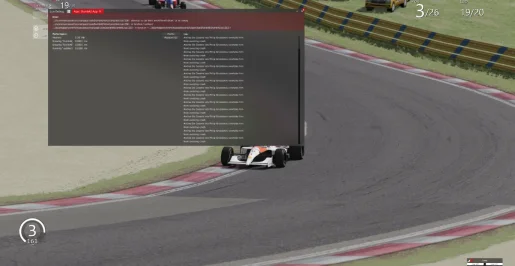
In case of Dumb AI bugs, you can also open the lua debugger and open Dumb AI lua app debugger there. The app throws here some messages from time to time (so that I can check that the code does what it should do) and it is also here that you can check lua errors that may be rised in red during your bug, so that you can copy it and send it to me with your bug context report.