- 24,821

- United States
- GTP_Jordan
- GTP_Jordan
This is the discussion thread for an article on GTPlanet:
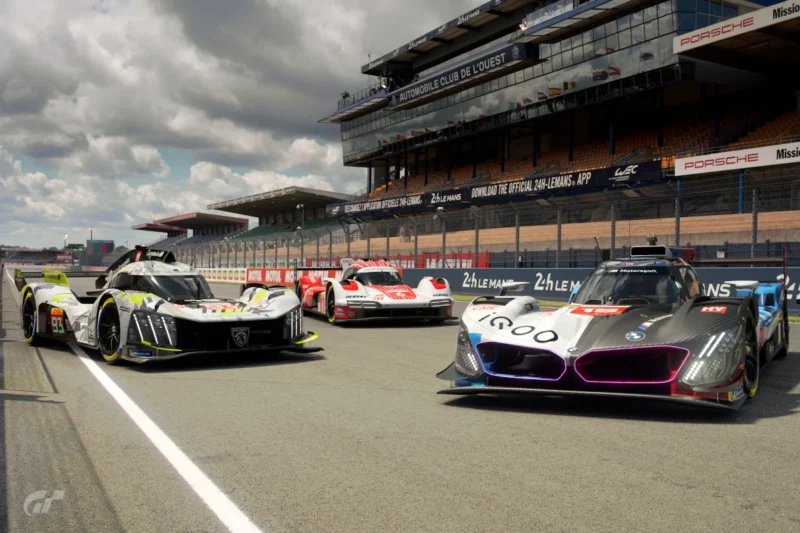




Maybe try to watch Tidgney's guide as he done a good lap or Calsters video on the tube, they explain good braking points to nail the track down. I love Le-mans personally but prefer it without the chicanes to hit that top speed hehe.Tried the Porsche at LeMans, nice car to drive, much better than the previous gen cars that have so much understeer.
However, I cannot fathom how you guys get any joy from LeMans. Most corners are blind with really hard to see apexes, chicanes galore and the smallest brake markers ever. That's my biggest gripe, I can't find any brake markers, every braking zome at 300kmh plus looks identical to me, i cannot find brake markers to save my dang life.
Then you get to the end of the track, more blind apexes and the worst double chicane fiddlefest ever. Garbage.


Others have/will chime in on brake markers; I wanted to help on the VR/Cabin thing.I did 5 laps with the Porsche in LeMans. After that i wished the Laguna Seca TT would remain for another 2 weeks instead of this!
In VR the sight is very limited! It's like looking through a postbox slot! I can't even see the lap time from the HUD.
Where to break with this car is my biggest issue so far. Making this a safe gold will be much harder than the recent TTs in Laguna Seca or CGV!
I always watch his guides but he works off of random trees etc and my eye line is lower. The issue is the tiny, tiny little brake markers, they're so hard to see. Biggest issue is I simply cannot remember the track, it's like a new north american suburb, every corner looks the same on approach, i don't know where I am. Then those stupid chicanes at the end, just awful. I could live with the first one but the second one is just hateful.Maybe try to watch Tidgney's guide as he done a good lap or Calsters video on the tube, they explain good braking points to nail the track down. I love Le-mans personally but prefer it without the chicanes to hit that top speed hehe.
I only find the last chicane a pain as you gotta hit them right due to the raised kerbs. All of the new hypaaacars have enough grip to barrel thru the esses on the last few but be careful on the porsche and ford corners before them.
Thank you!Others have/will chime in on brake markers; I wanted to help on the VR/Cabin thing.
- The Wheel is Your Friend. The readout on the wheel tracks laps, lap time and your delta as well as gear, etc. This means you can go with little or no HUD; I go with zero HUD in this time trial because I love both the immersion and I have GT Race Engineer running off my phone.
- You can Adjust Your Position. To do this, click on the passthrough button on the PSVR2 while you are in the car. While you're still able to see your surroundings, set your head back against your seat. As your head is still back click the passthrough button. Now adjust your head to your normal position and you'll now be farther forward in the car. You can do the opposite (move your head forward instead of backward) if you want to move your view in the opposite direction.
I hope this helps. It did for me #BMW

YOU OWE ME A NEW MONITOR mine is now covered in Coca-Cola.I always watch his guides but he works off of random trees etc and my eye line is lower. The issue is the tiny, tiny little brake markers, they're so hard to see. Biggest issue is I simply cannot remember the track, it's like a new north american suburb, every corner looks the same on approach, i don't know where I am. Then those stupid chicanes at the end, just awful. I could live with the first one but the second one is just hateful.

LOL thanks. The amount of times I am driving through those large suburban areas and I dead set have no idea where I am because it all looks thew same. Especially those weird outdoor shopping complexes, so you need to drive from one to the other right, no walking, huge areas, dead set I get lost in em.YOU OWE ME A NEW MONITOR mine is now covered in Coca-Cola.
There are a few markers that I use which may help, but I stress these work for me.
I hope this can help. While these work for me, they may not for you. However as I'm in VR exclusively (no flat screen attached to my PS5) I understand the need to see markers as you dash around any track.
- Big Yellow House. On the Mulsanne straight, there's a big, yellow building on the left hand side. That tells me the first chicken is coming on the right. The 200+ signs start soon afterward.
- Banner at the End. Towards the end of the straight, that big banner lets me know the end is neigh.
- Sign on the Left. This one may not be so helpful. After the two gentle rights on the fast section after the straight, I start looking on the left-hand side for the first meter sign. The second one I use to turn in; the hypercars can take that flat out before a monster brake pedal stomp right at the curb. I think that's Indianapolis?
- Second Gentle Left. On the fast section following Indy, after the second gentle left I know I'm gonna have to brake for the Porsche curves.
- Porsche Curves. I got nothing. I've just learned them.
- Ending Chickens. The marker I use before the ending chickens is the pit lane. Brake before, inside or at the end of the pit lane entry (depending on car and feel) to deal with that first chicken. The last chicken is evil - no lies detected.
Take care,
- Revengel