- 1,828

- Toronto, Canada
- TPC_Gooners
27.834
45.367
45.367

Welcome back, Mohit.


I *do* miss losing to you.Maybe you can't contain your excitement


is there any way that you can make it not off of youtube? Like download it and post it as a file so i can watch it, my computer doesn't seem to like youtubeTry clicking the youtube button on the bottom right to watch youtube. Or click the link below
www.youtube.com/watch?t=1&v=kNc_Ioqygjc




First of all you need to save your best lap replay - look for twin circle icon with one striped circle with red dot inside it after your run. Then go back to main menu, into galery, find this replay in replays section (opens default as you enter), click on the replay and choose export to XMB.Can anybody help me figure out how to post my replays?
 hope it helps and hope i didnt make some mistake in the explanation (written from head as im at work now.
Hmm, what BB you use? I am currently on 1/4 and it feels little better the handling, maybe it helps you tooAt this point, think I may be done for this combo already as I am just way too slow and I just can't see where I can make up the time to get to a vaguely decent split, much less a competitive one
S1: 28.261
S2: 46.127
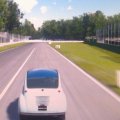

You could try one more session, certainly my second one was much more successful. Both were quite brief.At this point, think I may be done for this combo already as I am just way too slow and I just can't see where I can make up the time to get to a vaguely decent split, much less a competitive one



if i give you the folder, would you be able to change it for me because I'm not all that good at computers, lolFirst of all you need to save your best lap replay - look for twin circle icon with one striped circle with red dot inside it after your run. Then go back to main menu, into galery, find this replay in replays section (opens default as you enter), click on the replay and choose export to XMB.
When it is done, quit game and search for PS3 saved data folder where you'll find the exported file of your replay. Click on it, on the side menu choose copy and choose copy to USB disk which you may have attached to your system.
When done, go to your pc/laptop attach the usb and open it's folder. You'll see there Save data folder, open it and there you have folder with your saved replay with an odd name. Right click on this folder and choose send to/comprimed-zipped folder. Name it whatever you want.
Next step is to start conversation with WRSFetchBot and there you upload the zipped folder from previous step. As subject title you put this: GTP_WRS Week 88 Submission and to the message whatever you want (i use three dots ...). Then push the start conversation button and wait for the reply from Fetchy if it accepts your lap time or if there are some rules infringements.
Done
Send me PM and we will figure it out somehow.if i give you the folder, would you be able to change it for me because I'm not all that good at computers, lol


What does it say if you click learn more? Maybe there is something unsupported/outdated on your computer?is there any way that you can make it not off of youtube? Like download it and post it as a file so i can watch it, my computer doesn't seem to like youtube
It's because my internet has some proxy or something and it wont load itWhat does it say if you click learn more? Maybe there is something unsupported/outdated on your computer?
If you're on windows 7 you can search how to remove a proxy from your computer on Google.It's because my internet has some proxy or something and it wont load it
cool, thanks broHi Sean, you got pretty far with your zipped replay file.
Just two things to change: use a "best lap replay" not the full replay and zip up the whole BCJS37016-RPLY001 folder (not just the replay.0 file).






 but definitely no surprises like last week