Let's see those desktops (rev 4.0)

  • Thread starter Thread starter Sage
  • 11,083 comments
  • 785,890 views
Excuse me for being horrendously un-computer-savvy... Bram Turismo... are you using Linux or some Windows desktop modifier? Because that is frickin' awesome (to quote my favorite Austin Powers character).
Bram, I think you need to put a link to a Windows customisation tutorial in your signature. :lol:
 
Excuse me for being horrendously un-computer-savvy... Bram Turismo... are you using Linux or some Windows desktop modifier? Because that is frickin' awesome (to quote my favorite Austin Powers character).


It's indeed XP: https://www.gtplanet.net/forum/showpost.php?p=3496350&postcount=7537 👍


desktophco.jpg

​
 
20 redesigns a day much? I keep mine for a few weeks and then change them.
 
20 redesigns a day much? I keep mine for a few weeks and then change them.

20 a day? I change them after a couple of days. I do make new ones very often, but never more than one per 2 days :p
 
20 a day? I change them after a couple of days. I do make new ones very often, but never more than one per 2 days :p

Similar here. Though it depends more on my wallpaper than anything else. And finding solid wallpapers at my resolution (3360 x 1050) doesn't happen too often :dopey:
 
My first desktop for the full version of 7 which I finished installing yesterday:

captureti.png

I just kinda put something up once I installed the OS. I'll probably put something better up sometime.
 
It's been ages since I posted mine, you may notice Rainmeter has gone. As much as I loved it, it slowed my computer down sooo much on start up it verged on the side of ridiculous. So I've got rid of it, I think it still looks pretty smart anyway and better than a normal windows desktop, plus now boots up much quicker!

Untitled-1-17.jpg
 
My first desktop for the full version of 7 which I finished installing yesterday:

captureti.png

I just kinda put something up once I installed the OS. I'll probably put something better up sometime.

In the future, use a JPG file type for this, as it is 2 megs in the PNG-24 compression :crazy: Was wondering why it took so long to load.


Click for full​
 
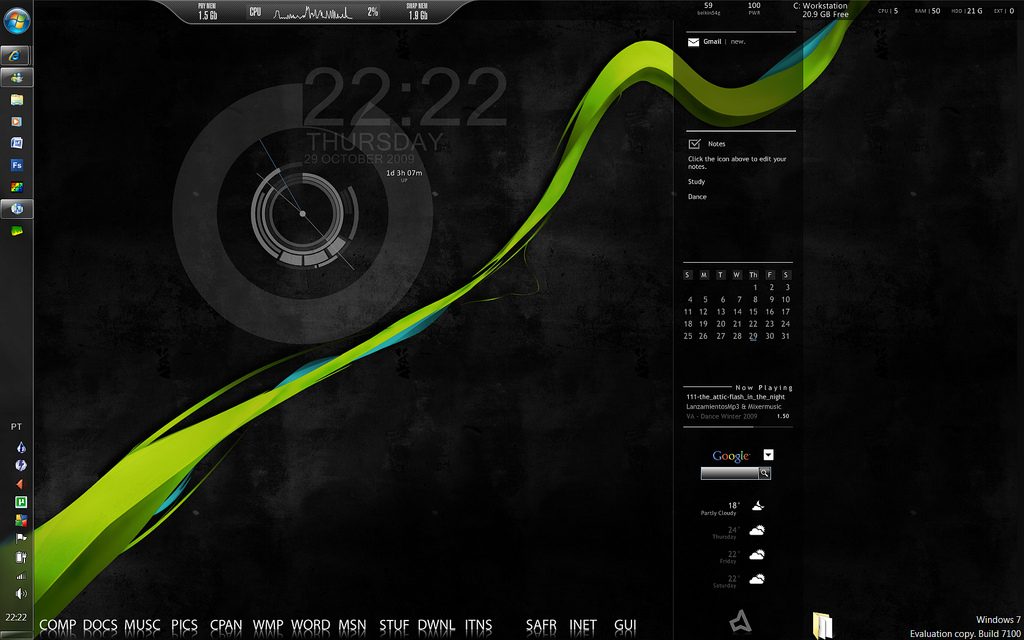
Following Bram Turismo's guide, i managed this:

4056927388_82020176df_b.jpg


Taskbar autohides, leaving the clean dark desktop. .

Thanks for that tutorial Bram Turismo 👍, i sure love my pc's new look. Still playing around and having some trouble with rainmeter stuff though, some gadgets don't work (and others i just don't know how to make them work :dunce: ) :)
 
That wallpaper is awesome. Source?

As for Rainmeter, it takes a little playing with to get the hang of, but once you figure it out it is golden. Mostly :p
 
Yeah, you'll go bazookas with desktops once you've got Rainmeter figured out properly. I don't know Windows 7's compatibility with Rainmeter, so some issues you may experience might be addressed to that.
 
Last edited:
In the future, use a JPG file type for this, as it is 2 megs in the PNG-24 compression :crazy: Was wondering why it took so long to load.

I too was wondering why it too so long to load the first time. That was done just using the snipping tool that comes with 7 and then straight to imageshack. Apparently that doesn't work. I need to get my hands on Photoshop again.
 
I curse the day I discovered rainmaker! :lol:

both.jpg
 
I curse the day I discovered rainmaker! :lol:

both.jpg

Damn I've yet to go though the trouble of cutting out the background for a desktop. You Sir are a huge Geek! :lol: Although really I am envious because that looks really nice.
 
Damn I've yet to go though the trouble of cutting out the background for a desktop. You Sir are a huge Geek! :lol: Although really I am envious because that looks really nice.

Agreed. On all points.

It really does look awesome.
 
You Sir are a huge Geek! :lol:

:lol: Thanks. I had the day off from work today and I got a bit carried away. It wasn't really that much work. The rainmeter "icons" took longer to do than the background really.
 
That's very nice Bram. What clock and date skin are you using?

4063743687_323c54fa87_o.jpg


Windows 7. Not many visual styles at the moment but given time more will be ported.
 
For Rainmeter I'm using 2befine+ and Enigma. Combined this is by far my favourit desktop set-up for Rainmeter.
 
God, it's only been 2 days. Those people over at Interfacelift have to stop producing such awesome pieces of work! :drool:


desktoprt.jpg

​
 
Back