South Park Character Generator!

  • Thread starter Thread starter Lee
  • 90 comments
  • 4,402 views
I want that one...
 
Really? I don't like it.
 
Touring Mars
yeahiknow6cu.jpg


"Yeah, I know..."
:lol:!
 
I didn't know I looked like this.

Still, the angle of my gaze is about right...
 

Attachments

  • southparked.jpg
    southparked.jpg
    27.3 KB · Views: 50
Famine
I didn't know I looked like this.

Still, the angle of my gaze is about right...

No comment on her line of sight like the sith pic?

I'll post one like me in a few.


As close as it comes.
 
It's not the first time I've had my tongue out and my sword in my hand, staring at...

Never mind.
 
You forgot your old friend!

famine.jpg
 
DA_southpark.gif


Yes, that'd be a Macanudo Cigar and a Boilermaker in hand.
 
N00bish Question...

How Can I Put My Character Up?
 
1. Go to South Park Character Generator.
2. Generate Character
3. Done?
4. Press Alt and PrtScn (or PrntScrn, or PrintScreen, depending on size of key) at the same time.
5. Open an image treatment programme.
5a) If it has a crop function, select File, New, then OK, then Edit, Paste, select the area around your character and then Crop (probably under Edit too).
5b) If it is Paint, get a better one.
6. Attach here.
 
Der Alta
DA_southpark.gif


Yes, that'd be a Macanudo Cigar and a Boilermaker in hand.

Boilermaker out of utica right? I know it's made near me.
 
attachment.php

Imageshack is not working today it's such a bummer
 

Attachments

  • Image2.png
    Image2.png
    11.7 KB · Views: 66
Heres what I came up with by that maker.

 
Nearly. The photo is a bit old now, still got the Oakleys though :p

0d944038.png


c78e325d.png
 
And i take it thats you below mate.
 
Famine
4. Press Alt and PrtScn (or PrntScrn, or PrintScreen, depending on size of key) at the same time.
5. Open an image treatment programme.
5a) If it has a crop function, select File, New, then OK, then Edit, Paste, select the area around your character and then Crop (probably under Edit too).
5b) If it is Paint, get a better one.

Or just go Command+Shift+4 on a Mac and select only your character to begin with.
Command+Shift+3 to take the whole screen like dumbarse Windows. But when do you ever want the ENTIRE screen?
 
TVR&Ferrari_Fan
And i take it thats you below mate.

Yep in my room. Got my painted Matrix design on the wall :sly: Hair is much longer now.

@ James: I always just get the whole screen, doesn't make any difference when you're cropping (unless you specifically want the window with all the interface too).
 
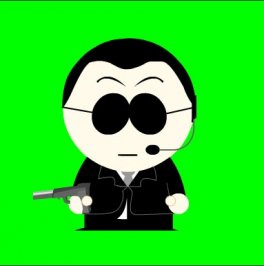
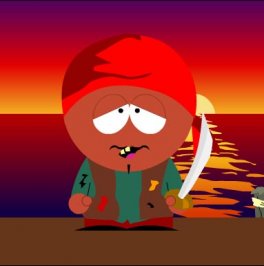
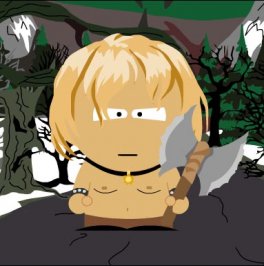
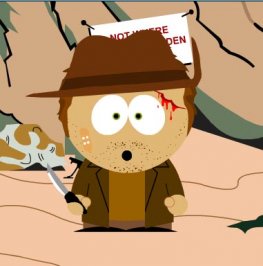
A few film ones for you...
 

Attachments

  • southparkmatrix.jpg
    southparkmatrix.jpg
    13 KB · Views: 18
  • southparksparrow.jpg
    southparksparrow.jpg
    16 KB · Views: 15
  • southparkconan.jpg
    southparkconan.jpg
    27.6 KB · Views: 23
  • southparkindy.jpg
    southparkindy.jpg
    21.9 KB · Views: 13
me6mf.jpg


About as close as I could get to myself.
 
(Robin Hood was British)
 
deerhunter9gr.jpg

The Deerhunter?
 
terminator4rs.jpg

Hasta la vista, baby.
 
We need to make something like this for GTP. This was made from another forum I frequent.
 
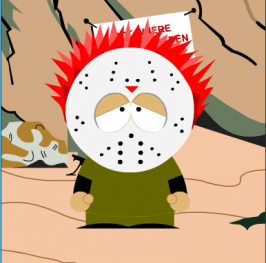
Here's one I came up with. It could be me.
 

Attachments

  • southparkcharacter.jpg
    southparkcharacter.jpg
    23.8 KB · Views: 16
Solid Lifters
he he... nice one!

Event
We need to make something like this for GTP. This was made from another forum I frequent.
Wow, that must have taken ages...
 
Back