The Realistic Photo Thread

  • Thread starter Thread starter Omamder5
  • 24,078 comments
  • 2,706,132 views
My chrome enzo:
FujiSpeedwayGT.jpg


Looks SO MUCH better in-game,Maybe if someone played with the picture in photo shop it'll be a whole lot better? :)

WOW nice pic, how did you get that colour.:drool:
 
yellowclone
You have had alot of lucky angles in this thread LOL. Seriously, you are some serious competition for Dolp. Both, yours and his pics are amazingly good.
Dolp
Funny thing is that we both exchange faves on our respective Flickr pics

yeah heh.
we're not really competiting out there. but entries from Dolp (and others) just make me try to do better.
oh well, maybe it is a kind of a competition:)
P.S. hoping to see more good pics from anyone:)
 
I guess I'll throw this in here. I think it's pretty close :)

N%C3%BCrburgring%20Nordschleife_7.jpg
 
Again a nice compo G.T.Ace even if I think we miss some track part on the bottom left corner.
Yeah, the question was more track in the foreground or more depth for the background, I chose the depth because the textures look so photorealistic from a certain distance.
OMFG I can't tell the difference between this and real life. Awesome work.👍

Thanks.
 
The second one is cool, although you shouldn't approach the chicane like that. :lol:;)

24hnrburgringviperphotf7sb.jpg
 
umm, i really like Gt5 but there are a few problems with it, like my GT-R (:

 
The second one is cool, although you shouldn't approach the chicane like that. :lol:;)

(Viper Pic)

Did you add those scratches on the bumper in afterwards? They look good! 👍
 
The second one is cool, although you shouldn't approach the chicane like that. :lol:;)

24hnrburgringviperphotf7sb.jpg

Absolutely Brilliant .Interested in a Tutorial if you have one GT.ACE
 
Hum, not really, I'm still trying several stuff out for dirt and scratches, I usually make a new layer, use a brush with several dots, make it big in size and then make single clicks over the places I want "dirty". After that I use the "Wind" filter or some blur, play a bit with the opacity from the layer and use the Eraser Brush to delete what I don't like.

Glad you like it! :)
 
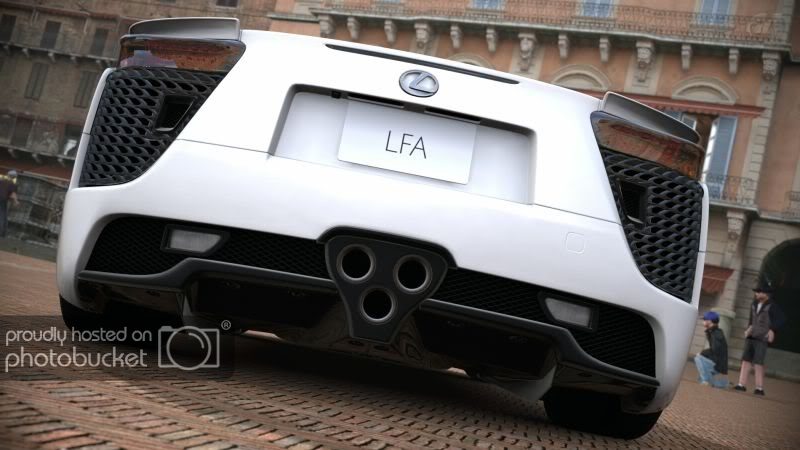
5637841278_81ffdfed9d_z.jpg

Has had some minor tweaking aswell. For some reason I just cant get the colors right ingame.
 
Back