Update 1.21 Released

  • Thread starter Thread starter Paiky
  • 1,542 comments
  • 148,391 views

Considering the wait, are you happy with how the finished product appears to look?


  • Total voters
    417
Can you make a track that crosses over itself like Suzuka?


Sadly, you can't.

Is there any way to tell what any of those things look like in game?

Well, I have yet to see what they look like in the game. Let's see if the update brings in the Course Maker.
 
Is there any way to tell what any of those things look like in game?
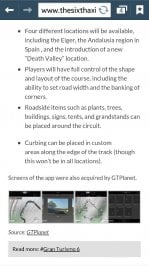
Well they'd look about the same as they normally look in the game, See Sierra itself as an example.
 
So it out for Android yet?
 
A normal PC can emulate tablet software. What, your tablet's advantage is mobility? Laptop has the tablet beat in versatility.


oh brother. What a stupid pissing contest. YES a big advantage of a tablet is mobility! lol. Obviously. Sure, a laptop is pretty versatile. But the fact is I can do MOST of the stuff I do on my laptop on my Ipad - and I can take the Ipad wherever I go much more easily than the laptop. As far as emulation goes, why would I want to emulate software designed for a nice portable touchscreen device on my clumsy laptop - assuming I even could emulate IOS stuff...
 
Well a computer mouse could emulate touchscreen functions quite easily for one. This app isn't really complicated to use.
 
Here's my take on Death Valley:

image.png


image.png


Needs more cactii... :lol:
 
Alright, I'm going to make Sandown. Not to mention at least a hundred other tracks...


Attachments

  • 12027710_996717043713332_1664130947768931546_n.jpg
    12027710_996717043713332_1664130947768931546_n.jpg
    74.7 KB · Views: 177
  • 12003150_996717107046659_1314960931596088233_n.jpg
    12003150_996717107046659_1314960931596088233_n.jpg
    64.5 KB · Views: 159
Here's my take on Death Valley:

View attachment 454131

View attachment 454132


Needs more cactii... :lol:
Most interesting... Can you modify the scale of the track simply? For example, if you draw your track, then find out it is a bit too long and decide to tune it down with a slider of some sort?

Can you drag and drop the already-drawn track on the map to displace the mountain/hill, forest or city?
 
RCKakashi14
I have a big question , can you ajust the height and the angle ( for example OVAL corners next to vertical ? ) ?
 
@
RCKakashi14: at which name of the app did you looked?

To all, can it be, that the app is right now just in a few countries available??

Acutally, I am not even the most interest in re-creating real world courses, more than just beeing creative. Another question... If you like to change a bit in the design of a single curve (because its stupid to drive), is it necessary to go in the app, or change this on the PS3??
 
I posted this in the CM questions thread:

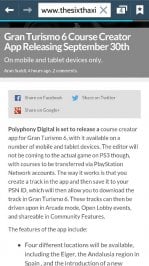
"The GT6 Course Maker breaks from the confines of the PS3 gaming console to take full advantage of today’s large touch screens on tablet devices."

"Breaks from the confines" sounds like "is not limited to" to me - so I think that statement may mean something along the lines of "in addition to the feature being available on the PS3, there will be a separate app for tablets". If that's true, it also sounds like the tablet versions will have more intricate features, so I guess another question would be "Are there/what tools are/aren't available on certain platforms?".
 
We'll be seeing an influx of more shots pretty shortly it seems.
 
BIGGEST NEWS FOR GT6 since its release.... ALLELLUIA AMEN !!
 
...and a normal PC is rubbish for many things compared to a tablet.
And the things would be what??? I will use bluestacks on the PC, because I dont have a hyper modern so cool smartphone or tablet :P I can draw very well with the mouse, so no problems.
 
RCKakashi14
I have a big question , can you ajust the height and the angle ( for example OVAL corners next to vertical ? ) ?


Yes, you can adjust the corner angles to your liking. Just drag the said corner.
 
Back