MCP4SH 1.1.13.4 is now live, with a fairly substantial round of usability, routing and quality-of-life improvements before I properly dive into v1.2 development.
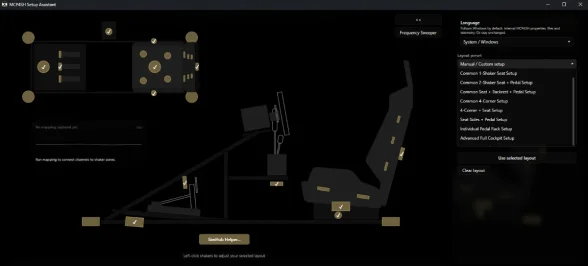
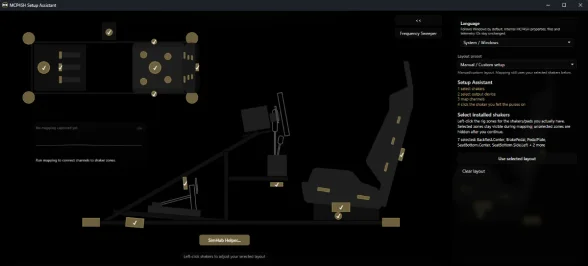
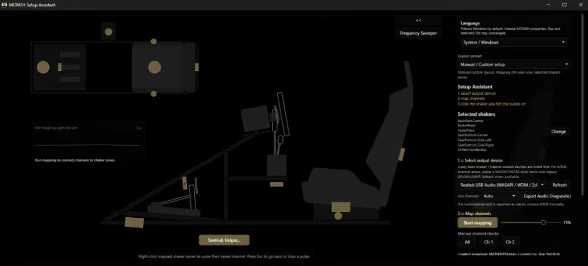
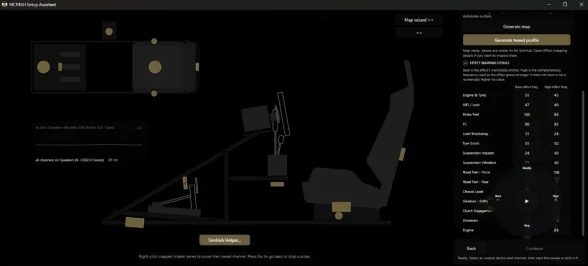
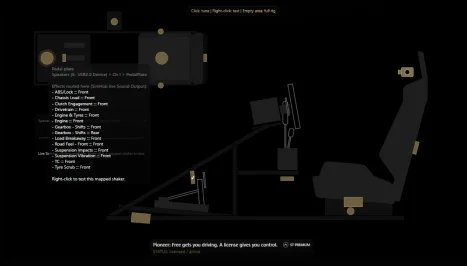
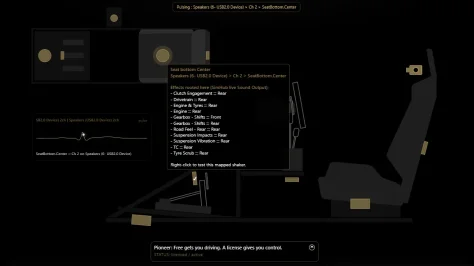
The biggest changes are around the Setup Assistant functionality/flow and shaker testing. Output-device handling is now more predictable across multi-device setups, mapped shakers should now follow the actual physical routing more reliably, and shared-channel configurations should behave more consistently when testing. If two shaker positions are intentionally mapped to the same physical channel, MCP4SH should now show/handle that correctly.
Testing shakers from the main MCP4SH plugin GUI has also improved. Previously, there was a noticeable delay between clicking a shaker and feeling the pulse; that's been reworked so proof/test pulses are now practically immediate. Small thing perhaps, but it annoyed me too, makes it all a bit more direct.
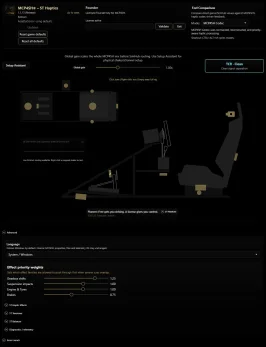
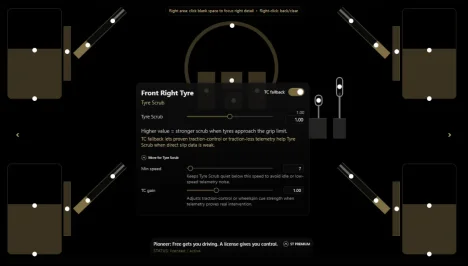
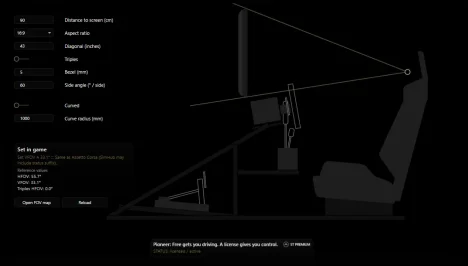
UI improvements again too, including persistent text scaling, light/dark modes, and further cleanup of the drawers below the plugin GUI and the presentation of your devices in the Setup Assistant. Profile/update handling should be better too now, so internal or manifest-only changes no longer trigger like updates when nothing relevant to/for you guys has actually changed.
As a small preview of where things are heading, 1.1.13.4 also includes optional v1.2 Preview Chassis and Airframe profiles.
They currently run off the base of the Chassis engine of the plugin, but that's being extended to include airframe and potentially hulls too.
So, the Airframe profile is exactly that: a preview, not finished native flight support, so if it feels weird or inaccurate, I'm very much aware
😜 . Most of the effects are still making use of existing non-airframe specific properties, while the proper aerospace telemetry/effect layer is being developed, so don’t expect anything super tidy and accurate yet. It is there to give an early look at the direction, profile structure and how MCP4SH starts expanding beyond ground vehicles.
With 1.1.13.4 out, the focus can now shift properly onto MCP4SH 1.2.
Powerplant and Airframe Load effects, flight telemetry conditioning, but also AMS2/PC2-style custom_ffb assistance (early attempts at putting in various sound-based FFB support groundwork in as well) with the goal of making richer FFB easier to fine-tune and less game-dependent, and then the big one; the first real foundations for MCP4SH’s standalone/SDK and proper licensing architecture.
MCP4SH v1.1.13.3 is live.
This one turned into a slightly bigger batch of fixes than originally planned but it includes some important ones for the Setup Assistant and multichannel shaker setups.
- Advanced Settings sliders for the plugin now properly update, persist and support mouse-wheel adjustment
- Improved WASAPI multichannel detection/routing
- Hardened WinMM fallback behaviour
- Various release/update integrity fixes following the previous documentation hash/versioning issues reported by u/Rover1312 (thanks for that)
During testing my SPDIF endpoint correctly exposed as 8-channel, which is encouraging for some of the more awkward multichannel device cases we've been working on; feedback on whether it actually is solved would be highly appreciated.
I want to make this better and work for all of you who'd like it to, but I need your help for that; i can't test all potential hardware myself (I wish i could).
Existing mappings and profiles should remain compatible.
If you're running multiple soundcards, 4/6/8-channel devices, or had odd Setup Assistant routing issues prior, some of those should now be fixed. If not, again, let me know.
https://tytosensorylabs.com/mcp4sh.html
And with that, barring anything genuinely broken getting reported, the 1.1.x branch is frozen and work goes properly back to v1.2. 🫠
Further reports for issues are appreciated, but please note that fixes for these will be implemented into version 1.2, unless the plugin is clearly non-functional.
Licensing update:
The MCP4SH Pioneer license period also ends today.
Pioneer was the early-supporter offer, and existing Pioneer users keep their old entitlement.
From today, the standard paid license becomes MCP4SH Premium*: a perpetual personal license for one machine. The Premium feature set remains the same; the main change is the license structure and the new name.
The normal Premium price remains €12.99, but to mark:
upcoming iRacing endurance events
- the end of the Pioneer period
- AC EVO's latest update
and F1 too (if you needed another excuse to get a feel for virtual Madrid)
MCP4SH Premium* is €10.99 until September 13.
Use code FULLSEND to redeem the discount.
The free/base functionality remains available, so nobody needs to buy a license just to try MCP4SH.
*Premium gives you additional control over the plugin's fine-tuning settings and enables the ST Tensioner, which dynamically prioritizes effects to help reduce unnecessary or unwanted buzzing while preserving the information you actually want to feel.
Feedback; especially from fancy, unusual (or mildly cursed?) multichannel setups, is very welcome.
Also, if you happen to dabble in flight sims as well: you might wanna try the current Standard MCP4SH profile with DCS or MSFS already. It isn't the dedicated flight implementation or anything, but it's ... interesting 😎✈️ food for thought for a near future update perhaps?
Oh, and there is still an easter egg hiding somewhere in there.
Priorities.
MCP4SH just passed 1,000 downloads on here 🎉 thanks, all of you who've tried it!
If you've been using it, I'd really like to hear how it's working on your rig; good, bad or weird. Ratings/reviews help too of course.
v1.1.12.1 was mainly a quick licensing hotfix, v1.1.13 is a much bigger round of updates:
• A new Frequency Sweeper to help you find the optimal frequencies for your particular rig.
• Weight transfer improvements, for better left/right loading and elevation/compression changes feedback.
• More work on the Setup Assistant, including navigation, device handling and interface updates.
• Improved update/install behaviour.
• More UI polish, feedback and general quality-of-life fixes throughout.
• Continued work on profiles, localisation, reliability and edge cases.
I’ve also been improving the build/release pipeline tools, so future MCP4SH updates should become easier to ship.
v1.1.13.1 was a good test of that pipeline as it is another small fix and fall-back system in case the profile-generation doesn't want to cooperate.
MCP4SH® v1.1.12
MCP4SH® v1.1.12 continues the v1.1 refinement line with another focused update aimed at clearer tactile feedback, smoother and more reliable setup, and easier maintenance going forward.
What improved:
- clearer Engine & Tyres feedback, especially in games that send a lot of telemetry at once
- better suspension and tyre detail at high speed, where some titles can otherwise become noisy or muddy
- improved detection of small wheel-lock events, while keeping the existing ABS/full-lock safeguards intact
- stronger Chassis Load feedback for left/right movement, front/rear balance and vertical load changes
- further refinement to clutch feel, tyre behaviour and Road Feel
- updated and matched Standard and 4 Corners SimHub profiles
- UI and Helper localization for English, German, French, Spanish and Simplified Chinese
- clearer Setup Assistant routing information, profile generation diagnostics and onboarding
- masked licence-key display and improved licence validation resilience
- new manifest-driven update awareness for the plugin, profiles and supporting content
- Updates remain user-controlled
- MCP4SH can now detect and prepare verified updates, but it will not silently install software or replace/import your SimHub effects profiles.
You remain in control of when an installer is run and when a new SimHub profile is imported.
Physical .sichannels files are still generated locally by Setup Assistant for your actual audio device and shaker/channel layout. These files are specific to your hardware and are not distributed as remote updates.
- Install / Update
- Close SimHub.
- Run MCP4SH_v1.1.12_Setup.exe.
- Open the MCP4SH Setup Assistant > Mapping Wizard and read and follow the steps in order.
- Import the supplied Standard profile, or the 4 Corners profile if you use a true four-corner layout.
- If your physical device/channel mapping has changed, generate and import fresh .sichannels files in Setup Assistant.
- If your existing device/channel mapping is already correct, you normally do not need to generate new .sichannels files just because MCP4SH was updated.
For the smoothest experience, use the current MCP4SH plugin, supplied SimHub profile and Setup Assistant together as the supported reference setup.
Also, freshened up the UI a little bit, and I've yet to receive any reports of someone finding the easter egg 🤔
MCP4SH v1.1.11 is now live for SimHub.
This update brings a large ST Haptics refinement pass with cleaner suspension/impact behavior, better Brake/ABS separation, clearer Engine & Tyres feedback, and improved handling of noisy telemetry sources in titles like F1 and RaceRoom.
It also adds layout preset groundwork, updated canonical SimHub profiles, safer license handling, OneDrive Documents support, unified local state storage, and the new TCR (Telemetry Clarity Rating) so users can better understand what kind of haptic signal to expect from each title.
If you tried an earlier v1.1 build, this is a much more polished baseline.
MCP4SH® v1.1.10 is live.
This is a polish-heavy release that tightens the haptics baseline and improves a few important support/setup areas.
What changed:
Clutch-in and clutch/free-rev behavior refined
Load Breakaway response made more authoritative during proven front/rear breakaway events
Rear Engine & Tyres pluck improved for RWD throttle pickup
rF2 steering input detection improved
rF2 E&T / Tyre Scrub calmed on straighter sections while keeping real tyre work alive
Kerbs, rumble strips, sausage kerbs, dome kerbs, and sharp runoff/off-road hits made more violent and toothy where suspension/load proof supports it
Updated MCP4SH Standard SimHub profile included
New plugin/Setup Assistant profile update notice flow
License restore hardening for rare cases where the plugin could temporarily show Free
Setup Assistant state path consolidated under TytoSensoryLabs
Updated changelog, release notes, setup guidance, and installer metadata
Important profile note:
v1.1.10 includes an updated MCP4SH Standard SimHub profile. It is copied to:
Documents\SimHub\MCP4SH
Import it manually in SimHub:
ShakeIt Bass Shakers → Effects profile → Profiles manager → Import profile
Your existing custom profiles are not overwritten or silently activated.
If you test it, feedback is very welcome
This is mainly a haptic refinement update, focused on making the feedback more useful, more readable, and less noisy across different driving situations.
The biggest additions and improvements are:
Added a new Load Breakaway feedback lane for the moment grip starts to give way.
Improved Engine & Tyres feel so throttle feathering, jabs, and modulation are more readable during cornering, drifting, corner exit, and burnouts.
Reduced Engine & Tyres eagerness during normal straight-line driving.
Improved Tyre Scrub behavior, especially low-speed/light-steering onset, to reduce unwanted early “twang” events.
Improved clutch feedback, including better clutch-in release feel, throttle blip behavior, and faster decay when there is no meaningful continued input.
Added a targeted rFactor 2 tyre slip candidate confidence guard, reducing near-constant Tyre Scrub saturation caused by how rF2 exposes certain wheel/patch velocity telemetry.
Kept the patch/ground velocity candidates available, but made MCP4SH more careful about trusting them when they contradict grip evidence.
Continued polish for public properties and haptic signal behavior.
This update should make the plugin feel cleaner in normal driving, more detailed when the car is loaded, and less prone to overreacting to telemetry edge cases.
As always, feedback is welcome, especially across different sims, cars, and shaker layouts.
This is a small polish update following v1.1.7, mainly focused on cleaning up the plugin UI after the recent Setup Assistant and routing work.
Changes in this update:
- Fixed the plugin shaker hover/info panel reopening immediately after right-click test pulses.
- Restored the intended pulse/routing visualization behaviour.
- Kept the shared Rig Overview behaviour consistent between the plugin UI and Setup Assistant.
- Minor internal cleanup/version alignment.
- No haptic effect behaviour has been changed in this update.
This should make right-click shaker testing feel cleaner and less annoying in the plugin UI, especially when checking mapped shakers directly from the rig view.
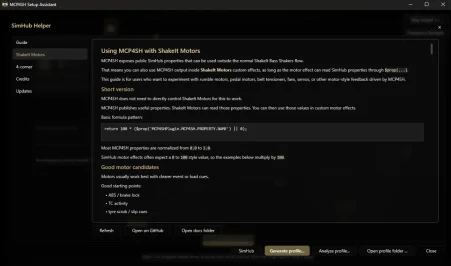
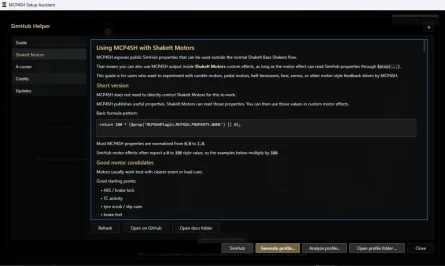
Next up, I’ll likely be looking more closely at the ShakeIt Motors side of MCP4SH and how to make that implementation more useful and approachable too.
Thanks again to everyone testing, reporting issues, and helping shape MCP4SH into something genuinely useful.
MCP4SH v1.1.7 is live.
Small usability/update release since v1.1.5:
Added live SimHub Sound Output routing readout for the shaker info panels.
Added a shared pulse visualization/status panel for the plugin GUI and Setup Assistant.
Setup Assistant mapping/test pulses now share the same pulse visual behaviour.
Added Credits tabs
No haptic retuning in this update.
PS: there's an easter egg to find as well