[1.9.2] GT5 Master Mod

  • Thread starter Thread starter Nenkai
  • 521 comments
  • 415,780 views
No, it shouldn't. As long as you use tracks that work with pit stops. Which is most of them to be fair. You'd have to trial and error it or see if there's a list to check if a race is on a track where put stops don't or won't work.
Hi there, I hope you're doing well. I've been looking into modifying events, but unfortunately I'm a bit lost; the instructions aren't very clear. Did he make the changes via FTP? Because he doesn't explain how to access the folder. Textdata/gt5/bspec_event
 
To modify events you need to open the extracted files on a PC or Mac (ideally) and you can modify the files in a couple of ways. Have you got the extracted files on a PC? You need to have used GTTOOLSHARP from command prompt.
 
To modify events you need to open the extracted files on a PC or Mac (ideally) and you can modify the files in a couple of ways. Have you got the extracted files on a PC?
I only have the mod files, but that's not a problem if I need to copy or transfer the files via FTP to the computer.
 
I only have the mod files, but that's not a problem if I need to copy or transfer the files via FTP to the computer.
Yes, you need to copy them to a computer first and the use GTTOOLSHARP to extract them. Then once extracted, you can modify the events to your hearts desire. You do need to repack them again with GTTOOLSHARP once you're done. What I'd always recommend is keeping the original files saved as a backup in case you break something. Happens to the best of us.

When I'm modding I do it bit by bit, check it works, then a bit more, check it works etc. I always save the original files and the last couple of versions of my mod so I can step back if I need to.

You can download GTTOOLSHARP and find some instructions here: https://nenkai.github.io/gt-modding-hub/ps3/basics/volume_system/#understanding-pdipfs

You need to run command prompt from the folder the GTTOOLSHARP.exe is located in, not from your desktop.
 
Last edited:
Yes, you need to copy them to a computer first and the use GTTOOLSHARP to extract them. Then once extracted, you can modify the events to your hearts desire. You do need to repack them again with GTTOOLSHARP once you're done. What I'd always recommend is keeping the original files saved as a backup in case you break something. Happens to the best of us.

When I'm modding I do it bit by bit, check it works, then a bit more, check it works etc. I always save the original files and the last couple of versions of my mod so I can step back if I need to.

You can download GTTOOLSHARP and find some instructions here: https://nenkai.github.io/gt-modding-hub/ps3/basics/volume_system/#understanding-pdipfs

You need to run command prompt from the folder the GTTOOLSHARP.exe is located in, not from your desktop.
No worries, I'll transfer everything; it'll take a little while. We agree we are talking about the files located in game/bces00569
 
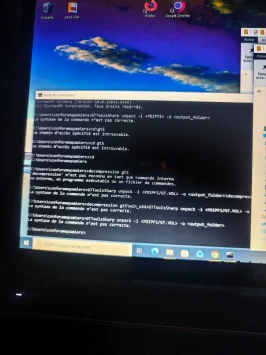
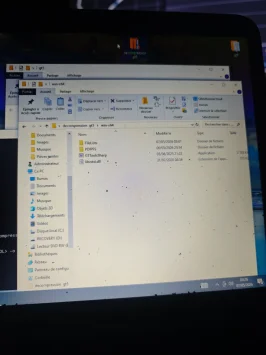
I think I'm ultimately too bad at this to succeed; I can't decompress and I don't understand how to use the command prompt as requested. after looking at the beginner's help, gttool is in a folder on my desktop. Path: bureau/decompression gt5/win-x64, I have tried rereading the page provided for cmd usage help several times, or I don't know if I'm formulating the path incorrectly.
 

Attachments

  • IMG_20260507_032617.webp
    IMG_20260507_032617.webp
    195.3 KB · Views: 1
  • IMG_20260507_032615.webp
    IMG_20260507_032615.webp
    188.6 KB · Views: 1
Last edited:
I think I'm ultimately too bad at this to succeed; I can't decompress and I don't understand how to use the command prompt as requested.Even after looking at the beginner's help, gttool is in a folder on my desktop. Path: bureau/decompression gt5/win-x64, I haven't tried rereading the page provided for cmd usage help several times, or I don't know if I'm formulating the path incorrectly.
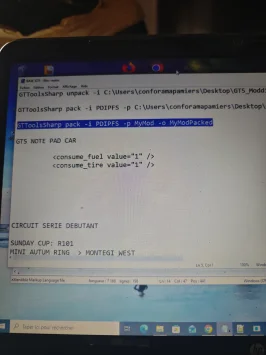
I think I've managed to open the command prompt in the folder, but I still feel like I'm doing it wrong. Maybe I misunderstood something, but copy and paste the command as requested. If you see anything that's done incorrectly, please let me know, as I'm not used to using the command prompt.
 

Attachments

  • 17781181161636473261833457118823.webp
    17781181161636473261833457118823.webp
    108.2 KB · Views: 1
Quick tip: If you press PrtSc on your keyboard, it will make a screenshot of what’s on your computer screen. Once you press it, just click “paste” here. It will offer us a much better look at what’s on your screen.

Another tip: When you upload a picture, you can insert into your post so it’s easier to see too.
 
Quick tip: If you press PrtSc on your keyboard, it will make a screenshot of what’s on your computer screen. Once you press it, just click “paste” here. It will offer us a much better look at what’s on your screen.

Another tip: When you upload a picture, you can insert into your post so it’s easier to see too.
It's true that I could have done it directly from the PC, thanks for the tip 😉
 
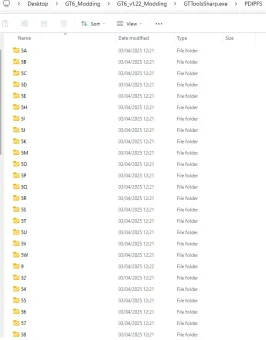
Ok @Motorsport-e3 , you seem most of the way there. I've just checked how I've done this before as I've not done it for a few months and the way I do it, I save the original PDIPFS folder in the same folder with GTTOOLSHARP. I renamed the PDIFPS folder PDIPFS_ORIGINAL (you can't leave have spaces in the folder names IIRC) so one thing that might be causing trouble is the folder "decompression gt5" but not 100% sure on that.

Also, the path seems incorrect you seem to be missing the first part of the command line. For example, mine is also on the desktop but the path to my folder is: GTToolsSharp unpack -i C:\Users\davea\Desktop\GT6_Modding\GT6_v1.22_Modding\GTToolsSharp.exe\PDIPFS -o C:\Users\davea\Desktop\GT6_Modding\GT6_v1.22_Modding\GT6_1.22\PDIPFS

Just to make sure you're getting it right, to run CDM from the folder you go into the folder where gttoolsharp.exe is located and type in "CMD" here:

1778135452196.webp


Then from CMD you insert your command to unpack the file.

You only type the input command once you are ready to re-pack, the file path should again follow the same format where it directs to the unpacked file location on your hard drive and includes the initial part of the command line.

So the input command should start: GTToolsSharp pack -i PDIPFS -p C:\Users\davea\Desktop\GT6_Modding\GT6_v1.22_Modding\GT6_1.22\PDIPFS -o C:\Users\davea\Desktop\GT6_Modding\GT6_v1.22_Modding\New

That should run the unpacking and repacking commands correctly which depending on how many files you are extracting can take a few minutes, and then the extracted (or repacked) folders will appear where you've requested them to appear.
 
Last edited:
Ok @Motorsport-e3 , you seem most of the way there. I've just checked how I've done this before as I've not done it for a few months and the way I do it, I save the original PDIPFS folder in the same folder with GTTOOLSHARP. I renamed he PDIFPS folder PDIPFS_ORIGINAL (you can't leave have spaces in the folder names IIRC) so one thing that might be causing trouble is the folder "decompression gt5" but not 100% sure on that.

Also, the path seems incorrect you seem to be missing the first part of the command line. For example, mine is also on the desktop but the path to my folder is: GTToolsSharp unpack -i C:\Users\davea\Desktop\GT6_Modding\GT6_v1.22_Modding\GTToolsSharp.exe\PDIPFS -o C:\Users\davea\Desktop\GT6_Modding\GT6_v1.22_Modding\GT6_1.22\PDIPFS

You need to direct it to the desktop location on your hard drive.

Just to make sure you're getting it right, to run CDM from the folder you go into the folder where gttoolsharp.exe is located and type in "CMD" here:

View attachment 1535141

Then from CMD you insert your command to unpack the file.

You only type the input command once you are ready to re-pack, the file path should again follow the same format where it directs to the unpacked file location on your hard drive and includes the initial part of the command line.

So the input command should start: GTToolsSharp pack -i PDIPFS -p C:\Users\davea\Desktop\GT6_Modding\GT6_v1.22_Modding\GT6_1.22\PDIPFS -o C:\Users\davea\Desktop\GT6_Modding\GT6_v1.22_Modding\New

That should run the unpacking and repacking commands correctly which depending on how many files you are extracting can take a few minutes, and then the extracted (or repacked) folders will appear where you've requested them to appear.
Thank you for this very detailed explanation, after several attempts it finally told me that I was missing dotnet 9.0.15 so I installed it, It alerted me to this in the CMD. But thanks to your last message, I think I'll finally be able to unwind. I'll keep you posted, I'm going to reorganize my files pretty much like yours, and I think that should work. Thanks again, you're awesome! 👍👍
 
Last edited:
Back