All Avatar Related Items Here....

  • Thread starter Thread starter Rice Rocketeer
  • 5,056 comments
  • 364,599 views
Post a picture of the text or logo you want.
 
Here's a good one to use, just a tad big, and you might have to slide the Mazda part over so that it's centered when it becomes "MazKid". Ohhh and that sweet shine thing!
Thanks Ghost
 
shoot forgot to add the pic....
Here:
logo.gif
 
i made this avatar by myself for fun. if anyone wants feel free to take it.
 
lol! Isn't it amazing what you can do in a Mini?
 
Originally posted by MazKid
shoot forgot to add the pic....
Here:
logo.gif
I was going to work on this last night butttttt,
well you know the story. Maybe tonight I will..
 
ok Ghost, that's fine, I said no rush so just do it when you can. Thanks
 
Damn I need to get a new avatar. I think I'll try and make one tomorrow.
 
Will someone change my avatar so that the last frame scrolls down with "Jonathan" instead of "Stealth Viper"?
 
I couldnt get the text to drop down but i got it to scroll to the side.....

its ok if you dont like it :)
 

Attachments

  • stealthviper2.gif
    stealthviper2.gif
    24.3 KB · Views: 100
here's my attepmt
 

Attachments

  • stealthviper2.gif
    stealthviper2.gif
    19.5 KB · Views: 90
Another idea 💡
 

Attachments

  • stealthviper3.gif
    stealthviper3.gif
    24 KB · Views: 82
Ghost- did you give up on my avatar? Sorry if it's hard to do...
 
i did it,sorry if the maz (in mazkid) shakes....
 

Attachments

  • mazkid4.gif
    mazkid4.gif
    27.7 KB · Views: 72
Here's my final request:

go to www.cessna.com

take any 4 cool looking pictures of ANY planes (make them different). Make them a nice looking slideshow. Then, make a frame with a white background. Say "Jonathan. Then take that in between frame animation Jordan has (the blue static) and use it quicky like Jordan does, with the next frame saying "Aviation Forum Admin", followed by the static thing, then a reloop. Thanks a ton.
 
Originally posted by DessViperV-10
howd you make it drop down with animationshop??
Manually :p

I just manually put each text a little further down. It was pretty easy ;)
 
Originally posted by Stealth Viper
Here's my final request:

go to www.cessna.com

take any 4 cool looking pictures of ANY planes (make them different). Make them a nice looking slideshow. Then, make a frame with a white background. Say "Jonathan. Then take that in between frame animation Jordan has (the blue static) and use it quicky like Jordan does, with the next frame saying "Aviation Forum Admin", followed by the static thing, then a reloop. Thanks a ton.
Good God..u know exatcly what u want. But i'm gonna pass on this mission. Ghostrider, Dess, Pako..any of u want to try
 
Well heres the second part..I guess i decieded to try it. But i couldn't find any good planes.
 

Attachments

  • animation1.gif
    animation1.gif
    2.6 KB · Views: 60
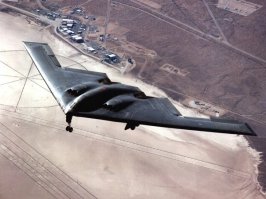
Here you go.
 

Attachments

  • b2_02.jpg
    b2_02.jpg
    58 KB · Views: 60
2.
 

Attachments

  • c-130_small.jpg
    c-130_small.jpg
    3.3 KB · Views: 56
oops, forgot the pic.
 

Attachments

  • f117_1_small.jpg
    f117_1_small.jpg
    5.9 KB · Views: 57
4.
 

Attachments

  • f18_2_small.jpg
    f18_2_small.jpg
    3.5 KB · Views: 56
Dess...that's pretty good...what I was saying was to take the whole logo that I posted, and where it says "mazda", you cut the "da" off and put "kid", sorta in the same font, or in a font that looks like "kid" like I guess...and then have the light effect over the emblem...

Thinking about it now, I might just scrap this avatar and go with one that has all of the Mazda names in it...like scrolling accross the screen on different parts on the avatar...I'll post the names, they are images off of the Japanese site...
 
Originally posted by troy

Good God..u know exatcly what u want. But i'm gonna pass on this mission. Ghostrider, Dess, Pako..any of u want to try
i cant do it,with animation shop 3 i cant do that blue static...
 
Originally posted by DessViperV-10

i cant do it,with animation shop 3 i cant do that blue static...
Sorry i'll try to eplain but its sorta confusin'

First u goota save Jordan's avatar on your hard drive. Open in ani shop 3 and then copy the static part from jordans into a new one. WAIT!!!!

Well you could just build off mine. Save mine and open it in ani shop 3 and then add the 4 airplane slideshow.
 
Back