GT Pro Tune - The GT7 Tuning Calculator - Tune every car in Gran Turismo with this app!

  • Thread starter Thread starter hookedonturbo
  • 1,679 comments
  • 499,096 views
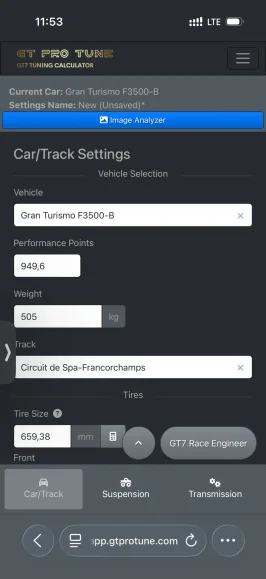
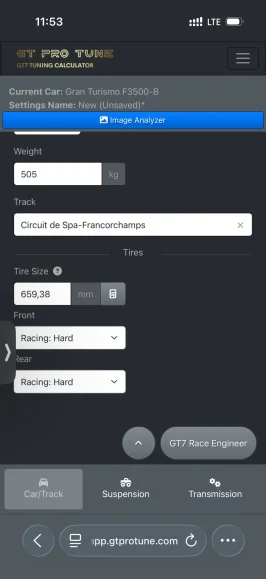
I calculated the tire size as shown in the YouTube video.

What kind of value should be there, with many decimal places?

It seems like I've done everything wrong

It's time to really deal with it.
In mm it should be a three digit number with a decimal point and then fractions after…
 
In mm it should be a three digit number with a decimal point and then fractions after…
Thanks for the tip, I appreciate your effort.

I'll try again from scratch. If I have any more problems, I'll let you know.

For your information, both vehicles were fully equipped with every tuning part. That's definitely not the reason, because the BMW M3 '03 had an RPM of over 10,000.
 
Thanks for the tip, I appreciate your effort.

I'll try again from scratch. If I have any more problems, I'll let you know.

For your information, both vehicles were fully equipped with every tuning part. That's definitely not the reason, because the BMW M3 '03 had an RPM of over 10,000.

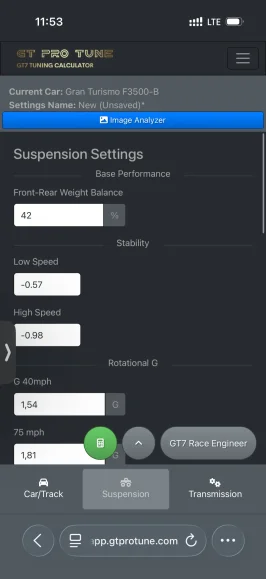
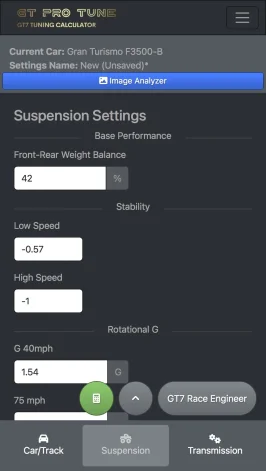
No that’s all fine, it will be the negative symbols missing and the decimal places. Just check these…
 
Hi Everyone,

Any feedback on the latest GT ProTune update and the AI chat feature?

It would be good to hear how anyone has found tweaking the setup with this?
 
No that’s all fine, it will be the negative symbols missing and the decimal places. Just check these…
Hello,

Sorry for the late reply, but I couldn't get to it any sooner.

I found the errors and can now create the setups.

The mistake was that I wrote the decimal places with a comma (,) instead of a period (.).

Thanks again for your help.
 
I bought it, but it didn't work without another Ai subscription. would not recognise cars, would not recognise my photographs. Avoid its a rip off.
With respect you are 1 of a thousand people who have not managed to get this to work and you jump to conclusions like that! I’ll just refund you and you can go back to buying tunes from Praiano if you like.

Send me your email address please
 
Last edited by a moderator:
With respect you are 1 of a thousand people who have not managed to get this to work and you jump to conclusions like that! I’ll just refund you and you can go back to buying tunes from Praiano if you like.
Don't let the hate(rs) get the better of you - the more you achieve and the better you get, the more grief will come out.

Keep doing what you're doing, stay frosty and keep rockin' :D👍
 
Hi, I have signed up to this app, and it seems pretty cool!

One question, the LSD settings seem pretty high - even setting steering / grip to neautral has the LSD at near max settings. Is this intentional?

I have only tried some low pp cars so maybe that has something to do with it.

I haven't played much GT7 but from memory GT6 I found most optimum grip levels had the LSD set pretty low - often around 5 - 10 on accel.
 
Looking at the demo video on YouTube, the dif values look a lot lower that I seem to be getting. Do you know what I might be doing wrong to get high dif settings (55 - 60) with the vanilla / base initial set up?
 
Looking at the demo video on YouTube, the dif values look a lot lower that I seem to be getting. Do you know what I might be doing wrong to get high dif settings (55 - 60) with the vanilla / base initial set up?
Hi
Firstly thanks for your purchase, you will not regret it.

As you say the differential are high number because your tuning low power cars with high grip tyres possibly?

You can always post up some screenshots of the cars settings page and also the app screenshot to show me what you are working with and I help make some suggestions.
 
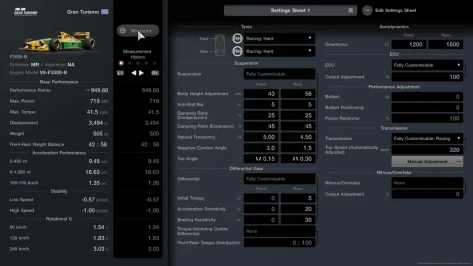
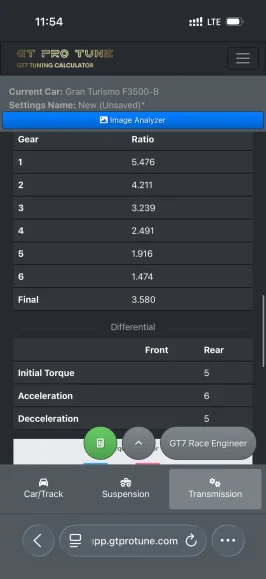
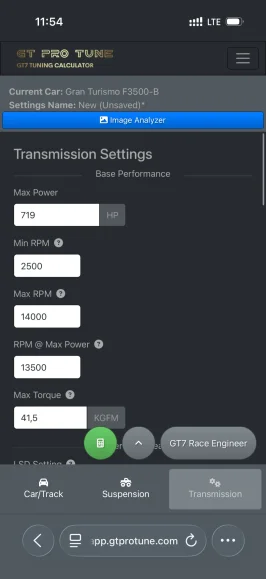
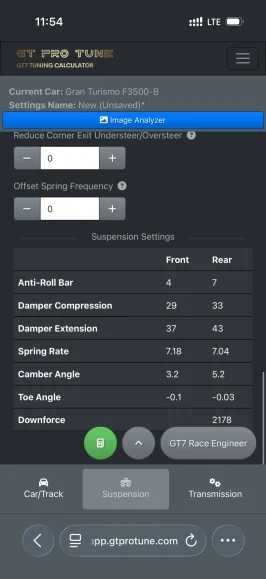
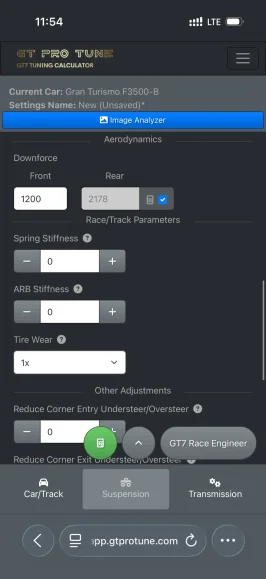
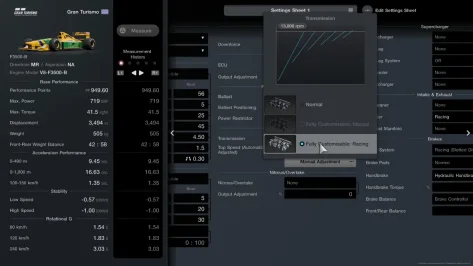
So I use GTProTune now a very long time but some thinks i am not really able to figure out some Numbers are always so far out of the range i am able to adjust in game and some are always the same no matter what I do. I attach the screenshots from my latest project for the nations cup but the calculated rear downforce is at 2178 but the max value I am able to adjust is 1800 and the same goes for the spring rate which is calculated for around 7 for front and back but the max value ilI am able to set it is 5.50 front and back. And I dont now but the differential is alwas 5,6,5 and no matter what I change I doesn’t. Is there something I do wrong please help me
 

Attachments

  • IMG_3443.webp
    IMG_3443.webp
    55 KB · Views: 20
  • IMG_3457.webp
    IMG_3457.webp
    64.1 KB · Views: 19
  • IMG_3456.webp
    IMG_3456.webp
    62.3 KB · Views: 21
  • IMG_3455.webp
    IMG_3455.webp
    61.7 KB · Views: 20
  • IMG_3454.webp
    IMG_3454.webp
    62.4 KB · Views: 17
  • IMG_3453.webp
    IMG_3453.webp
    76.7 KB · Views: 23
  • IMG_3452.webp
    IMG_3452.webp
    71.7 KB · Views: 12
  • IMG_3451.webp
    IMG_3451.webp
    62 KB · Views: 20
  • IMG_3445.webp
    IMG_3445.webp
    51.2 KB · Views: 14
  • IMG_3444.webp
    IMG_3444.webp
    51.3 KB · Views: 20
  • IMG_3448.webp
    IMG_3448.webp
    66.9 KB · Views: 11
  • IMG_3449.webp
    IMG_3449.webp
    59.4 KB · Views: 15
  • IMG_3450.webp
    IMG_3450.webp
    63.5 KB · Views: 19
So I use GTProTune now a very long time but some thinks i am not really able to figure out some Numbers are always so far out of the range i am able to adjust in game and some are always the same no matter what I do. I attach the screenshots from my latest project for the nations cup but the calculated rear downforce is at 2178 but the max value I am able to adjust is 1800 and the same goes for the spring rate which is calculated for around 7 for front and back but the max value ilI am able to set it is 5.50 front and back. And I dont now but the differential is alwas 5,6,5 and no matter what I change I doesn’t. Is there something I do wrong please help me

Good evening,

Let me see if I can help you out here, would you be able to send me those screenshots from the game to the email address, support@gtprotune.com I will try and replicate your tuning and work out how to adjust accordingly. Make sure the screenshots are directly from the PlayStation, 1. Settings screen, 2. Ecu selection screen, 3. Manual gear adjustment screen.
 
So I use GTProTune now a very long time but some thinks i am not really able to figure out some Numbers are always so far out of the range i am able to adjust in game and some are always the same no matter what I do. I attach the screenshots from my latest project for the nations cup but the calculated rear downforce is at 2178 but the max value I am able to adjust is 1800 and the same goes for the spring rate which is calculated for around 7 for front and back but the max value ilI am able to set it is 5.50 front and back. And I dont now but the differential is alwas 5,6,5 and no matter what I change I doesn’t. Is there something I do wrong please help me

Sorry for the delay, it’s been a bit of a crazy week!

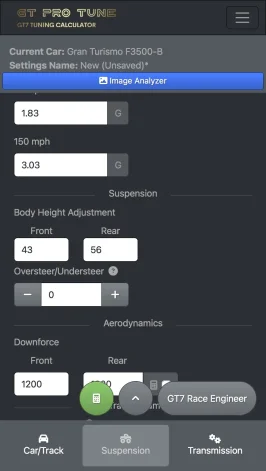
I put those screenshots you sent me into the app and the OCR worked a charm for starters. I just had to enter the Vehicle model and track (this is only really needed for the AI RaceEngjneer).
IMG_2875.webp

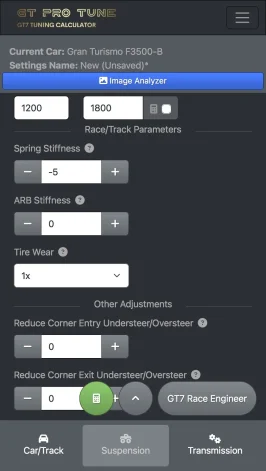
First off, I just unchecked the calculate rear downforce feature as sometime this works/sometimes it doesn’t! It just car dependant. (Don’t forget the app is using calculations based on real world equations) So highest rear downforce is 1800, go with that for a starting point.
IMG_2877.webpIMG_2879.webp
I then lowered the spring stiffness all the way to -5
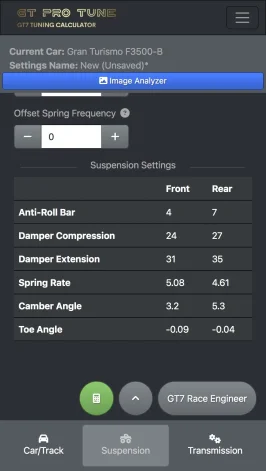
IMG_2881.webp

Calculate and here’s the suspension setup I would try out as a base.
IMG_2883.webp

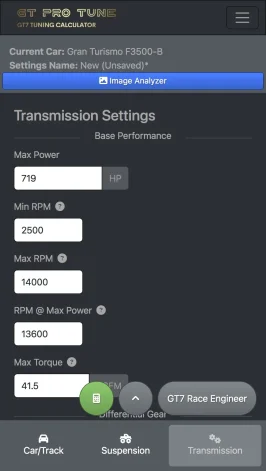
Now for the transmission.
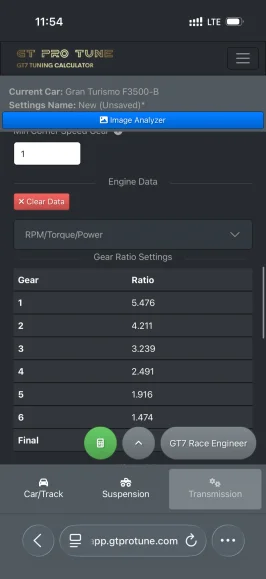
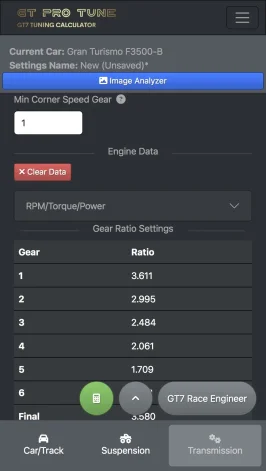
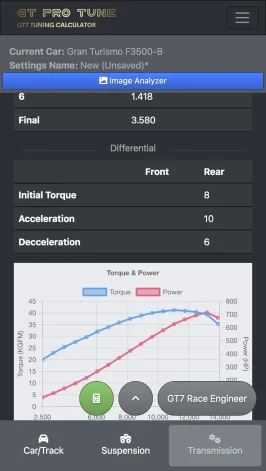
I took a little guesstimate for the RPM at Max power from the graph, I didn’t get my one out let me know if I am close with 13600?
IMG_2885.webp
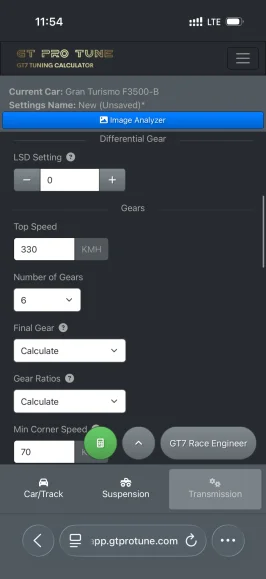
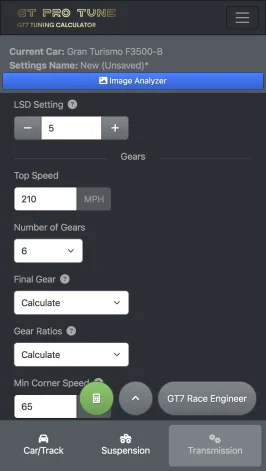
Then I increased LSD setting all the way up to +5 and entered 210 mph as a desired top speed on the straight.
IMG_2887.webp
I also entered the min corner speed at 60mph and doing that in 1st gear.
Now we can calculate and there are your transmission settings to start off with.
IMG_2889.webpIMG_2891.webp

Let me know if any of that isn’t clear and if you have any luck doing and making this work for yourself?
 
Last edited:
Hi, I got this error in the calculator
Error Id: 00-6aaecc13dc2c4218e29954535bf2ce3c-bd5eea90fcae73d8-00

Sorry I missed this before as I was midway answering to another user.

Have you refreshed? Logged out and then back in?
 
Hi there,

Just bought the calculator, and I'd like to leave some feedback.

Firstly, and most importantly, it's an EXCELLENT bit of kit, and it works very well, including photo import (no thanks to PS for the trouble with it though... Ironically Apple actually makes it easier with iCloud Sync to PC...)

All that said, would it be possible to add a set of check-boxes so we can tell the program if we've got certain things installed, such as an engine swap/weight reduction etc? I think this would be helpful if someone is targeting a specific PP for a race (WTC600 for example)

I've also noted that the AI Mechanic doesn't seem to agree with the settings given a lot of the time either, but that could also be an error on my part since I'm REALLY not familiar with it.
 
Got the app 2 days ago, and it's a whole new driving experience with the settings it provides.
I need to review hundreds of my cars soon! 🙂

Just one issue I've found: in my browser, I accepted the cookies, so it took me a while to clear the saved values when setting up a new car. If possible, it would be great to have a button that clears or resets the saved browser data.

I really appreciate the great work you've put into this project!
 
Got the app 2 days ago, and it's a whole new driving experience with the settings it provides.
I need to review hundreds of my cars soon! 🙂

Just one issue I've found: in my browser, I accepted the cookies, so it took me a while to clear the saved values when setting up a new car. If possible, it would be great to have a button that clears or resets the saved browser data.

I really appreciate the great work you've put into this project!

Thanks mate, great post, there is a little button in the load/save menu that says “new” that resets everything back to blank.
 
UPDATE

With the release of the game update 1.70 and new cars, we have updated the GTPROTUNE app!

Details:

New Gear Ratio Calculation Method

GT Pro Tune now gives you two distinct ways to calculate your gear ratios, so you can match your gearing strategy to the demands of the circuit:
• Max Torque Method (existing) — optimises your ratios to keep the engine in its peak torque band, maximising acceleration and top-end drive. Best suited to longer, faster tracks where you spend more time at high speed and want to make the most of every straight.
• Geometric Gearing Method (new) — spaces the gears out evenly across the rev range, giving you longer, lower gears with more progressive, predictable steps between them. Ideal for tighter, more technical circuits where lower-gear control and smooth power delivery through slow corners matter more than outright top speed.
In short: pick Max Torque for fast, flowing tracks where straight-line speed is king, or Geometric for technical, low-gear circuits where consistency and control out of slow corners win you lap time.

5 new cars added to the database,

  ・BMW M Hybrid V8 '25
  ・Ferrari 499P '23
  ・Peugeot 9X8 '25
  ・Porsche 963 '24
  ・Porsche 911 Turbo S Safety Car (992)

Updated Graphics UI

A refreshed visual overhaul bringing the GT Pro Tune design into the future - metallic gold accents on warm near-black surfaces, frosted-glass panels, and cleaner motorsport-technical typography throughout. The calculator, navbar, and setup screens have been restyled for better readability and a more premium feel, with smoother transitions and a more consistent layout across desktop and mobile.

More advanced AI Race Engineer features

The AI Race Engineer has been significantly upgraded to give you smarter, more contextual setup guidance. It now offers deeper, conversational tuning advice tailored to your car, track, and driving style — explaining not just what to change but why, helping you understand the handling trade-offs behind each adjustment. Improvements include more precise recommendations for balancing oversteer/understeer, sharper feedback on suspension, differential, and aero choices, and a more natural back-and-forth so you can refine your setup step by step.
 
Last edited:
I may have missed this in previous posts but if we bought the advanced tuning calculator, is it possible to also use the basic calculator? I am looking for the option to use either calculator without being looked into only the advanced option.
 
I may have missed this in previous posts but if we bought the advanced tuning calculator, is it possible to also use the basic calculator? I am looking for the option to use either calculator without being looked into only the advanced option.

Hi mate,

Basic/advanced is the same thing, but there are more options and features on the advanced package.
 
Hi mate,

Basic/advanced is the same thing, but there are more options and features on the advanced package.
I understand that. I was just wondering if there was an option (on occasion) to use basic to turn something quick with less inputs. Thought it would be a cool feature to have the option if you paid for advanced.
 
I understand that. I was just wondering if there was an option (on occasion) to use basic to turn something quick with less inputs. Thought it would be a cool feature to have the option if you paid for advanced.

Well, that was the whole idea behind the screenshot analyser (quicker than inputting all of the settings manually).

These is no benefit to using the lite version for a quicker setup. Please do tell me if you think maybe I’m not understanding or missing something though.
 
It's ok, it's probably me that's misunderstanding. I've never used the basic calculator app. I'm assuming it has less parameters needing input for a on the fly quick set up. Like, if you purchased the advanced, there could be a toggle to choose which calculator you wanted to use at that time. Anyway, love the calculator - keep up the great work!
 
It's ok, it's probably me that's misunderstanding. I've never used the basic calculator app. I'm assuming it has less parameters needing input for a on the fly quick set up. Like, if you purchased the advanced, there could be a toggle to choose which calculator you wanted to use at that time. Anyway, love the calculator - keep up the great work!

No worries, there isn’t less inputs, you have to use all of those in both variants
 
Hi, I bought the advanced version of GT Pro Tune and I'm getting very extreme antiroll bar and camber settings with my Integra:

1782444679634.webp
1782444702448.webp
1782444792195.webp

1782444719344.webp
1782444738950.webp


EDIT: Figured it out, the image analyser got one of the rotational G values incorrect:
1782444925681.webp
 
Last edited:
Back