- 138

- England
- Mr_Nerv
What livery exactly?
Mail!
What livery exactly?


You can use AI to make a perfect side shot of any picture with a car. Overlay that picture with an actual GT7 screenshot from the side and with align with camera you don't need anything. Of course you make a screenshot of a blank white car so you have a perfect clean space as well.Can do, but to work in Inkscape it's easier to have some unfilled areas to work with, and as I mentioned to @daan - I'm replicating a Caymen and no side on pictures exist currently of that race livery, so things are coming from video and random angle shots.
The pattern is quite random too, so all l can do is use parts of the car for references.
But I will take your advice and see what works. Again, with a drawing, you also have a clean space to design your own as well as making the SVG patterns, GT Jesse uses that technique, believe also for his real life Subaru WRX STI.


This version would need 16 layers
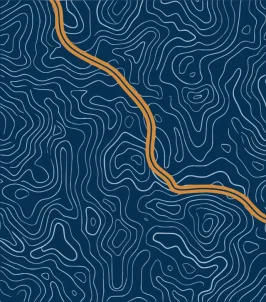


Split in 31 layers: please - unlike the previous 2 dudes before - if you're not interested just reply "no, thanks"View attachment 1532456
Any help to convert this to svg would be appreciated. Would take me a bit if I were to convert this myself.

example?Split in 31 layers: please - unlike the previous 2 dudes before - if you're not interested just reply "no, thanks"like
Final result below, but as I said, it's a matter of duplicate and replace 31 layersexample?
Sorry it’s been a while since I’ve done SVG conversions. 😛
I was able to convert it to svg through another free converter other than inkscape. Right now editing it in inkscape to remove some nodes. Also how do I cut a piece out of an image on inkscape again?Final result below, but as I said, it's a matter of duplicate and replace 31 layers
View attachment 1532457
you mean splitting it? too long and hard to explain, sorry gotta watch Talladega nowhow do I cut a piece out of an image on inkscape again?


This version would need 16 layers

NP. Thanks for replying!@2cam16 That also is too complex, should be split into roughly 20 layers or more.
So good news. The original creator of the logo got in contact with me and sent me his original SVG file of the logo which is 5x smaller than the one I was provided by another member of RSS An Assetto Corsa modding group which the other one was sitting at over 800kb. The one I just got is around 110kb. 🙂Final result below, but as I said, it's a matter of duplicate and replace 31 layers
View attachment 1532457


Absolutely, thanks very much! 🍻
Do you have a video explaining the process at the very least that you could recommend?you mean splitting it? too long and hard to explain, sorry gotta watch Talladega now
So good news. The original creator of the logo got in contact with me and sent me his original SVG file of the logo which is 5x smaller than the one I was provided by another member of RSS An Assetto Corsa modding group which the other one was sitting at over 800kb. The one I just got is around 110kb. 🙂
I should be able to work something out with the new file. I recall working with something in the past that was around 120kb maybe even 130kb and was able to bring it down to 15kb.
Already did both that and compressing the image. I was able to bring it down to 72.10kb. What could probably help is if I can seperate the head and the body of the penguin from each other and make the pieces into two seperate files so I could put together in the livery editor. However my knowledge is limited atm on how to do that precisely so I need some help.Run it through SVGOMG?

Attach your 41k svg here, for me it would be much more of a hassle trying to explain (if I can...) how to split it than doing it.1 brought the size down to 41kb
Is there a way of having the source image, using the eraser tool to remove on one copy of the the SVG, then doing the alternative copy and just layering the 2?Attach your 41k svg here, for me it would be much more of a hassle trying to explain (if I can...) how to split it than doing it.
Attach your 41k svg here, for me it would be much more of a hassle trying to explain (if I can...) how to split it than doing it.
You can but with the eraser tool it might look a little messy.Is there a way of having the source image, using the eraser tool to remove on one copy of the the SVG, then doing the alternative copy and just layering the 2?
Oh, and thanks again for the AI plan drawings, did make a template from them and the left side of the car is done.
...Now if only I can find a picture of the right side...
🤔🤔🤔
I've never used the eraser tool, no clue what it isIs there a way of having the source image, using the eraser tool to remove on one copy of the the SVG, then doing the alternative copy and just layering the 2?
Oh, and thanks again for the AI plan drawings, did make a template from them and the left side of the car is done.
...Now if only I can find a picture of the right side...
🤔🤔🤔


Here it isHi
Could someone please remove the white borders inside the logo, including the letter "p"?
I want it to be transparent.
Thx in advance
Why don't I believe you?!? 🤣🤣🤣I've never used the eraser tool, no clue what it is
You can but with the eraser tool it might look a little messy.
Theres a more cleaner way into doing it by creating shapes and using those said shapes to cut out parts of the image.