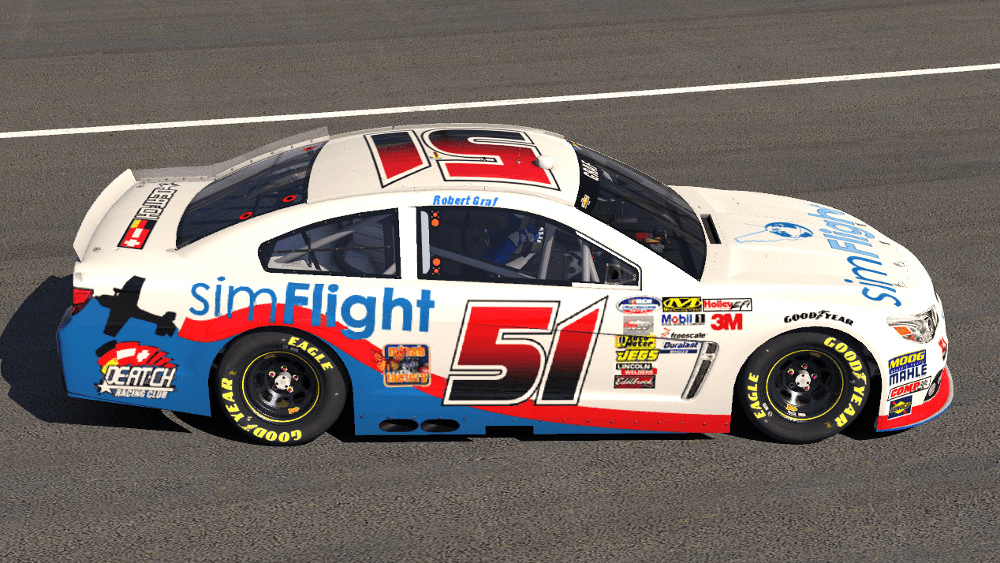
iRacing Paint Schemes Thread

  • Thread starter Thread starter RACECAR
  • 1,723 comments
  • 336,484 views
You should repaint the driver suit to look like a Mountie. :lol:
 
Just got done with my Ford Fusion Montoya theme ^^


Fusion1_zpsca908604.jpg


Fusion2_zps5648f300.jpg


Fusion3_zps0c65f150.jpg


Fusion4_zps0448cb7d.jpg
 
^That looks amazing! Why is it on a Ford though? The 3rd shot looks great.
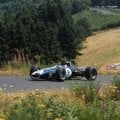
 
^That looks amazing! Why is it on a Ford though? The 3rd shot looks great.

Thanks :-) Hehe I just think the ford looks so much better than the chevy :-P
 
I never did figure out what the roof logo was so I dropped in my own :)
Sorry to bring up such an old post, but if you never did find what it was, I believe you are looking for ECHT Achterhoek. 👍
 
Here my new scheme for the Mclaren. I'm a big bike guy and Valentino Rossi is one of my favorite MotoGP riders and he does a couple car races in the off season. This scheme was one he ran on a Ferrari 458 I think it was in an endurance race during this past off season. It was a free paint done by Danny Bouwes at raceskins.com. These pictures are his as well.

ShowroomKesselRacing1_zpsfc8e6750.jpg


ShowroomKesselRacing2_zps3095cfad.jpg


ShowroomKesselRacing3_zpsd79f4ae7.jpg
 
Here's one I did last weekend. Haven't been able to try it out though as I've just moved to my own flat and haven't installed the wheel yet.

Would be great if any of you gave it a shot and grabbed some screens so I can see where I could improve it. :)

mcmurray.jpg


Download
 
^Looks great. Nice work 👍
 
There's one problem I see, and that's the number (and small decals on the sides), I haven't seen the paint in sim but my understanding was that numbers and stock decals were automatically stamped by the sim, and I haven't seen anyone find a way around it. If there is though I'd love to know how.
Otherwise, it looks great! Like Mac said 👍

Edit:..... I caught the Cessna logo.... ;)
 
There's one problem I see, and that's the number (and small decals on the sides), I haven't seen the paint in sim but my understanding was that numbers and stock decals were automatically stamped by the sim, and I haven't seen anyone find a way around it. If there is though I'd love to know how.
Otherwise, it looks great! Like Mac said 👍

I know I've seen several pics where someone managed to get around that so its possible. Just a matter of figuring out how.
 
I know I've seen several pics where someone managed to get around that so its possible. Just a matter of figuring out how.

Really?! Sweet, I'll have take a deeper look in the iRacing forum some time:) I'd love to edit my mustang
 
Aha! Here's one example:

34863d1347399787-iracing-paints-iracingsim_2012_08_23_18_06_12_485.jpg


So its definately possible, now we need to figure out how.

Edit: And here is a very recent one:

sFnewChevy-1.png
 
Last edited:
Is it a recent thing? or can it be done to others too?
 
Those were done in testing sessions. When you go to setup the default iRacing paint schemes you can select your number. But that number only really gets used in testing and hosted sessions. In official races your number will always be assigned based on iRating.
 
Tag Heuer is my favorite watch company, absolutely love the two that I have, so figured I would get the new Gen6 SS done up. I suck at painting so I had Mike Koroleff do this one for me, he did a Tag McLaren a short time ago, also having him do one for me, just a different design to the one he already did.

I don't know how to do the in-game screenshot editing, and don't have any editing software on my racing computer.

I love it!
8574731772_c511732edf_b.jpg

8574731586_2eee334243_b.jpg
 
That looks awesome 👍
 
So is this in fame designs too? Or can you make your own patterns?
 
Hey guys, I've been doing custom cars on iracing for a bit on photoshop, my trial is going to run out soon, any other software I could use instead of PhotoShop? Would love a reply :)
 
I'm not a painter myself. But another program that's out there is called Gimp2. I don't know if its any good but might be worth looking in to.
 
GIMP is good, its what I use. The latest versions also allow you to open photoshop file formats so you can use the layers, etc.

Its about time I made a Vimto livery (I love the stuff and its a local invention :p);

vimto.jpg


I'm not completely happy with it as its slightly messy but couldn't find the graphics I was looking for. But its adequate for the quick paint job I wanted while I did a few races for fun at Brands Hatch in the Skippies.
 
Interesting livery :lol: You did a great job on it though. 👍
 
I like it!


I wish I could stick to one scheme (I've probably had 4 different truck scheme in last 2 months). I just can't seem to either have anyone make something I like long enough or explain what I'm after. One thing I love bright schemes at least in rear half of the scheme. Right now in trying to get someone to design a Ken Blockish scheme with FPR Pepsi Max twist but it's close but not quiet. If it doesn't come out right, maybe someone here can help with it.
 
Cheers guys, I tweaked it a bit, much happier with it now:

vimto2.jpg
 
Cheers guys, I tweaked it a bit, much happier with it now:

That looks very nice pal. I would be proud of it. Excellent job!
 
I actually like the other version better but not my car to run either. I will say atleast it isn't black, I'm over all the black base schemes I've seen.
 
Looks good Ardius, much neater and tidier than the original in my opinion. 👍
 
Back