Photoshopped cars.

  • Thread starter Thread starter sn00pie
  • 7,970 comments
  • 629,447 views
Originally posted by Bimmerkid44
I'm looking for a car to shop.

attachment.php
 
Hi!

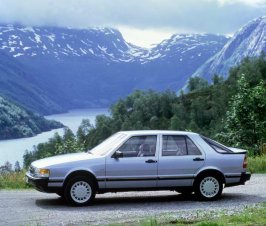
Can you photoshop this one for me?

btw. where do you guys find the pics of the rims and ground effects?
 

Attachments

  • 9000cc_1985.jpg
    9000cc_1985.jpg
    60.7 KB · Views: 139
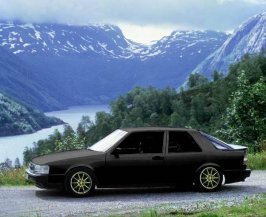
Just a quickie:
 

Attachments

  • 9000cc_1985 copy.jpg
    9000cc_1985 copy.jpg
    69 KB · Views: 138
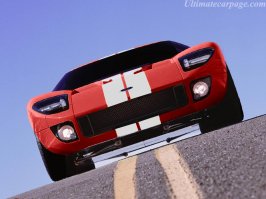
GT40 in Team Oreca colours.
 

Attachments

  • gt40.jpg
    gt40.jpg
    64.9 KB · Views: 127
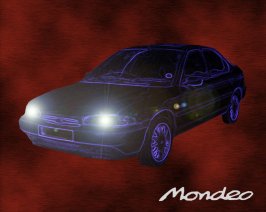
Shopped Mondeo (Contour)
 

Attachments

  • mondeowallpaper.jpg
    mondeowallpaper.jpg
    70.5 KB · Views: 123
Originally posted by Tcdoe
Hi!

Can you photoshop this one for me?

btw. where do you guys find the pics of the rims and ground effects?
We just find them all over the internet.:p I know I've gotten a lot of parts from pics in the Imports thread.:)
 
here's my latest work (sorry it's so small).
 

Attachments

  • psc4try3.jpg
    psc4try3.jpg
    16.7 KB · Views: 114
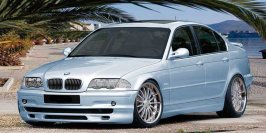
This is my first ever attempt at a car 'shop
Its not much, just
*changed colour (grey-> light blue)
*tinted windows.

I also tried to add a bumper from one of the pics that someone posted before but I couldnt get the colours to match
 

Attachments

  • body_bmw.jpg
    body_bmw.jpg
    52.7 KB · Views: 111
TVRKing: Thanks a bunch, looks great!

A little off topic but anyway.. What could be wrong with my PS6.0 (or what am I doing wrong) when it gives me error messages like "Could not complete the ***** command because the selected area is empty." Yesterday it wouldn't let me desaturate and now the copy command doesn't work anymore.. Please help! Thanks in advance!
 
You can only perform an operation on something that is selected (that is, with the dashed lines squiggling around) You can select the area with any of the tools (the first 4-6 on the tool bar) or by holding down ctrl and clicking the layer you wanna fiddle with

Hope that helps
Maybe it wont...
Maybe Im full of crap...

:D
 
Yeah well the problem is that I have selected an area with the polygonal lasso tool, but it still keeps saying that.. And it worked just fine yesterday, but not now.. Maybe I've accidentally messed around with some options? Or is it just a bug?
 
Oh, I got it, I had selected the wrong layer.. :) Thanks anyway.
 
here is one i did yesterday.not the best but i still think it looks good.
 
here is another i did yesterday...i took me about 2 hours but most of that was spent looking for parts and trying to color match which didnt work out too god:(
 
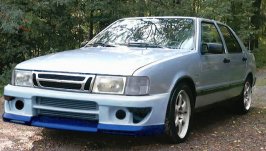
Here's one I did yesterday too, I know it's not so great but it's my second one ever (well with PS anyway..)..
 

Attachments

  • tuning3.jpg
    tuning3.jpg
    61.3 KB · Views: 164
hey...did u like mine?! BTW:urs looks pretty cool.
 
I did better on my first car ever (no offence).
 
Originally posted by Jpec07
I did better on my first car ever (no offence).
I did a kick-arse Subaru Impreza WRX as my first shop. I was fairly comfortable with Photoshop because I was using Paint Shop Pro 7 before.
 
Originally posted by jubula
here is one i did yesterday.not the best but i still think it looks good.
Image going over a speed bump! You'd take off half the bumper. Yes, it is a bit too low.
 
Back