Assetto Corsa PC Mods General DiscussionPC 

  • Thread starter Thread starter daan
  • 149,655 comments
  • 45,338,983 views
New stage "Rallysprint Lesaka 2022" by Comeover Gaming: https://www.patreon.com/comeovergaming/shop/rallysprint-lesaka-2022-v1-0-assetto-10863

Screenshot_rfc_subaru_impreza_wrc_s9_rallysprint_lesaka_2022_C13AEGIS_27-4-124-15-46-51.jpg
Screenshot_rfc_subaru_impreza_wrc_s9_rallysprint_lesaka_2022_C13AEGIS_27-4-124-15-44-56.jpg
Screenshot_rfc_subaru_impreza_wrc_s9_rallysprint_lesaka_2022_C13AEGIS_27-4-124-15-40-36.jpg
 
merc clk dtm - de milked windows
no upscaling just removed the milkyness and touched up as necessary, they look good enough for 1024x1024. Should be drag and drop installation although to acheive this and to get CM to recognise the files i have had to put the full skin folders in not just the window.dds file.

i do have more stuff to upload but no time right now, for now i just wanted to smash this out


Screenshot (561).png

Screenshot (562).png
 
merc clk dtm - de milked windows
no upscaling just removed the milkyness and touched up as necessary, they look good enough for 1024x1024. Should be drag and drop installation although to acheive this and to get CM to recognise the files i have had to put the full skin folders in not just the window.dds file.

i do have more stuff to upload but no time right now, for now i just wanted to smash this out


View attachment 1359127
View attachment 1359128
Thanks, I meant to report the milky windows.
Edit: big improvement, thanks again @maximeerkat
 
Last edited:
Agree. It's quite funny, but also sad.
But what’s really surprising is that after so many years no one thought of importing the Monaco Circuit from Project CARS 2. The assets there are quite nice, the track itself is well detailed. :)
There is a very early wip version made from ChiquiFreaky which is based on the PCARS2 version IIRC available but he never finished it.
 
Speaking of DTM tracks, has anyone taken a look at the VENCIALO version of Hockenheim?
I find it much more pleasing to the eye compared to the VHE one.
It just needs some tweaking.

Gonna have to disagree with you there. I asked around beforehand and the VheEth track got everybody's vote as subjectively the best base to update.
The Vencialo track seems to be inferior in just about every way, to my eyes anyway.
shrugs

Edit: just to elaborate; the road is glass-smooth with no feedback, lots of textures have broken alpha, trees and tree walls look unnatural and have a lot less layered depth, it uses old clockwork 2D grass, road textures look bland, geometry is a lot more basic (compare the staircases to the rear of the Mercedes stand, for example), many logos are stretched or squashed... all IMO of course.

That's not to say further visual improvements couldn't be made to the VheEth track. It's perhaps a little low-contrast overall, so stronger vao patches and trees tweaked to have more contrast might sharpen the whole look. I'll maybe look at these in an update.
 
Last edited:
Guys, I've been having a problem lately using the "Replace Sound" option in CM. More times than not, lately, the engine sound is silent after using the "Replace Sound" option. Even if I try to manually replace a sound bank in the sfx folder and update the GUIDs file, which I've done many times in the past, does not seem to work in these instances. Any idea what I'm missing?
 
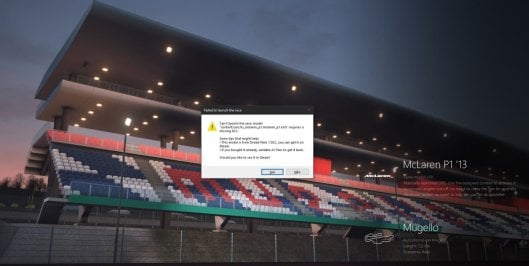
Hi guys. Suddenly my CM gives me this. This happens with all the content from Kunos in DLC. I have all the DLC´s, since a looong time ago. Can anyone give me a light on this?
 

Attachments

  • Capturar.JPG
    Capturar.JPG
    94 KB · Views: 23
hi all, anyone else noticed the newest rt_zolder track update that was pushed a while ago via CM breaks the billboards above the track (with breaking I mean that they are Z-fighting when seen from a distance, only when you are closer the flickering stops).
I've reverted back to v1.01 because it was perfectly fine there (I don't recall if it was after a fix done to it or not)...Anyway here a Download of the old version 1.01 for anyone who also dislikes the flickering of the billboards.

The newer version 1.2 does come with cool extra trackside bigscreens, and probably some other improvements, so I wouldn't mind if someone can fix the billboard Z-fighting flickers in v1.2... :)
No billboard flickering in my v1.2, Just tried to be sure...

-----------------------

Fixed it, please redownload.


For my version, it has different kerbs, different armco/wall, different collision physics, different turn swimming pool, different tree model, different texture, different ai could through hairpin,different lights in tunnel, and so on.
not bad, but you really should get rid of those trees, they are the wrong kind, look ugly and totally kill the track for me.
I'm sticking to the Ofitus21 version, added the Pyyer F1 2024 v2.0 and Climax F1 skin, then deleted the third Party folder (containing those other ugly and mismatched 3D trees from Ludwig666).
In the end I get a decent Monaco track... :D
 
Last edited:
I'd look at the aero, keeping in mind that the game engine is quite good, but not perfect, so it might be necessary to fudge it a little.

1. Be sure the tyre size/gearing/rpm limit is OK for the required speed.
2. Start reducing the wing area of each of the wings (chord x width). In this case you're looking for 9kph, so small steps, perhaps just start with chord. Do both ends to avoid moving the aero balance.
3. Use a straight-line speed test track to minimise the time wasted on each test run.

Howzat?
I'm not a guru, but I would advise playing with the drag, for example by adjusting the files
wing_body_AOA_CL.lut
wing_body_AOA_CD.lut
this should help, of course, if all other parameters are correct.
Thanks for your helps, guys.

I'm kind of at the limit already on the tyre and gear cap, and rpm limit was at 7500 (it seems, looking at the dial).

But! I actually changed a few things on the aero file, placed the front spoiler flat an correctly and put what looks like to be a "drag coefficient multiplier" at 0.28 on the body.
I reached up to 270km/h on mid-length at les Hunaudières. Wasn't expecting that much, but I also might have overdone it on that (a bit too powerful compared to the "real" ratio, i'm more around 165 bhp instead of 155...)
 
I was playing an hour ago with URD Loire 07 (ELMS 2024), but the skins were too heavy so I saved in lower quality to reduce their size, and then now I can't start an event with that car, cause it crashes. CSP error. I had analized the car with CM and 0 problems. Any other car gives me that issue. What can I do? I hope not have to reinstall all the ELMS skins.
error.jpg
 
Last edited:
The 3D effect is achieved by making a Normal Map of the tyre texture.
A Normal Map is like the answer to the question "If this bit was raised from the surface, what would the light/shadow do aound it?"
When you combine the two, it looks 3D.
There are many ways to make them, but easy-peasy one is to make a PNG of the tyre texture, and feed it to this website:
Then make a DDS from the PNG you get back and rename it. You can inspect the tyre mesh to find the name, but the convention is:
For tyre.dds, the normal map is tyre_NM.dds
Add to the skin folder.

Good luck, and thanks for all the skins :)
Thank you (and others) for detailed information! :cheers:

Cars updated with normal maps for tires
 
No billboard flickering in my v1.2, Just tried to be sure...

<snip>
ru looking at it via (Oculus Rift render) VR ? (if not, it might be a VR only issue, although Z-fighting if I remember correct should be visible also in pancake mode) Anyway, the issue is there for me for sure, and not on the older version I've linked.
And to specify, it's on the 2 large billboards above the track , one is the one just after the start/finish line, and only when you are still far from it does it flicker , so as you turn up in the final straight towards the finish line.
 
I was playing an hour ago with URD Loire 07 (ELMS 2024), but the skins were too heavy so I saved in lower quality to reduce their size, and then now I can't start an event with that car, cause it crashes. CSP error. I had analized the car with CM and 0 problems. Any other car gives me that issue. What can I do? I hope not have to reinstall all the ELMS skins.View attachment 1359216
Are you able to generate skin previews with the lower quality ones you created without error?
 
Last edited:
Agreed, there’s no definitive ultimate version of Monaco. So many over the years based on the same Codies build from the F1-17 game or something, which was probably based off their first one in 2010. We need one to rule them all, with all the recent extensions and updates and with camera-facing crowds, etc too, so that we can forget about any others.
I'am trying to do this, the version I upload yesterday is added camera - facing people. Actually, I tried to find some methods to convert monaco from Project CARS games and quit F1 game model completely. But unfortunately failed, I couldn't find the methods on the net. Although these is mod converted from Project CARS.
 
Agree. It's quite funny, but also sad.
But what’s really surprising is that after so many years no one thought of importing the Monaco Circuit from Project CARS 2. The assets there are quite nice, the track itself is well detailed. :)
I tried, failed, none method of convert from project cars could be found. Only I found are some car models.
 
Last edited:
ru looking at it via (Oculus Rift render) VR ? (if not, it might be a VR only issue, although Z-fighting if I remember correct should be visible also in pancake mode) Anyway, the issue is there for me for sure, and not on the older version I've linked.
And to specify, it's on the 2 large billboards above the track , one is the one just after the start/finish line, and only when you are still far from it does it flicker , so as you turn up in the final straight towards the finish line.
Triple screen, latest CSP, CM, SOL.
I did check all billboards.
 
Your wife is one of the best in the world! Treat them well!...
Sorry to go offtopic and arrive late to the party, but I have to say it...

Wifes of the World, please listen: do not think that the cost of a man sacred cave is wasted money, think that it's an investment in the future.

When you are tired of listening to your husband foolish chatter, you can send him to a safe place where he will not bother you, and where he will go without the slightest complaint. Likewise, you will have the perfect excuse to blackmail your husband when you decide to buy that pretty Louis Vuitton bag you saw on sale.

We all win...
 
I thought of that but isn´t that going to ruin my tags and other stuff about cars and tracks?
I don't think so , tags on your cars and tracks are CM stuff, and steam will only verify the AC game files (so not the CM frontend)...
But please wait for verification from others though before believing this to be true :)
It will only affect tags, etc for Kunos content.
Actually, not so sure on tags, but in terms of previews and the car name itself it changes that.
 
Since we've been getting some great new DTM content recently I thought some spit 'n' polish to Hockenheim might be welcomed.
VheEth gave me permission to update his track:

  • animated helicopters, positions tailored for each layout
  • animated blimp patrolling the track perimeter
  • animated/flaring hot-air balloons
  • animated flag-waving spectators
  • updated cam-facing seated and standing crowds in the grandstands
  • crowd and pit audio added
  • grandstand seats recoloured, jumbotron images updated
  • treewall artefacts reduced, tree/bush normals fixed, tones compensated
  • updated config

View attachment 1358957

It was good, it got even better. Thank you
 
Well, also a sucker for reshade here. I always try to have a realistic experience when racing, and reshade does the job quite good if well configured, but as you wrote, a slight misaligned slider could be worsen the whole setting.


(I know we have a dedicated video thread, thank you).

But that doesnt look realistic at all, it just looks like copying what you see on tv, not what the actual driver sees. I guess its good for making videos, but i find it super annoying to use reshades in AC for longer than 10 seconds.

for those talking about Monaco, this one seems rather different in some track elevations, i found this link on reddit
Monaco 2019 by CHiQuiFReaKy (Beta 0.3)

edit, it seems to be based of the same track the Azure track that is also currently being talked about. someone is stealing off someone again? is it from GTR2?
 
for those talking about Monaco, this one seems rather different in some track elevations, i found this link on reddit
Monaco 2019 by CHiQuiFReaKy (Beta 0.3)

edit, it seems to be based of the same track the Azure track that is also currently being talked about. someone is stealing off someone again? is it from GTR2?
Not necessarily stealing, it could also be seen as improving. Depending on the eye that sees and the mind that judges.
 
whlist going threw all my ac content, deleting unnecessary files, checking if csp functions are given etc, i stumbled across some "ext.config.ini_flatten". can someone explain what the flatten has to say?
 
Last edited:
Astana International Raceway v1.11

Screenshot_tbb_toyota_gr86_premium_astana_ir_26-4-124-8-24-10.jpg

Fictional circuit in Kazakhstan.
Conversion from rFactor.

-CSP Recommended
-2 layouts (GP/ Oval)
-34/ 40 pit/start
-AI, cam

Known issue: GrassFX does not work inside tunnels.

Credits & Thanks;
Original rFactor Track by Edobot
-I have tried to contact him but have not been able to. I thank him for his work.

AC Converted by @shi (shin956)
AI by IMEAN
logo.png by @Fanapryde
Crowds texture by @Kniker97
some textures by kunos
Test and Feedback by @Masscot

Enjoy.
Converted upon request by Patreon member Mateus.

;;;;;;;;;;;;;;;;;;;;;;;;;;;;;;;;;;;;
v1.01 changelog;
Changed texture to standing crowds.
Changed the texture of the grass.
Changed the shaders. (ext_config.ini)
Darkened the texture of the grandstand.
;Thanks Mascot for the report.

v1.1 changelog;
Added garage doors.
Added marshalls.
Even when CSP settings → General Patch Settings → CPU optimizations → Chunks optimizations are set to Advanced, ground objects are no longer hidden. (Tested with CSP 0.2.12-preview1.)
Increased the number of pit/start positions in the GP layout to 34.
Fixed buried groove.
Updated ext_config.ini.

v1.11 changelog;
Added the missing mesh to the pit. (Thank you, Quark67 and Den_88, for your report and suggestions.)
 
Last edited:
I thought of that but isn´t that going to ruin my tags and other stuff about cars and tracks?
Yeah, it'll checksum all files in kunos content including UI.json files, added layouts, skins etc. I personally avoided it for that reason. But, someone here a few months ago made good a post outlining another way which helped me a lot when there are issues

Basically you always have a "clean" version of AC files downloaded locally and can do your own manual "verify"

  • Rename or move your steam ac folder
  • then verify files (it will download a whole new copy of the game).
  • Then you rename that new AC folder to AC backup (you can name it anything and move it anywhere to save) and rename / move your original one back to its original name
  • all your content will be reconnected, and now you can can drag and drop selected cars/tracks/other files from the backup folder without having to verify the whole game.
 
Sharing a mod? Host it on GTPlanet Downloads. Free, public hosting for files up to 10GB in size.
Back