Let me tell you how and provide a warning.
If you have a USB Flash Drive or some other form of external media drive, just plug that into an available PS3 USB slot. Make sure you don't have any games running or anything because you will be unable to have a game or program playing in addition to porting over material to your flash drive.
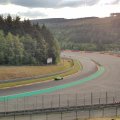
Now let me warn you of something. If you have multiple pictures from a certain track, when you try to save over your material, please re-name your files. Otherwise, you'll save over them with a similar name. I really wish GT5 would allow you to better name your files without needing to name over them manually. To me, if you have a bunch of files that are named "Cape Ring," I usually name them with something different. For example, "Cape Ring-A," "Cape Ring-B," and so on. Or, just completely re-name them to something different so that the pictures don't overwrite when you try to port them over to your external media device.
So there you have it.