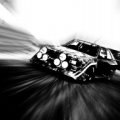
Most realistic picture u ever taken !~

  • Thread starter Thread starter BMWDRIVER
  • 923 comments
  • 100,060 views
kennythebomb
Very nice, the first one does look like a cold day.

Yeah very very cold day. I remember it was cold even inside the cockpit. It was a test session on cold wheater by Michelin. :)

We ran few laps coz there was a problem in the suspensions, so we stoped and reworked in the other day.
 
Yeah, when ur @ tension u become warm, sometimes hot, but even on tension, @ 300, 360 km/h, nothing becomes hot, just adrenaline. :)

THe wind is superb. =P
 
LOL I WANT A FORMULE 1 CAR!!!:crazy:

BTW, I'm waiting JMX, I normally assume you post pictures around this time lol:p But I got to go now, I'll check later JMX, I JUST KNOW THERE IS ONE READY THEN:D:lol:
 
Some new pics, with a little help of photoshop, they look more real now. :)

The Dodge Charger R/T and all its fury in the rear wheels.


The third image, was made too look like the 70´s, old school racing. :)


A Fiat Panda 1000cc ride At motegi. Typhical trackday. :)


Ok, your 3d picture of the panda, the 157KB one, how did you make the car THAT realistic, while making the background sand for example, that much blurred and still very clean? What tool did you use for the background?

I think that one is my favorite
 

I gotta say, sometimes it's really weard: I tried to take pictures of a Focus RS yesterday, and they looked VERY good, but now they suck, no matter what I do the color is just too......blue.......I took them on Tokyo track or something:banghead:

Edit: I did white balance on it, to make it look colder, and it looked even better then on >TV<: It looks even MORE ugly on the computer, I dunno, please comment:
 
G-T-4-Fan

I gotta say, sometimes it's really weard: I tried to take pictures of a Focus RS yesterday, and they looked VERY good, but now they suck, no matter what I do the color is just too......blue.......I took them on Tokyo track or something:banghead:

Edit: I did white balance on it, to make it look colder, and it looked even better then on >TV<: It looks even MORE ugly on the computer, I dunno, please comment:


The pics are very very good G-T-4-F 👍 :drool: :dopey:
 
HHHmmm........LMAO! LOL maybe I'm looking in the wrong way, and maybe the blue'ish isn't AT ALL BAD.....lol, I have some more in fact, but I thought I'd better post only one, instead of me "ruining your eyes because they're so ugly":lol:
KING SIZE:D:D, ..sorry:p>>


G-T-4-Fan

I think they look really good ... specially the first one
sort of remind me slo-car's avatar :D
For the Focus, I like it blue better
most of my pictures are blue if you don't know :D
I made a less blue version for ya .. any better?
 
Oh YEAH, MUCH BETTER, at least for my taste, how did you do it with such results, it looked weard in another way if I adjusted it with my skills, like it became too red, or green, but you just take away the blue, how?
 
I added adjustment filter > color filter (yellow-orange color) and mask the car body area
that way the environment is less blue but the car still being blue as original
 
superevobest.jpg


I thought this one came out well
 
Yeah it's nice man:tup: Only thing is I think the car looks a bit stupid, it looks....very childish, more like toys with those bright colors rather than a VERY good rally car:indiff:

That suprises me actually Franz, that little effort? Hhmmm, ok....btw you said mask layers are pretty important, but I do that with selecting the car, new layer from copy, and then keep it up to 100% opacity, and keep adjusting the background:tup: Don't know if my way has any kind of disadvantages though...
 
Yeah thats why I love that picture, I think it's weightshift though because the only thing I put on it was rims and spoiler, I just bought it an hour ago so...
BTW it was at the first 3d gear corner that comes after the jump early on the nurenburgring, it's the end of that 3d gear bend, I always think that THAT corner looks VERY good in first lap replay:tup::sly:
 
G-T-4-Fan
That suprises me actually Franz, that little effort? Hhmmm, ok....btw you said mask layers are pretty important, but I do that with selecting the car, new layer from copy, and then keep it up to 100% opacity, and keep adjusting the background:tup: Don't know if my way has any kind of disadvantages though...

masking can keep your addition material untouch
so when you crop out background, you have room for errors

For the focus-less-blue example, we just want to change colour in part of the picture, so we roughly brush Black to the adjustment layer's mask. Since the surround of the car remains the same, we don't need to be very precise, and that will save your time. The method you used will give you same result, but cropping out the car can be very time-consuming :sick:

Use masking allows you change the masking area anytime, which rather gives you more flexibility in the area that we want to change colour (in this case). Excellent method when you are not quite sure the result that you are looking for. I can give you many reasons why people have to learn masking, specially in GT4 business :lol:
 
Lol ok, I'll try next time, cause that selecting sucks BAD yeah, and then imagine you click once too close to eachother and your whole area is ruined again, and you have to start all over lol:lol::banghead:
 
I'll post some of my pics that somewhat look realistic. I'm looking for improvement, so please comment on what I can do better ^_^

 
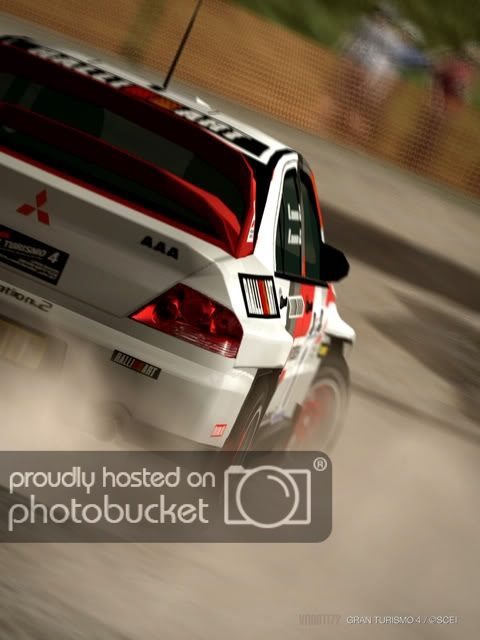
I'd say it definitely counts, but I Don't know too much. Very nice picture, I like the effect... emphasizes the amazing speed O.o
 

Latest Posts

Back