Photoshopped cars.

  • Thread starter Thread starter sn00pie
  • 7,970 comments
  • 629,484 views
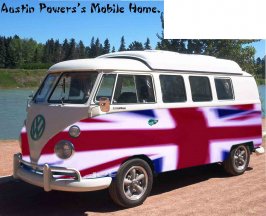
He has a quiet side too you know. :lol:
 

Attachments

  • lol!.jpg
    lol!.jpg
    72.8 KB · Views: 156
You can get the flag cleaner by choosing the right type of anti-alias. ;)
 
Heh, this is what I did with that same pic. That contest was never ended..

attachment.php
 
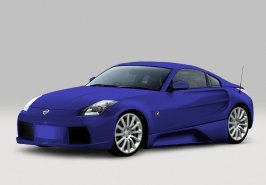
What do you guys think?
 

Attachments

  • ps_comp_car4 copy.jpg
    ps_comp_car4 copy.jpg
    32.8 KB · Views: 218
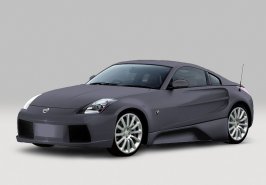
new colour.. I like it a lot better too.
 

Attachments

  • newcolourcopy.jpg
    newcolourcopy.jpg
    32.5 KB · Views: 206
i wonder if any of us will get selected... :confused:

we're all pretty good, can't wait to see the others!
 
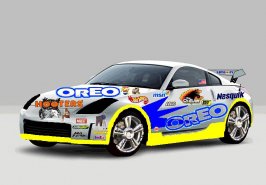
he he he i call it MR.SPONSOR
 

Attachments

  • entery.jpg
    entery.jpg
    54.6 KB · Views: 210
thaks for all the help at the page 85 just leart somthin new gonna try them
 
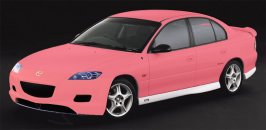
PINK!!!
 

Attachments

  • pink!.jpg
    pink!.jpg
    34.6 KB · Views: 111
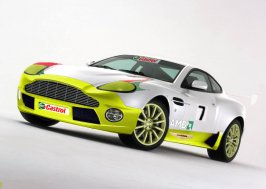
Hey deap how do you do the decals on your cars? I'm trying to do an Aston Martin Vanquish Le Mans car, but the decals just don't look real enough. :(
 
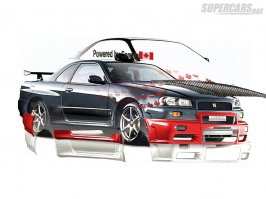
Actually it's only a colored copy of the chassis.(That's why the lightning always look right :P)

You know Shell(Gaz station company), the decale have 2 color. So technically you have to use 2 copy of the chassis layer to do the Shell logo one your car.

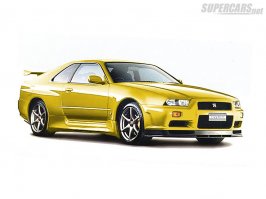
Here an example how I proceed when I color my cars. :D
 

Attachments

  • original gt-r.jpg
    original gt-r.jpg
    63.5 KB · Views: 135
So do you change the opacity, or just make 2 seperate layers?
 
I don't change the opacity, I use the chassis. You copy the part of the chassis you want to color.

It's the same proceeding to change color of the car.
 
Ok. This looks cool I hope.

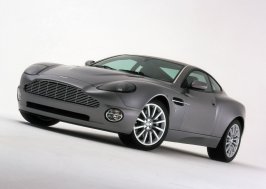
Original:
 

Attachments

  • vanquish.jpg
    vanquish.jpg
    63.8 KB · Views: 112
Mine. I've spent 3 days on it now, and most of it was fine tuning and getting the decals right.
 

Attachments

  • vanquishsporscar.jpg
    vanquishsporscar.jpg
    68.2 KB · Views: 109
Very good.

I think you didn't understand how I make decale. Or maybe you're lazy! :rolleyes:

I usually put the Decal on pic & distorted to get it in the right angle. I create a white layer to be able to select the the decale.(lol, confusing there huh, lol)

Your decale should be in the last layer & the white layer should be just under. Now you should see only a white background & your decale there. You must wonder why I use white huh? Cause most object have a color. with "Select->Color range" you should be able to select the decale(put the color range to 100 quite effective). Check "inverse" & choose the white color, after highlight the body layer & do copy-> paste.

Hide the white layer & the old decale(the 2 last layer). Just above your body layer there should be there a layer. Highlight it & play with brightness & contrast on it & the Hue/Saturation.

That's how to do decale in the lazy way. You can also select each color of the decal & do copy past over the body. ;)

Sorry READ THAT AGAIN It have been edited!!!!!!!!!!!! :cool:
 
Thanks for that. I'm still relativly new to photoshop.
 
Like this?

I've tried it on a earlier photoshop of mine.
 

Attachments

  • untitled-11 copy.jpg
    untitled-11 copy.jpg
    88.2 KB · Views: 103
:sleep: :sleep: :sleep: :cool:
 

Attachments

  • original gt-r.jpg
    original gt-r.jpg
    45.8 KB · Views: 100
Back