- 2,453

- Sherbrooke, Québec, Tabarnak!
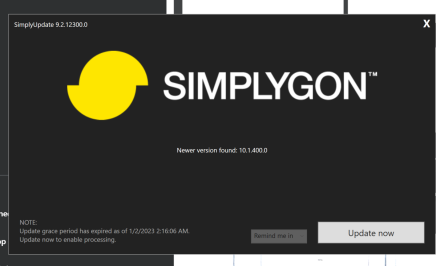
And, ANOTHER ONE!!Anyone else getting Simplygon updates all the time? I've had three in the past three days.

And, ANOTHER ONE!!Anyone else getting Simplygon updates all the time? I've had three in the past three days.

Question, when I was trying to do a track day in content manager and I kept getting an error saying the cars requires CSP, I have CSP, and can comfortably run .79 or whatever the current free one is. Is there any suggestions on how to fix that, please?2018 Ferrari 488 GTE Pack (Endurance and Sprint version)
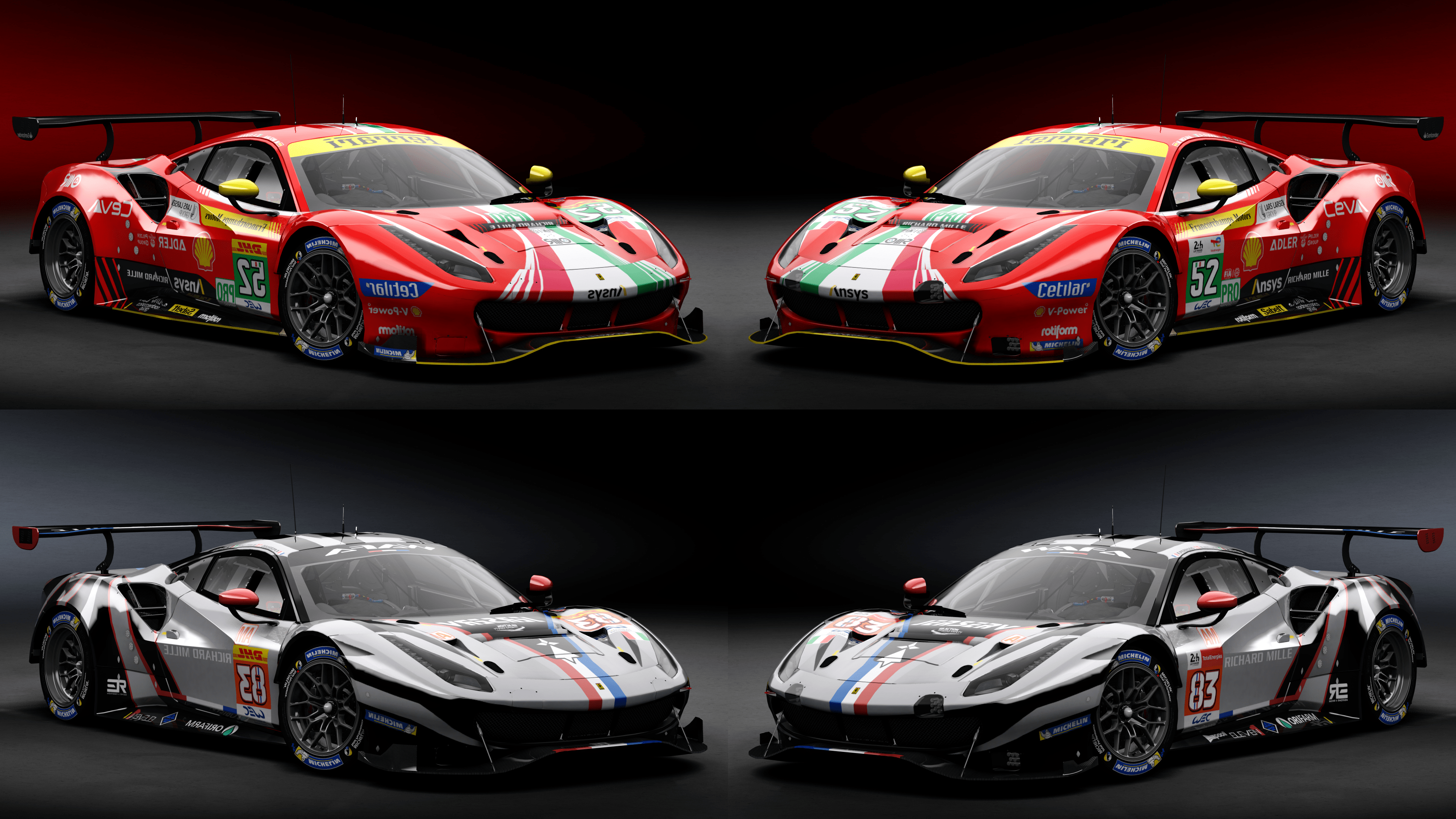
There it is !
The new pack for the Ferrari 488 GTE EVO !
Now you have 2 version (Only visual changes !), endu version with lights and small flaps and the sprint version without endu lights and with bigger flaps !
What other news about this version ?
- New front bumper (now working with skin)
- New mirrors (and now you can paint and skin them)
- New AO (and add a better AO for the interior)
- New rear glass (you can skin them too)
- Add side light number for the endu version
- Reworked meshes and model for better performance in game !
Have fun !


Hope if you like it !! Have fun on the track !!!Amazing car, and competes perfectly with the URD GTE cars from the same era. Thank you!

Hey ! I try to search an issue but it work for me on the .79 and newer version...Question, when I was trying to do a track day in content manager and I kept getting an error saying the cars requires CSP, I have CSP, and can comfortably run .79 or whatever the current free one is. Is there any suggestions on how to fix that, please?



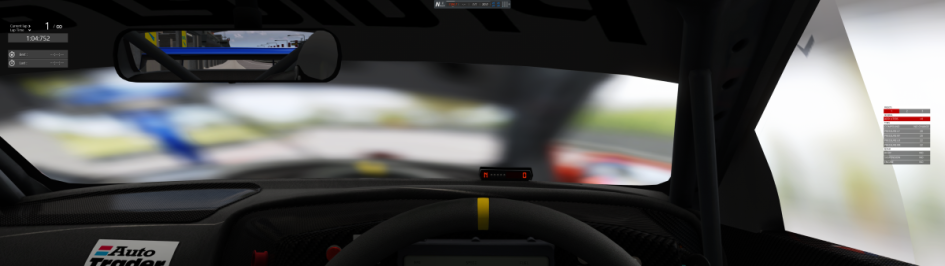
First backup/rename the extension folder if it has one from inside the car folder so nothing loads from in there by CSP and test again. If no joy then check in ...\assettocorsa\extension\config\cars\ and see if there are any configs in there loading for the car. I am already assuming you have made a fresh install of the car (delete old and install new, don't overwrite it)well I'm stumped.. I have gone through as many AC and CSP settings as I can trying to find what could be causing the issue and have spent hours trying every single other car (closed cockpit types with windscreen and other windows) and nothing else has the same issue as the Nissan Primera BTCC. The only thing way to stop this issue from happening is when running vanilla AC and not with Content Manager. So I can confidently say the issue is with CM and CSP somewhere.
It's such a shame this is happening to this car as it's easily my favourite of all the front wheel drive touring cars..
I hope someone can help me solve this issue.


Link for Sharemods is broken2018 Ferrari 488 GTE Pack (Endurance and Sprint version)
There it is !
The new pack for the Ferrari 488 GTE EVO !
Now you have 2 version (Only visual changes !), endu version with lights and small flaps and the sprint version without endu lights and with bigger flaps !
What other news about this version ?
- New front bumper (now working with skin)
- New mirrors (and now you can paint and skin them)
- New AO (and add a better AO for the interior)
- New rear glass (you can skin them too)
- Add side light number for the endu version
- Reworked meshes and model for better performance in game !
Have fun !

I slighty goof'd. If you downloaded the track already you need to do this. In the track's directory, open the 1960s folder and delete the ai and data folders. Then copy the ai and data folders from the Default_AI folder to the 1960s folder.Track link updated to version 1.1. To be safe, delete the previous version track folder first.
-- Finally figured out the deal with some of the textures turning to pudding when I tried to edit them. This allowed me to do some color correcting on a handful of textures that didn't blend in correctly.
yep did a full reinstall of the car by deleting the old one. No luck. Also tried renaming and removing the extension folder in the specific Nissan Primera folder, also no luck. Then tried the same with the extension folder in AC root folder, also no luck. This is really starting to annoy me as it only effect this one car!?!? Seriously what the heck could be causing this!?!?First backup/rename the extension folder if it has one from inside the car folder so nothing loads from in there by CSP and test again. If no joy then check in ...\assettocorsa\extension\config\cars\ and see if there are any configs in there loading for the car. I am already assuming you have made a fresh install of the car (delete old and install new, don't overwrite it)


from the creator on FB post.Link for Sharemods is broken
 sharemods.com
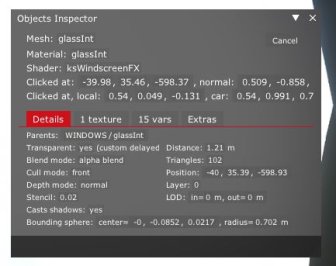
What does object inspector on the interior windshield say?yep did a full reinstall of the car by deleting the old one. No luck. Also tried renaming and removing the extension folder in the specific Nissan Primera folder, also no luck. Then tried the same with the extension folder in AC root folder, also no luck. This is really starting to annoy me as it only effect this one car!?!? Seriously what the heck could be causing this!?!?
how do I use object inspector?What does object inspector on the interior windshield say?
Like the Aston, this is a wonderful car to drive. One question though, does this car not have cockpit lights yet? When driving at night, nothing in the cockpit lights up except for a few dash lights.2018 Ferrari 488 GTE Pack (Endurance and Sprint version)
There it is !
The new pack for the Ferrari 488 GTE EVO !
Now you have 2 version (Only visual changes !), endu version with lights and small flaps and the sprint version without endu lights and with bigger flaps !
What other news about this version ?
- New front bumper (now working with skin)
- New mirrors (and now you can paint and skin them)
- New AO (and add a better AO for the interior)
- New rear glass (you can skin them too)
- Add side light number for the endu version
- Reworked meshes and model for better performance in game !
Have fun !
according to the author, "you Can delete your old 488 GTE Evo ! Mine version is the most realistic and complete version !Like the Aston, this is a wonderful car to drive. One question though, does this car not have cockpit lights yet? When driving at night, nothing in the cockpit lights up except for a few dash lights.


Open the Object Inspector app and it gives you the instructions (alt + click on the mesh)how do I use object inspector?
ok, so I figured out how to get this info screen from the object inspector but what am I supposed to tell from the information? Or what could be wrong?Open the Object Inspector app and it gives you the instructions (alt + click on the mesh)
interior windshield should look something like thisView attachment 1227749
I'm no expert at this and don't even know if they are related, but I see that window is using the ksWindscreenFX shader. You could try disabling or playing around with the CSP WindscreenFX option and see if that corrects the problem. Worth a shot.ok, so I figured out how to get this info screen from the object inspector but what am I supposed to tell from the information? Or what could be wrong?
The effect it also happening with the side windows but not the rear window.
Generally with poor-quality mods, the interior windshield would have the wrong shader attached to it (usually per pixel reflection) which causes a similar issue to the one you're experiencing. Didn't expect it to be the case with Patrik's mod but doesn't hurt to checkok, so I figured out how to get this info screen from the object inspector but what am I supposed to tell from the information? Or what could be wrong?
The effect it also happening with the side windows but not the rear window.


Anyone else getting Simplygon updates all the time? I've had three in the past three days.
You need to uninstall v9 and prior versions, which are eventually still installed.they force me to update to V 9.xxxxxx
after that, they force me again to update V 10.xxxxxx
Yes it is but just copy and paste the mega.nz link as shown on his page into a new tab on your browser.Link for Sharemods is broken
I'm so sorry, idk what happened, I just create a new publication about the mod because all links I add are broken...Link for Sharemods is broken
Hey ! Thanks for your feedback ! I add interior light on the next update ! You cana tell me other thing I can improve on the next update ! ^^Like the Aston, this is a wonderful car to drive. One question though, does this car not have cockpit lights yet? When driving at night, nothing in the cockpit lights up except for a few dash lights.

Great to hear you've solved the blurred windscreen issue...I cannot begin to tell you how frustrating this has been, but I did find the cause of the issue.. It ended up being one of the skins causing the issue! Now deleted of course.
It was one of the things I skipped to check. Not sure why it was doing it but now that I selected a different skin the car is fine.
Thanks for your efforts to help all the same.
I love the low resolution skins, fit wonderfully well when playing in 4k!! 😝according to the author, "you Can delete your old 488 GTE Evo ! Mine version is the most realistic and complete version !"
I asked the question of where he gets the info to show his is most realistic from, data from Ferrari? Tested by real world drivers who have competed in the car? no response.. obviously not complete
If you want made high res 4K skins for my mod you're welcome to help ! ^^I love the low resolution skins, fit wonderfully well when playing in 4k!! 😝
Don’t look a gift horse in the mouth.I love the low resolution skins, fit wonderfully well when playing in 4k!! 😝