

- 11,456

- Plymouth, UK
- motorforum
I made mine look like the Undercover Cruiser you find at 1 AM in the underpass close to the HQ
The Police headquarters near to the east river?
I made mine look like the Undercover Cruiser you find at 1 AM in the underpass close to the HQ


you can't take a shot or stand in right position behind car?This never works for me!


you can't take a shot or stand in right position behind car?

Man, you're an amazing photographer.
What colors and wheels are you using on the Bullet?






When I try it the camera rotates behind me so I can see myself holding the sticky. Although I could be doing it wrong as I'm terrible at everything! Heheyou can't take a shot or stand in right position behind car?


The one with the impound lot for story mode.The Police headquarters near to the east river?
Wait wut? Man I gotta level up so I can see if it'll work for me. Different angles is the single largest "peeve" I have with Snapmatic.
I've never got it to work once mate. And i've tried and tried and tried

Thanks mate, that's what i do but no luck. i'll keep trying thoughOk. I'll try to explain it:
Step one: Get Sticky in hand via weapon wheel.
Step Two: ensure you hit select and have fatherest camera view away from character. Sometimes I use second one out.
Step three: Hold the R2 button. Important. Don't ever let go of the R2 button.
Step Four: Tap Up in d pad and open up camera. (don't let go of R2)
Step Five: Use right stick to pan around (don't let go of R2)
Step Six: take the shot using x or release R2 and when character bends down to place sticky click X.
(I usually stay holding R2 and once pics saved. I Circe back to close camera and then I open weapon wheel and select fist. This puts sticky away. No sticky wasted)
Practice person placement to get the composition you want.
I hope that helped.


I found your comment to be slightly insulting as it doesn't really help people that are obviously asking HOW to take photos at that angle using the glitch. (BTW, your pics are great.)you can't take a shot or stand in right position behind car?
works fine, my shots with glitch


i found this glitch and make a video long time ago HERE and wrote in the description "Select sticky-bomb and hold R2 on PS3 or RT on X360, hold all time! then open snapmatic and move camera. When you find best angle release R2 or RT and quickly take a shot."I found your comment to be slightly insulting as it doesn't really help people that are obviously asking HOW to take photos at that angle using the glitch. (BTW, your pics are great.)
if you wanna take a shot of car front side, stand behind car and close to front wheel and stand close to rear wheel for take a shot of car rear side. Camera in this field is very limited! and if you tilt the camera too low then it is move back closer to your character.When I try it the camera rotates behind me so I can see myself holding the sticky. Although I could be doing it wrong as I'm terrible at everything! Hehe










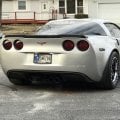
Is that purple or blue? Anyways, it's an absolute fabulous car...It works just fine for me. Although it is an expensive photoshoot. That 96 photo cap is a bitch.
My street-fighter:
I forgot how to keep the car on when you exit. I was going to do a night shot. If you don't have the right angle, keep holding down R2, and simply exit Snapmatic. Then walk around til you get the right angle, and then we you do, let go of R2, and take a shot.
LEAVE ENOUGH ROOM FOR YOUR CHARACTER TO BEND OVER!
I was trying to get a fountain shot by the Police HQ, and my character simply dropped the bomb instead of placing it on the floor.
Thanks for sharing @jBhIpS . I watched your video a long time ago, just never had the time to try it out.
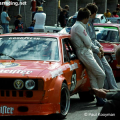
The pictures are only 960 pixels wide...Have i gone back in time to 1998?

This game will definitely go down as one of the last "hoo-rahs" for the last gen. in terms of graphical beauty. Can't imagine how these shots would look on the current gen.
Yeah only...it's 2014 and the PS4 is capable of incredible things yet we aren't even allowed a decent sized picture from the game. It's sucksOnly? It's a fine improvement from 640 pixels, at least!
Is that purple or blue? Anyways, it's an absolute fabulous car...
Oh, didn't notice the filter at all. I asked because mine looks exactly like the first, except the side exhaust. Not a fan of them.It's a purple metallic mixed with a racing blue metallic, IIRC. It looks blue in the first picture because of the filter.
Can't wait to transfer to PS4 and look inside the cockpit.
Since we see the phone in FP, can we take pictures of the interior?!
All the possibilities!!
Oh, didn't notice the filter at all. I asked because mine looks exactly like the first, except the side exhaust. Not a fan of them.
I just thought the chrome tipped ones sounded deeper.Meh. It's a personal taste. I like the side exhausts on this car, but I don't like them on the Bel Air or the Corvette.
R* said ppl take 432 photos per min and i think if they will be on 1080p servers goes offline every timeYeah only...it's 2014 and the PS4 is capable of incredible things yet we aren't even allowed a decent sized picture from the game. It's sucks


