let's see those desktops (rev 2.0)

  • Thread starter Thread starter space
  • 6,010 comments
  • 145,722 views
Status
Not open for further replies.
New one. Chevy power!
attachment.php
 
ok, now I know what to look for as far as what my car is going to be (once I get enough money to buy it)...
 
i havent posted my desktop in a while,i would but im at my friends house right now (they have cable and i get to use it for the next 2 1/2 days :D )
 
I married Alyssa Milano. We had such a great marriage, i was really looking forward to the honeymoon... and then i woke up.


Anyway, current wallpaper!
 

Attachments

  • porsche 996 gt3-64.jpg
    porsche 996 gt3-64.jpg
    91 KB · Views: 126
Originally posted by PunkRock
I married Alyssa Milano. We had such a great marriage, i was really looking forward to the honeymoon... and then i woke up.


Anyway, current wallpaper!


:drool: :lol:
 
Originally posted by Jpec07
On the topic of camaros, what year is this one?
Z28

1977.

Camaros can be split up into 3 revisions.

Rev 1. 1970-1973

71rsz-b.jpg

back-73.jpg


Rev 2. 1974-1977 (1974, while having the front and rear end restyle, retains the Rev 1. style non-wraparound rear window.)

76steiner300.jpg

77z-back.jpg


Rev 3. 1978-1981

78z-fron.jpg

back-80.jpg


now, you can tell that the Camaro you posted was at least a 75-77, from the bumpers and the rear wrap-around window, but since it's a Z28, and there were no Z28s in 75 and 76...
 
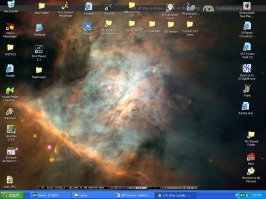
how do you guys get such good quality in your uploads here? i can only attach like 102 kbs, and when i get done decreasing the image size and reducing the quality of my screenshot, it looks like crap...i hit print screen, then open paint and save it as a bmp...then i open the bmp and save it as a psd file, and reduce the image size, with adobe image ready...then i have to open it again with photoshop to save it as a jpg, and usually still have to reduce the quality to med....when i get done, it looks like #@$%!
 

Attachments

  • 1 1desktop copy 1.jpg
    1 1desktop copy 1.jpg
    67.4 KB · Views: 55
All I do is hit printscreen, paste the file into PS, then save it at 6-8(Whatever makes it around 8x.xx kb)
 
Don't use Paint.

After you hit Print Screen, open up Image Ready, paste it, and save it to .psd. Then, you can resize it and save it as .jpg.

Also, if you attach an image, you're limited to 102 kb. If you upload the image to your own host, you don't have to worry about file size.

What's wrong with Dance Nation? I like their beat, but their vocals are way off.
 
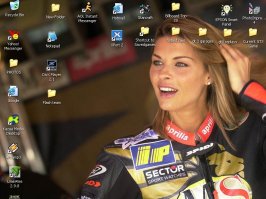
hmmm, when i paste it into photoshop, for some reason it crops the image...
 

Attachments

  • 1 1desktop copy 11.jpg
    1 1desktop copy 11.jpg
    80.1 KB · Views: 51
You have to open a new blank file big enough for the screenshot.

So, you would press Print Screen, open Photoshop, go to File > New, type in you screen resolution (1024x768, 1280x960, 1600x1200, etc.), press ok, go to Edit > Paste.
 
Status
Not open for further replies.
Back