Show Your Drift Cars

  • Thread starter Thread starter Roors
  • 9,360 comments
  • 1,060,038 views
Ono, you're editing skills never stop amazing me :) And I have to agree, that's one of the few times I've seen those rims look good. What colour did you use?

Thanks a lot mate, and the color I used is DLC Black Chrome ;)
 
Here is an un edited shot.
teamnight002.jpg
 
Hey, i just discovered a "bug" witch generate a new effect in photomode. If this tip is not new, im sorry because i didn´t saw no discussions about it. Its not a big deal for some of you guys who domain image editors (aka photoshop), but its a cool and interesting feature.

How to:
1 - Go to replay, pause the game, go to photomode. Normaly.
2 - Set up your preferences in the settings area, but use the post process filter.
3 - Leave the photomode and come back to photomode again (without unpause the replay).
4 - The post process will stills on, but the outer region of the picture will be darker than normal, a bit similar to the "blue" and "red" filters.
5 - Increasing or decreasing the focous will also increase or decrease the dark canvas around the picture and the focous (of course), while the exposion control will controll the collor and light in the middle of the picture normaly.

I didn´t tried another filters yet using the same technique (photomode - setup - leave - comeback) but possibly there are more ways to play on that. Also i noticed that as you open the settings menu again, the "effect" goes away and then you will must need do the same process.

I haven´t any picture uploaded to show how the effect looks, but as soon as i don´t show my things here, you can try by yourself.

Oh, by the way:
Flickr is best.

I have to agree on that. I don´t know why, but if i paste here a the same picture posted on the photobucket and the flikr, the second will looks with a better definition. I wish there was a way to solve it, since photobucket is a lot more enjoyable to use.
 
How about RAM drifting? I love to drifting my Dodge Ram!
Screenshot:
2u4tvmc.jpg

and
m7bbzm.jpg
 
^^^ Damn, you guys need to fold in those mirrors lol. Nice pics.
 
I like that first shot 👍 you should try shooting photos at somewhere other than Tsukuba, mix it up a little...

Cheers Twitch, and don't worry, there'll be pics from other tracks too :-)

G
 
I created this one just for Maveric;


:p
 
EigerNordwandShortTrack_2.jpg


EigerNordwandShortTrack_1.jpg


EigerNordwandShortTrack.jpg


It's now in a dark blue shade, but this is fast becoming my favorite drifter (Exempting the KPGC10 I use.)
 
 
Wow Eddy, there are some incredible shots in there :bowdown:
 
just a little shot of my Z34 and my new profile pic. XD Oh its not edited as well i suck at that kinda stuff. lol

gtpavatar001.jpg

I just tried i little bit of editing on this photo i am pretty happy with it.


gtpavatar002.jpg
 
FRAG+DECOY
Ahrweiler-Street.jpg

My new 300
Ahrweiler-Street_1.jpg


AutumnRingMini-4.jpg


AutumnRingMini_6-2.jpg

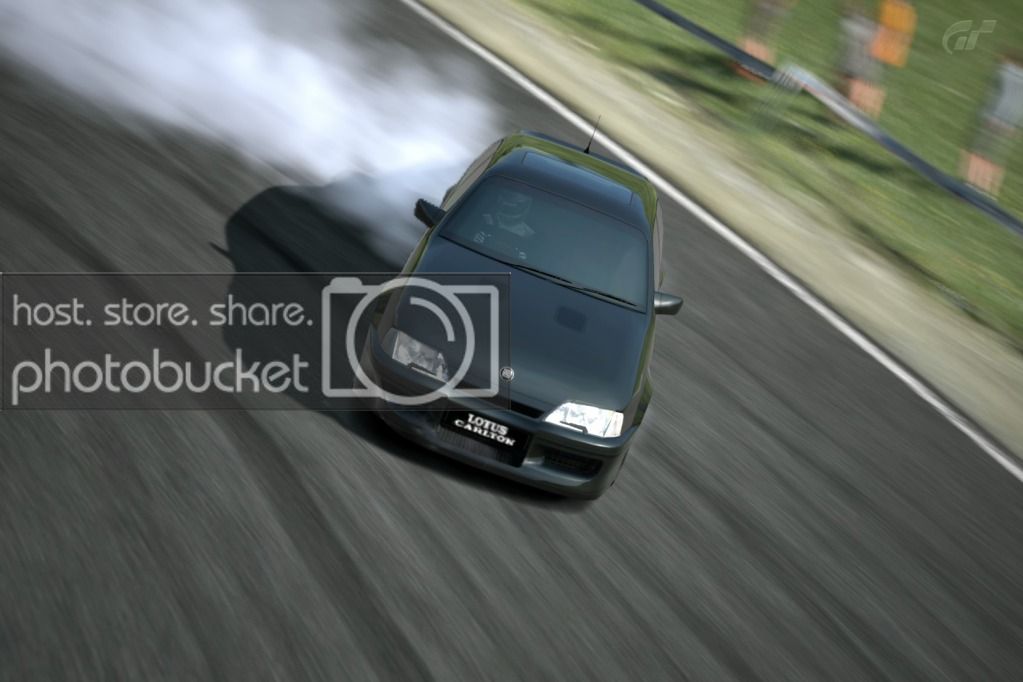
Managed to glitch smoke in front of us with the Replay controls!
AutumnRingMini_5-2.jpg


AutumnRingMini_4-2.jpg


AutumnRingMini_2-3.jpg


AutumnRingMini_1-3.jpg


AutumnRingMini_3-2.jpg
 
Last edited:
Frag+Decoy that sounds kinky
 
Grr, it didn't show my photo edits!

:/ Refreshed and now seems to be fine, photobucket is very odd.
 
Grr, it didn't show my photo edits!

:/ Refreshed and now seems to be fine, photobucket is very odd.

Nice pics Frag! I really like that smoke glitch shot.

I've noticed photobucket is a little glitchy at loading photos too. I find if you edit photos in photobucket, it takes a bit of time (a few hours to half a day) for the edits to show up on GTP. But like you said, they show up eventually.

One solution I've used when I've got frustrated is to edit the photos in photobucket, save them to my comp, re-upload them to Flickr, and the. Post on GTP.
 
Back