Why?Well this makes me sad to read.


Making a similar analysis to our friend "Apocalipse211", for me it would be the following:Several months on many sims, without playing AC1 that much. This is my conclusion how we could get the perfect sim.
Best driving simulator: Assetto Corsa (and it's not even close)
Best force feedback: Assetto Corsa, Automobilista 1, rF2/LMU
Most annoying flaws/issues: Assetto Corsa (lack of blue flag/outlap ai, lack of modern F1 rules, bad oval physics, no rolling starts etc)
Best kerb physics: Le Mans Ultimate
Best F1 game: F1 2020 (I absolutely love that game, superb, GOAT of all F1 games)
Best AI: F1 2020 (people argue that F125 but its rain AI is broken)
Best features in a sim: Automobilista 2 (rolling starts, good oval ai etc)
Best graphics: ACC / EVO? (actually I don't even care, they all look good enough)
Best driving GT3 cars: Le Mans Ultimate
Best rally game: Richard Burns (AC Rally when 1.0 is out?)
Most fun to play rally game: Dirt Rally 2 (my personal favorite, I know it's a bit arcadeish but it's so much fun)
Best online sim: iRacing
Most promising new sim: AC Rally
Most revolutionary sims: Geoff Crammond F1 games and RF1 set the standards for 10 years. RBR and AC1 set the standards for the next 10-15 years (still the standards which is sad).
Worst GUI/menus ever made: rF2 (I love the driving but can't use it because the menu system is horrendous)
Forgotten decent sims:
Raceroom (it's free now and after the update it's pretty good), Live For Speed (nobody remembers this classic, it drove well)
Conclusion:
If we could combine AC1's driving feel and FFB and modding possibilities with AMS2's features and iRacing's online system, AI from F12020, we'd have a perfect sim.
I'd love to praise EVO but I'm not feeling it... it's not bad but driving feels too much like ACC... AC1 driving feels so much more natural to me.
*disclaimer: Some people claim that F12021-2024 had even better ai, but those games were bad so I haven't played and tested them excessively. Either way, the ai is on completely different level in those games and all "hardcore sim developers" should be ashamed how atrocious the sim ai's generally are. AMS2 and LMU have half decent ai's.
What do you think? Is my list even close?
And Motorsport Games have offered to hire anyone that's been let go from PMR as well, which I thought was a nice gesture.


Why didn't they re hire the 40 percent of staff they got rid of in 2023?And Motorsport Games have offered to hire anyone that's been let go from PMR as well, which I thought was a nice gesture.
Good question actually... 🤔Why didn't they re hire the 40 percent of staff they got rid of in 2023?

I found a workaround. I released a new hotfix for Pure 3.04 (hotfix 2)...Hi. Any updates on this feature? It is overexposed on my system to. This slider does nothing for me.

Because you were missing out on all the fun.Why?



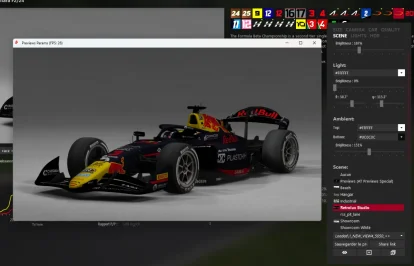
with a lot of try and error.......you have to edit the settings little by little until its fineI have a small problem with the CSP previews; between the menu options in the showroom and the actual result, there's a clear visual difference. The final result is much duller in terms of color. How can I fix this?
TOCA Race Driver 1: Assetto Corsa Edition (since the 2002 season was on the PC/Xbox release of the game)
edit: we get to do this all over again...23 years later.


Some 3D trees?is it just me, or do the trees look betther than some new 3d trees?


Rabbit Field v1.1
View attachment 1428776
Fictional circuit.
Conversion from GTL.
-CSP recommended
-28 pit/start
-AI, cam
Credits & Thanks;
GTL Original Track by @carTOON (barcika)
-Thank you for giving me permission
AC converted by @shi (shin956)
AI line by Deezo1310
logo.png and Sections file by @Fanapryde
Crowds texture by @Kniker97
3D terrain from Chuck_CG's Landscape pack
pit tents from F1-S-R track pack (rF1)
"Toyota Land Cruiser" (https://skfb.ly/MyHv) by Renafox is licensed under Creative Commons Attribution-NonCommercial (http://creativecommons.org/licenses/by-nc/4.0/).
marshall and some textures by kunos
Test and Feedback by @Breathe
Enjoy.
;;;;;;;;;;;;;;;;;;;;;;;;;;;;;;;;;;;;;;;;;;;;;;;
v1.01 changelog;
New AI line by Deezo1310. (Thanks!)
Added ai_hints.ini.
v1.1 changelog;
Changed Adboard textures from @Masscot . (Thanks!)
Added flying stuff by @Masscot . (Thanks!)
Removed the Treewall from the perimeter. (Because it was closed off)
Fixed the area where the Treewall was floating.
Fixed the Treewall mapping.
Shifted the terrain mesh upward. (models.ini)


You are great!I found a workaround. I released a new hotfix for Pure 3.04 (hotfix 2)...


Mon Dieux! Each of your messages of condemnation is imbued with a beautiful and irresistible poetic patina that bring me to the verge of tears of emotion... 🥹Some 3D trees?
ALL TreeFX 3D trees look absolutely diabolical.
Giant cabbages sent to earth from a radioactive planet stuck in a 1980s day-glow neon colour scheme.
No worries. I'm used to that. I don't have enough patience or confidence to do deep dives into settings to investigate what does what and it only took me two and a half years to finally ask what they do or how they could be improved. I haven't updated Pure in forever because I'm afraid I'll mess that up. I run all races at the same time of day in the same weather environment. I'll change it to night when it's appropriate. But that's about as far as I go with changing things. I only have limited time per week for this. Plus I basically have to rearrange my living room to pull the rig in and hook it up. The other problem is that I can only sit in it for about 20-25 minutes at a time before my lower back feels like fire and I have to get up for 5 minutes or so until it calms back down.Because you were missing out on all the fun.

Arf i'm borderline on the matter. I enjoy most of my 2d trees most of the time, but sometimes there's this weird 4 axis shadows that are absolutly uncanny, where 3d trees makes for a perfectly acceptable replacement.Some 3D trees?
ALL TreeFX 3D trees look absolutely diabolical.
Giant cabbages sent to earth from a radioactive planet stuck in a 1980s day-glow neon colour scheme.


 www.overtake.gg




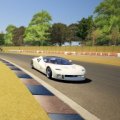
As I've noted before, I wouldn't say all...they can look fantastic:Some 3D trees?
ALL TreeFX 3D trees look absolutely diabolical.
Giant cabbages sent to earth from a radioactive planet stuck in a 1980s day-glow neon colour scheme.
If you're using blender, when you've resized the wheels, you need to select the wheel hierarchy, go to object > apply > scale. If you're not using blender then you need to lookup whatever the equivalent of that is and do it, then your wheels will remain consistent in size between game and showroom.I updated the wheels size of the CLK GTR to correct the rear wheels as they are 2-3 sizes too small and the model shows correctly in the Showroom, but reverts back to the 'old' model during gameplay even though i've replaced the old KN5 file with the new one.
Not sure if there's an extra step i'm missing but the only kn5 model installed is the new one.
Running 120Hz with V-Sync ON but capped at 60fps is not the same as running at 60Hz with V-Sync ON capped the same. The gameplay should look pretty much the same in terms of smoothness (both are 60fps), but the 120Hz gives you lower input latency and should be a more responsive feel, even though the visual frame rate is identical.Not mod related, but I know we have some knowledgeable computer people here. Something i've always been curious about.
Is running a game with V-Synch on at 120hz, but capped at 60fps the same as just running at 60hz with v-Synch on?

Short answer: NO.Not mod related, but I know we have some knowledgeable computer people here. Something i've always been curious about.
Is running a game with V-Synch on at 120hz, but capped at 60fps the same as just running at 60hz with v-Synch on?