

- 10,270

- Bonn
- GTAce
Why? It's just a replay and the PPFilter looks like trash.the quality of this mod and the video is astonishing!
Why? It's just a replay and the PPFilter looks like trash.the quality of this mod and the video is astonishing!


Why? It's just a replay and the PPFilter looks like trash.
 I Have ask to someone if this car is available for download. Thanks


I've said that it isn't a replay? Of course it is!


Hey Gutbomb! Thanks for this track! Nice!
I really appreciate your work and the many hours of effort.
Here is some hardfeedback:
For me, this is not a 1.0 version, if you compare this with other nice city tracks out there.
acu_dubai is, i think, the best example for the perfect city track atm.
Here are some bugs screenshots, and in the first step i would suggest to improve the background, that the track feels more like in the city.
Because now, there are no buildings and no 2D background with buildings. So this does not feel like it is the big Denver.
And you could just copy some of the 3D buildings in the distance, to have a more dense city.




Great looking track, well done!
Looked first at the wet: 'Sport intermediate Wet'.
Aint seeing no wet on this layout.





Ive had this fixed up mate, i can organise to send you fixed kn5 file if you want? PM mehey mates ... anyone else got this issue with the px1 aura from urd?
front window works fine but the other are looking like this...
View attachment 935949 View attachment 935950

Sorry to continue posting about this but I thank @Fall Guy for bringing it up because I really think this could be made to look good by someone who knows what they are doing.


I need to read documentation if there is some about how to properly do lights and things if I am ever to do anything with it, I know there are plenty who could make something good in probably two minutes. I also hope Fall Guy can get it to work his end.
Anyway I was meant to be going to sleep but you got me interested in this and I have been fiddling for too long when I never intended to.

Blender users: is the interface a little temperamental?
I'm trying to select all vertices of an object in 'edit' mode and it seems incredibly hit-and-miss.
What I'm doing:
Press A which selects the object and highlights it.
Press TAB to enter 'edit mode'
Press A again to select all vertices.
Is this incorrect?
Sometimes it works, most times it doesn't, sometimes all the vertices are selected just by hitting 'TAB' without having to press A again.
Most of the time naff-all happens.

Maybe this tutorial could help you with turbosmooth...The Lamborghini Diablo GT2 that i'm working on drives great. Love the design of the car. This was my first time porting a GT6 model so don't expect it to look very good. There are some weird jagged meshes on the car that need to be turbo smoothed in 3ds max but i don't know how to do that. Now i need to do the digital gauges.
View attachment 937128

If it uses more polygons than what's recommended (as it seems to be) you could say it's not very well thought (and just for that reason you could say it was "badly made")Unfortunately I can't do any of this. I can try, following the instructions in the link above, to make the lod files. Is the mod badly made originally?
Yeah, I'm just editing one car so am happy using 'A' in this instance.You should avoid using "A" as a means to select while in object mode because if there are multiple items on your scene (like lights, etc) using "A" will select everything on the scene. You should click on an object to select, then press TAB to toggle between Object mode and Edit mode;
If you want to select only a specific part of an object you can click on the viewport (if you use Blender's default selection controls - using right click to select) and whatever vertices are selected they will be deselected (in Blender 2.7x pressing A while on Edit mode can also deselect what's currently selected)
Its the rollovers tcr mod that was recently featured in the TCR europe series, im pretty sure of that. Because it has the megane and no other tcr mod has the car modelHey everyone - just a quick question. What mod' do you think the following are using? I'm pretty sure I may have read something here about 300 pages back about it but I'm not sure if this is the ones you were on about.
https://autoaction.com.au/2020/06/09/tcr-australia-switches-platforms-for-second-digital-series
And also, I have the delpisnky Wtcr and are good, are tommy78 tcr an improvement on that - are they any good? Thanks
Maybe this tutorial could help you with turbosmooth...

If it uses more polygons than what's recommended (as it seems to be) you could say it's not very well thought (and just for that reason you could say it was "badly made")
A lot of people who port car models set up those cars based on their own PC specs which often causes problems for anyone who's using Hardware that's spec'd lower than theirs
 Unfortunately, I can't fix it, so I gave up using it. I hope someone more experienced will fix it in the future.
Yeah, I'm just editing one car so am happy using 'A' in this instance.
Any idea about my original question, ie why I can't highlight all vertices in 'edit mode'?

How is possible that this channel has all of the newest supercars/hypercars/sports cars?
I've just seen the new McLaren GT and the quality of this mod and the video is astonishing!
Anyone can tell where I can download the new McLaren GT 2020? Thank you!
Apparently not, because, a non smoothed vertex has 2 normals, so it costs you the double of the polycount, if you sum the other hard normals of the 3D model you're working on. While when you smooth verteces, the normals merge into 1.I'm not sure but I believe Turbosmooth requires (or causes) an increase in mesh resolution, raising the polycount...
I'm guessing the jagged edges on the model are caused by the amount of triangles in the mesh. It seems GT models rely heavily on a Tesselation method to produce the final look (This becomes more evident when you inspect car models ripped from GT Sport... The 6.0 Diablo GT model's tailights clearly aren't smooth, despite the substantially high polycount of the model)

This addictive!
Your fire looks excellent.
Me, well i am just putting a few spots of smoke around some tracks, its yet another weird game within a game.
AC is like minecraft..............
 .
.Asked ya earlier, you are using 1.2?
What do your shots look like on other wet tracks?
Not to much, whats your world detail and anisotropic set at?
Car looks great btw.

This is what I see:
View attachment 937016
And from above:
View attachment 937017
Latest CSP/SOL, AF 16x, WD max
In replay:
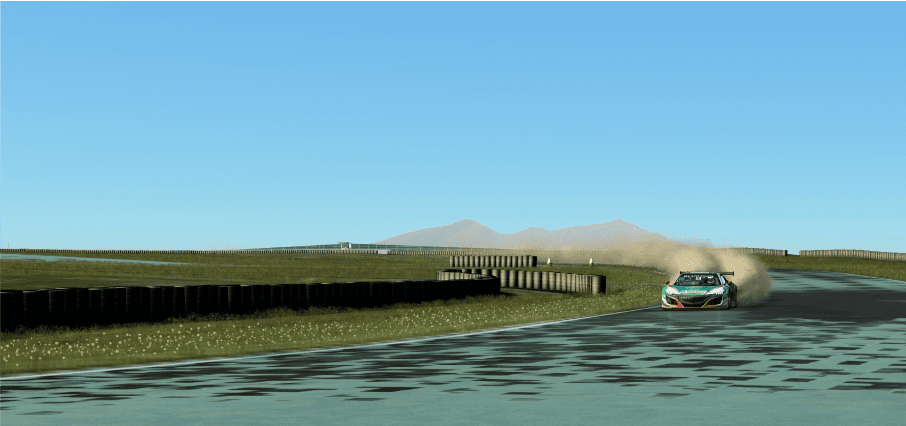
Thanks for your help.Sometimes it gets kind of wonky, depending on what is on the scene (specially if there are bits you can't see wich sometimes happens because of vertex groups that might still have data blocks without actual geometry)
You could try selecting using materials or click on a vertex and pressing "CTRL+L" (unless the model is properly split in parts) as this selects all connected vertices


HONDA NSX GT3 2016: SPRINT/ENDURANCE — HONDA NSX GT3 EVO 2019: SPRINT/ENDURANCE ACC
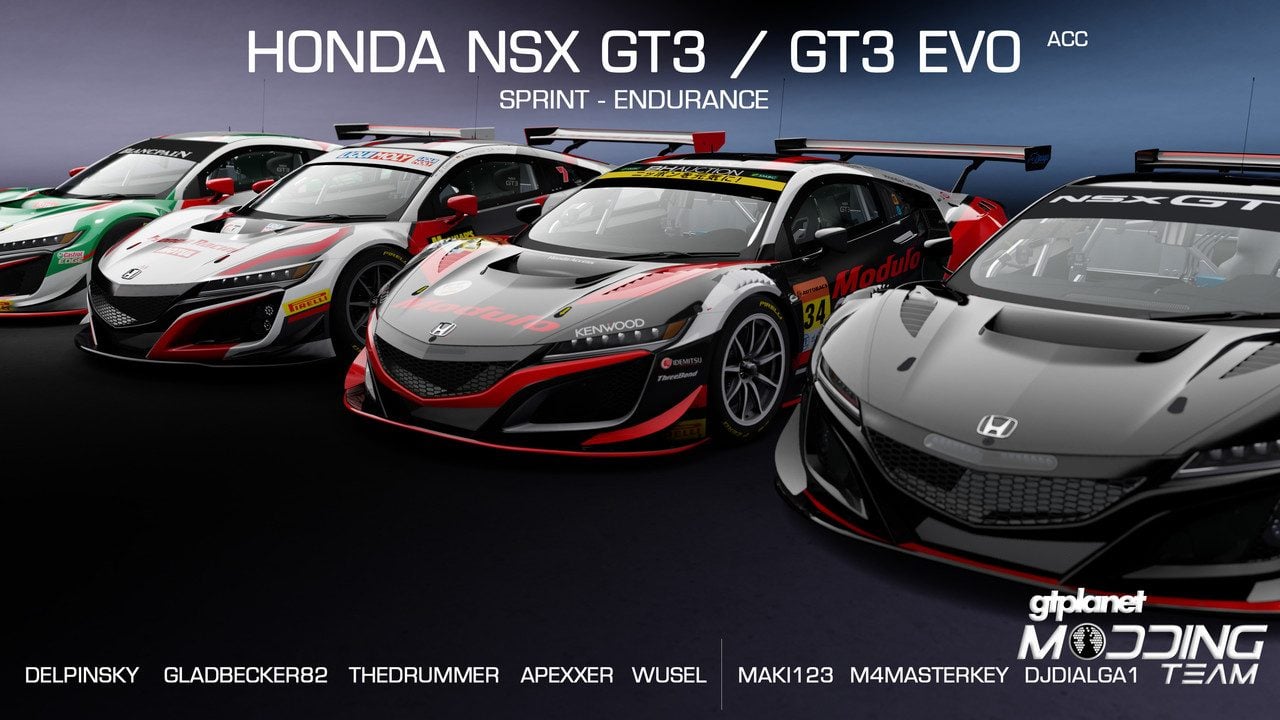
It took us longer than expected, but eventually, what was left of the original team tried to gather together to release the whole package! Enjoy guys!
CHANGELOG: HONDA NSX GT3, SPRINT/ENDURANCE
V1.4 **PLEASE DELETE THE OLD CAR FOLDER!
— added Racelogic VBOX LapTimer Delta-V LEDs working
— added Racelogic VBOX LapTimer pages: Laptime, Delta, Speed
— added Lumirank DRIVER ID
— added MOTEC LCD Pit pop-up
— added new MOTEC LCD and Racelogic VBOX LapTimer fonts
— added PerPixelMultiMap with Emissive map (Thanks to Stereo https://www.racedepartment.com/members/stereo.9613/)
— added seatbelts OFF/ON
— fixed issue with Pleds not working on IMSA cars
— fixed issue with taillights missing OFF_COLOR
— tweaked IMSA cars lights textures
— flashing lights now working also on IMSA cars
— tweaked some materials
— tweaked some textures
— tweaked emissive lights values
— added audio adjustments in ext_config.ini
— reworked RPM bar
— further physics/aero adjustments
** to access to Racelogic VBOX LapTimer pages, you need to bind Content Manager > Settings > Assetto Corsa > Controls: Extra Option B key/button.
** open VBOX_LapTimer_Delta-V_Leds.jpg to understand the logic of DELTA-V LEDs.
** for the PerPixelMultiMap with Emissive map shader to work correctly in-game, you need to copy the folders inside "ksPPMM_emissive" to your AssettoCorsa folder.
** Lumirank DRIVER ID will appear automatically. If you want to customize DRIVER ID letters, use the TEMPLATE inside the folder "Lumirank DRIVER ID Template". White color letters for PRO, blue color letters for PRO/AM and orange letters for AM. If you create a new skin, don't forget to edit the skin ext_config.ini accordingly, hiding the DRIVER IDs you don't need. Follow the examples written in "Lumirank_ext_config_skins.txt".
CHANGELOG: HONDA NSX GT3 EVO, SPRINT/ENDURANCE
V1.0
— added all the features present in the NSX GT3 V1.4
DOWNLOAD: LINK


Do you have the fonts installed?Amazing work but I have a problem the there is no digital instumentation
View attachment 937133
did you know how to solve this ?


Which one of these 5 choices would the community here recommend? That's the value that no search engine can provide. IMHO....Cheers!
Apparently not, because, a non smoothed vertex has 2 normals, so it costs you the double of the polycount, if you sum the other hard normals of the 3D model you're working on. While when you smooth verteces, the normals merge into 1.
Thanks for your help.
In the end I had to select vertices on just one part of the car, THEN select the whole car, THEN hit 'tab' to launch 'edit mode' where all vertices are now highlighted.
Very weird, never had to do that before, even using the same unpacked kn5. Seems I had to trick Blender into being in 'vertices' mode first for some reason, which makes no sense at all.
Must make a note for future reference.
I forgot to install it with the carDo you have the fonts installed?


