Assetto Corsa PC Mods General DiscussionPC 

  • Thread starter Thread starter daan
  • 151,439 comments
  • 46,198,631 views
Hi Peter,

I have what sounds the same effect (in VR) of it suddenly darkening / brightening but as I usually drive in broken clouds I thought it was you trying to implement the sun breaking through the clouds but maybe I'm wrong. I do find the effect a bit jarring as it happens so suddenly rather than transitioning over a second. Is this a Pure effect or am I having a bug?
I don't play VR, but I have the same "effect", and I also thought it was a new feature, but I noticed that the only way to back to the original brightness is restart the session.
That's not a big problem, but sometimes is a bit annoying.
 
Last edited:
I've made a basic ai line +csv + Pitline and modified the ui_track.json.
You can download it here : https://www.mediafire.com/file/nw6mdet6as2w47e/Silverstone_1990.rar/file

There are issues with the ac_start and ac_pit slots. So currently, it is not possible to make a race with more than 2 cars. You can use the practice mode to drive or the race mod with only 2 cars to make camera tests.
I've added pit and start slots so that it is now possible to make qualifying sessions and run a race with 31 opponents.
That 's the first time I've done it, it's not perfect but functional!

I couldn't change the 2 first pit slots defined in the original kn5.
I think cars are too close to the garage door in the pits but that is how original slots were defined, so I decided to copy that to be more homogeneous.

There is still an issue with the pit lane since it looks like AI speed is not limited.

Download the file here : https://www.mediafire.com/file/z8ytnlee05ivu3m/Silverstone_1990.rar/file
It contains the previous ai files, an ext_config.ini file, a models.ini file and an additional .kn5 file.

You need to backup the previous files if you've already downloaded them and to unzip the new Silverstone_1990.rar.
 
Last edited:
I can probably figure this out, but exactly which mod is this for? I think I have at least two versions of it.

For any modder providing wonderful mods or upgrades, it helps to include a folder structure in the rar or zip, like in this case "content/cars/car_mod_name/skins." If not that, maybe include a reference readme txt file. Sometimes I download 5-10 mods earlier in the day during a break, but don't install them until that evening. If I don't check the downloaded files, I often end up with a "skins.zip" or "ext_config.ini.txt" and because I've been working several hours, I can't remember what they were for.

Would you please upload again?
 
I don’t understand…
For conversions that have not been significantly updated with 3D or textures, it is easier (for me) to start working from the source.
It is easier to organize object names, etc. that way.
Also, in the case of this Silverstone, there are layouts/years included in the rF1 source that have not been brought into AC.
I convert so that what is missing is (hopefully) not there.
Hope you understand what I mean when I say I will check the sources.
 
Has anyone had any issues with the ai app lately? For some reason the ai lines i'm making aren't saving. The game has also started auto-saving replays.
I had to disable CSP to create new AI (2.7p1 / 2.6)
Was easier than installing a new version
 
Ah, me too. Really frustrating.
CSP 2.6 and 2.7 issues. Reversing back to 2.3.1 make them working again!

I don't play VR, but I have the same "effect", and I also thought it was a new feature, but I noticed that the only way to back to the original brightness is restart the session.
That's not a big problem, but sometimes is a bit annoying.

It's pretty random, with any ppfilter, either Pure or random ones.

It happens after 15 mins, sometimes less. Restarting the session fixes it for now.

Here are 2 pics, same time of the day, same spot, same ppfilter, when the brightness suddendly drops :


View attachment 1420282
View attachment 1420290
When it works though, the new glare effects of Pure and whatever happens in csp 2.7 are absolutly insane (on that note, the purecandy is so bright it actually set all my desk papers on fire), i've never seen my game look so good. The light at noon is now perfect. I'm still exploring the new possibilities - that is, until the game decides to engage safe mode for my eyes😂. Switching to CSP 2.5 solves the problem but it's hard to let those new features go.


As for the snow, it was indeed the temperature, i didn't check.

I was used to the temp to automatically fit the date (i'm usually driving between may and september), gonna check if it's a feature i disabled in the weather menu.


On a side note, it saddens me a bit cause my ppfilters are now waaaaaay worse than what the big guys can do. I am officially not skilled enough to follow up with the script writing😅
Seems that's the same issue i have with csp 2.7? It's really random. I also have to restart the session or alt-tab to CM and load the CSP preset while ingame. Then it comes back to life again.
 
HELP NEEDED (from cars modders if possible).

I almost never ever worked on cars, only tracks, but i have some mods that requires some fixes for the driver position.
Except doing it via blender which requires too much time and effort, i remember that was possible to move the driver in CM.

I tried yesterday, but i was able only to move forward or back, up or down. It was ever possible to move the nodes of the elbows, knee and other parts in CM to make the perfect position, or i remember totally wrong?

Thanks
 
HELP NEEDED (from cars modders if possible).

I almost never ever worked on cars, only tracks, but i have some mods that requires some fixes for the driver position.
Except doing it via blender which requires too much time and effort, i remember that was possible to move the driver in CM.

I tried yesterday, but i was able only to move forward or back, up or down. It was ever possible to move the nodes of the elbows, knee and other parts in CM to make the perfect position, or i remember totally wrong?

Thanks
You can't do that level of adjustment in CM Showroom, only overall scaling/rotation/XYZ adjustments.
You need to use the driver model rig to make limb or detailed posture adjustments, I think. Never used it.
 
You can't do that level of adjustment in CM Showroom, only overall scaling/rotation/XYZ adjustments.
You need to use the driver model rig to make limb or detailed posture adjustments, I think. Never used it.
I was fearing it, all the mods from Hillclimb Heroes have issues with the driver position and they requires a lot of work to fix (for someone like me who don't know how to fix it properly), thanks for the help, much appreciated.
 
I was fearing it, all the mods from Hillclimb Heroes have issues with the driver position and they requires a lot of work to fix (for someone like me who don't know how to fix it properly), thanks for the help, much appreciated.
driver3d.ini ?

POSITION=0, 0, 0
 
Has anyone tweaked the digital_instruments.ini yet to fix the floating digits on the dash display? If so, please share.

If any VR users find the flickering roll cage welds a little distracting, hide them with this:
Code:
;hide the flickering roll cage welds
[MODEL_REPLACEMENT_...]
FILE=?.kn5
HIDE=int16

Edit: Also, anyone interested in unique numbers for each skin rather than all cars being No.1?
If so, I'll rename them appropriately and pack them up into each skin folder for an easy insertion.
I'll also redo them to match the car numbers rather than 00-17.
They work fine with the LODs too.

View attachment 1420190

Edit 2: they'll look something like this, with edge transparency fixed and a Castrol Edge logo footer.

View attachment 1420191
Nobody took the hint, so here's the floating digits fixed for the dashboard display :lol:
Remove the .txt. extension, unpack the data and replace digital_instruments.ini with this one, repack the data, delete the data folder.

Edit: you can also try the direct version without the .txt extension... I didn't think .ini files could be attached here directly, but I'm probably wrong. Seems to work ok with text files.
 

Attachments

Last edited:
I hope somebody out there can help me out with this problem.

Some of my cars I have rain drops on the visor/goggles some I do not, they all used to have but something has changed at some point, what I do not know.
I have tried to sort the problem with Ilja but nothing has come of it, I've tried on RD and have asked here a couple of times but nothing has come of it.

Attached Images 1 and 2

1 is an car from ASR all working correctly
2 is a GPL 1500 by BAZZA not working, it used to.

VRC cars work, rain on visors, RSS no rain on visors

HSS cars yes rain on visor

FIAT 805 405 (1923) by nicecuppatea rain on visor

F1 2012 - Mclaren MP4-27 by Cimmerian_Iter rain on visor

Kunos Lotus49 no rain on goggles

GPL68 Honda by Emil no rain on goggles

Rain FX is working it must be as some have rain some do not. All cars with windscreen's have rain drops on the glass, The only conclusion I can think off is its something has gone wrong with the driver themselves ?

I look forward to hearing from you

Are there any files etc I could send you for you to look at ?

running CSP 0.2.5-preview1 cm 0.8.2731.39678 (x86)

Regards

Mark
 

Attachments

  • Screenshot_asr_1994_williams_fw16_montreal_1994_10-0-125-15-16-44.jpg
    Screenshot_asr_1994_williams_fw16_montreal_1994_10-0-125-15-16-44.jpg
    70.4 KB · Views: 21
  • Screenshot_gpl_1500_ferrari_156_montreal_1994_10-0-125-15-19-30.jpg
    Screenshot_gpl_1500_ferrari_156_montreal_1994_10-0-125-15-19-30.jpg
    95.2 KB · Views: 18
can someone tell me what this belongs to and how do I get rid of it?

it shows up in free practice / track day offline play

using latest preview patch

pureLCS

I'd love to know as well, hate it when things just appear.

I get this in weekend mode too, it's been reported and logged on the CSP Discord.

I've never actually rolled back before but this, missing CSP flames from various cars and not being able to record AI lines has me considering it (some updates I don't want to lose, so tough call).
 
Last edited:
the complete grid for the 2019 DTM meets Super GT Dreamrace at Hockenheim is ready

you have the choice between several mods for the dtm cars (URD, DRF, or in this case, the ACC Aston Martin GT3), my personal choice is the Aston Martin converted from ACC, the DRF one is trash, but the skins are also included. The ACC Vantage comes with a data.acd, to compete with the URD DTM cars.

Screenshot_drf_audi_rs5_dtm_2019_vhe_hockenheim_13-0-125-14-55-30.jpg

Screenshot_amr_v8_vantage_gt3_sprint_acc_vhe_hockenheim_13-0-125-14-56-15.jpg
Screenshot_urd_jt5_snx_2021_vhe_hockenheim_11-0-125-17-58-42.jpg
Screenshot_urd_jt5_shiro_2021_vhe_hockenheim_5-0-125-15-45-31.jpg
Screenshot_drf_audi_rs5_dtm_2019_vhe_hockenheim_13-0-125-14-56-7.jpg
 
Last edited:
The position of the driver is right, is the hand that are not well aligned (or too forward over the steering wheel, or too datached from it or compenetrated), it's properly a matter of wrong placement
Welcome to my world.
VR really does highlight badly-fitting drivers, so I spend far too much time swapping in different steer.ksanims from other cars then rotating and rescaling them to get a best fit and posture for the seat and steering wheel... and then comes the same laborious fun with the shifting animation.
After eventually getting everything just how I want it I then usually realise the car doesn't really interest me, and delete it.

There's no quick fix, just a lot of guesswork and trial-and-error. It would probably be quicker for me to learn how to create custom drivers and animations.
 
Last edited:
Nothing good can come from the "New KN5 Loader", it should be nuked to a death only reserved for most evil of things.
(I disabled this the moment I saw it in the settings, it felt wrong and evil and deserves a horrible destruction)
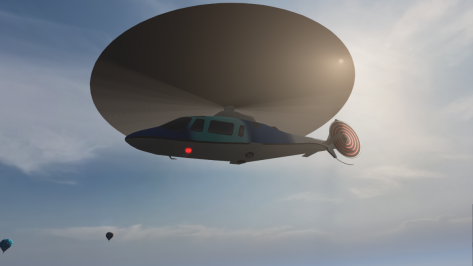
I tried disabling it and it broke the rotors on one of the choppers.
Had to turn it back on again for the rotors to render properly.

1736781242880.png
 
Guys don't sleep on the Silverstone mod released today on Overtake. This is trully next level. Not only visually.

I was going to post something today about this, but I see you guys were quicker than myself haha.
Hope you like it, I have another track in mind to renew, but I have to find some time to pull it off, we'll see.

@Masscot, I see you are here. You reported the flickering issue in VR also, right? Not sure if you can capture a video showcasing this, but it would be really helpful to find a fix, since on single screen I haven't seen anything. Or if you have a fix, send it over so I can implement it :)
 
HELP NEEDED (from cars modders if possible).

I almost never ever worked on cars, only tracks, but i have some mods that requires some fixes for the driver position.
Except doing it via blender which requires too much time and effort, i remember that was possible to move the driver in CM.

I tried yesterday, but i was able only to move forward or back, up or down. It was ever possible to move the nodes of the elbows, knee and other parts in CM to make the perfect position, or i remember totally wrong?

Thanks
CM cannot alter the ks.anim file, only changing the data for the base animation rig (move, rotate, scale, speed, hide objects, etc... as long as it is only for the whole animation itself).

You can create your own entirely on blender, but you will have to open both the car's model and the reference driver's model, with all the bones rigged provided by ks. Which I never, ever have been able to get working. I only have the driver model in T pose linked to the main bone, and all the other bones linked correctly to the main bone... But not to the body. And no way to make it working. And i tried, I'll tell you.

SO the best way to do it is very easy : rely on the many people who actually made it working, search, loot, find the most fitting animation for steer and gear, and voila. Done.
 
Last edited:
CM cannot alter the ks.anim file, only changing the data for the base animation rig (move, rotate, scale, speed, hide objects, etc... as long as it is only for the whole animation itself).

You can create your own entirely on blender, but you will have to open both the car's model and the reference driver's model, with all the bones rigged provided by ks. Which I never, ever have been able to get working. I only have the driver model in T pose linked to the main bone, and all the other bones linked correctly to the main bone... But not to the body. And no way to make it working. And i tried, I'll tell you.

SO the best way to do it is very easy : rely on the many people who actually made it working, search, loot, find the most fitting animation for steer and gear, and voila. Done.
the best way is to left them as they are, i already have too much work on tracks to carry than starting also the fix for cars.
I will try to use dash-cam instead cockpit cameras in order to not see them XD
 
Last edited:
It would probably be quicker for me to learn how to create custom drivers and animations.
That is the one thing that I would very much like to help with, if I knew how to do it.
I have looked for tutorials but found nothing.
It can be done, a few, very few, driver fit perfectly and move in a convincing way. In VR it is golden and truly shows AC as a 2025 title.
 
Sharing a mod? Host it on GTPlanet Downloads. Free, public hosting for files up to 10GB in size.
Back