Where are you setting the wind?Is there a way to control how much swaying the trees and grass do? Just a little too much for my liking. I set the wind to 0 and still they're swingin away like some dancehall routine. And isn't it chewing cpu/gpu time too?


Interesting. I activated the F7 free camera to look at the area, and there was no grassfx. Not a case of short grass for me. I need to investigate further.Edit: after checking, these middle distance areas DO have GrassFX, but perhaps you aren't seeing it due to distance or because the grass is quite short and patchy?
If so, maybe try adjusting the GrassFX for those areas?
This shot was taken deep into the trees.
View attachment 1421814




It's the old Geroda74 car with some updates from Adriaan (but still has vastly different shades of leather on the dashboard and door cards, unfortunately).Define 'free'. Cause in my world free means 0 bucks, unless in some parts of the world 0 equal 2 lol
View attachment 1421819
Also his Patreon is funny in that regard - you have to... Pay... to gain access to free posts ? That's next-level grifting lmao
And it suspiciously looks like the old mod from Shokeus which was free to begin with...
 boosty.to
boosty.to
boosty.to


When I click on the link this is what I see:Define 'free'. Cause in my world free means 0 bucks, unless in some parts of the world 0 equal 2 lol
View attachment 1421819
Also his Patreon is funny in that regard - you have to... Pay... to gain access to free posts ? That's next-level grifting lmao
And it suspiciously looks like the old mod from Shokeus which was free to begin with...


Yes, but to unlock the car you are invited to pay 1,89€/month...


Popping up, as in radioactive swamp? I've been looking everywhere for a way to bring this mess back to its original dark green value. The only way seems to be bringing any form of ambient light in pure to a lower level, or adding more ambient occlusion.In the last couple of versions, I've noticed that GrassFX is now "popping up" a bit. I can see it appearing as I move across the track - not sure if getting drawn or getting "illuminated".
Are there any settings I can change to tweak this? I've tried decreasing GrassFX quality and removing any efffects, but no luck.

but car pointed by MasterFocus is a Carrera RS, MaidCafe is a Turbo, is the gauges and logs the same?, in the other hand, maybe somenone got the Carrera from another source different to original...It's the old Geroda74 car with some updates from Adriaan (but still has vastly different shades of leather on the dashboard and door cards, unfortunately).
Physics feel good but the cockpit's not really up to snuff in VR, for me anyway.
Different variation, but the Maid Cafe 964 might be worth a look as an alternative.

Maid Cafe - Assetto Corsa Mods
Exclusive content from Maid Cafe, subscribe and be the first to access!

'93 Porsche 911 Turbo 3.6 Release - Maid Cafe
Converted by Me; Physics edit by VR Driving; Model Origin - The Crew 2, Gran Turismo 7. Special thanks - Insomnia, Ini-F Features: -Full AO; -Rim Blur; -Paint Shop; -Working Gauge Cluster; -Working Wipers; Model is unencrypted, you can do whatever you want with it, only requirement - credit me...


I also have that, but already gave up on improving it.Popping up, as in radioactive swamp? I've been looking everywhere for a way to bring this mess back to its original dark green value. The only way seems to be bringing any form of ambient light in pure to a lower level, or adding more ambient occlusion.
It's still very tricky. I guess there's some grassfx shader or material value value we could bring down thru an extension.ini file, but it could be nice to have a little control over it directly from CM
Does the grass just feel bigger than usual? I have these bigs trunks, sometimes they even spawn on the roads. Reversing to 0.2.4 fixes it, try and have a look to compare. I have no idea where the changes come from. CSP 0.2.4 also helps a lot with plutonium.I also have that, but already gave up on improving it.
This one feels more annoying to me. It's actually popping up... I can see the grass "appear" as I move along the road (as if there's some aggressive clipping on the grassfx). I'm not sure if it's just being generated as I'm near it, or if it's some sort of lighting issue and it only gets illuminated in that moment. No idea what to change to prevent it, as it didn't do this in earlier versions.
The grass_fx on the latest CSP versions look horrible, IMO. Not sure why he changed the way they look, but I hope eventually he goes back to the way it was on older versions. It's the number one reason (among many other reasons) why I refuse to update my CSP version. I just can't get past how bad it looks.Does the grass just feel bigger than usual? I have these bigs trunks, sometimes they even spawn on the roads. Reversing to 0.2.4 fixes it, try and have a look to compare. I have no idea where the changes come from. CSP 0.2.4 also helps a lot with plutonium.
Oh and the trees as well. They REALLY pop up now in 2D, in an uncanny way. I never paid that much attention before, now they 're just spitting their uggliness at my face. Just had a try on the Nord, CSP 0.2.4 is my go to.The grass_fx on the latest CSP versions look horrible, IMO. Not sure why he changed the way they look, but I hope eventually he goes back to the way it was on older versions. It's the number one reason (among many other reasons) why I refuse to update my CSP version. I just can't get past how bad it looks.


Yeah and it amounts to nothing, the car is still locked behind a paywall lol
There aren't many tracks to which I don't have to apply my grass and tree 'cheat code' config. Otherwise the grass and trees are often lime green in default settings.Popping up, as in radioactive swamp? I've been looking everywhere for a way to bring this mess back to its original dark green value. The only way seems to be bringing any form of ambient light in pure to a lower level, or adding more ambient occlusion.
@racinjoe013 have been doing an amazing job to bring the values back to a perfect level in his tracks edits but lately CSP has gone over the edge and it looks overbright again. @ClimaxF1 has done, again, some edits to overcome the new brightness as well, but i can see it's back to overexposed values as well in its edits (just tried Mugello to be sure, and it's not that bad, but it was PERFECT when it came out).
It's still very tricky. I guess there's some grassfx shader or material value value we could bring down thru an extension.ini file, but it could be nice to have a little control over it directly from CM.
Here's the config basics : https://github-wiki-see.page/m/ac-custom-shaders-patch/acc-extension-config/wiki/Tracks-–-Grass-FX
Personal opinion, we have to find a way to get the tracks to look good automatically. I've been trying to play Sergio Loro's old tracks lately with CSP 0.2.7 and they look terrible for some reason. I had to edit very specific values in the ppfilters to bring them back to a decent graphic level, but i remember playing them a few months ago and they looked pretty good.
My guess is either Pure or CSP has added plenty of shaders, glare options, lighting FX and playing old tracks with no CSP updates has become a lottery. Even new versions of super neutral ppfilters, the ones you can trust, like Natural Mod or Pure, cannot render them to their past glory. And it has been mentionned here multiple times, that it's a nightmare as well for creators and modders, as with each new iteration comes new challenges to overcome, edit and add for mods to work properly.
(i'm actually trying rn to make a vid on Sergio Loro's Watkin Glens 60s, with racinjoe's edits, and none of the 30 ppfilters i have, past and new, manage to render it properly. It's a nightmare.)
Edit : it's omething since csp 0.2.5 and beyond. Reversing to 0.2.4, everything looks absolutly glorious.
Still using 1.80preview9. Still racing and editing tracks without having to jump through hoops like I read so many people here having to do. No crashes, no problems. I know for some everything works without issues on newer CSP versions, but not for me. Grass looks bad, weird ai issues, tree shadows not as defined as before, etc., etc., etc.Oh and the trees as well. They REALLY pop up now in 2D, in an uncanny way. I never paid that much attention before, now they 're just spitting their uggliness at my face. Just had a try on the Nord, CSP 0.2.4 is my go to.
I wanted to ask you, what version are you using? Your edits are still on my top list in terms of graphic immersivity, i've wondered if you let go the 1.8 since.
Pretty neat!!Yeah and it amounts to nothing, the car is still locked behind a paywall lol

As @Peter Boese mentioned before, v1.80 isnt the latest stable versionStill using 1.80preview9. Still racing and editing tracks without having to jump through hoops like I read so many people here having to do. No crashes, no problems. I know for some everything works without issues on newer CSP versions, but not for me. Grass looks bad, weird ai issues, tree shadows not as defined as before, etc., etc., etc.
I just tried the track it it looks ok. The grassFX just adapts to the used texture under it:Popping up, as in radioactive swamp? I've been looking everywhere for a way to bring this mess back to its original dark green value. The only way seems to be bringing any form of ambient light in pure to a lower level, or adding more ambient occlusion.
@racinjoe013 have been doing an amazing job to bring the values back to a perfect level in his tracks edits but lately CSP has gone over the edge and it looks overbright again. @ClimaxF1 has done, again, some edits to overcome the new brightness as well, but i can see it's back to overexposed values as well in its edits (just tried Mugello to be sure, and it's not that bad, but it was PERFECT when it came out).
It's still very tricky. I guess there's some grassfx shader or material value value we could bring down thru an extension.ini file, but it could be nice to have a little control over it directly from CM.
Here's the config basics : https://github-wiki-see.page/m/ac-custom-shaders-patch/acc-extension-config/wiki/Tracks-–-Grass-FX
Personal opinion, we have to find a way to get the tracks to look good automatically. I've been trying to play Sergio Loro's old tracks lately with CSP 0.2.7 and they look terrible for some reason. I had to edit very specific values in the ppfilters to bring them back to a decent graphic level, but i remember playing them a few months ago and they looked pretty good.
My guess is either Pure or CSP has added plenty of shaders, glare options, lighting FX and playing old tracks with no CSP updates has become a lottery. Even new versions of super neutral ppfilters, the ones you can trust, like Natural Mod or Pure, cannot render them to their past glory. And it has been mentionned here multiple times, that it's a nightmare as well for creators and modders, as with each new iteration comes new challenges to overcome, edit and add for mods to work properly.
(i'm actually trying rn to make a vid on Sergio Loro's Watkin Glens 60s, with racinjoe's edits, and none of the 30 ppfilters i have, past and new, manage to render it properly. It's a nightmare.)
Edit : it's omething since csp 0.2.5 and beyond. Reversing to 0.2.4, everything looks absolutly glorious.
As a feedback, i'm going thru my replay files, and all your work is doing absolutly fine until 0.2.4.Still using 1.80preview9. Still racing and editing tracks without having to jump through hoops like I read so many people here having to do. No crashes, no problems. I know for some everything works without issues on newer CSP versions, but not for me. Grass looks bad, weird ai issues, tree shadows not as defined as before, etc., etc., etc.

Yes, you're right. Since CSP 0.2.4 the GrassFX is looking really ugly.As a feedback, i'm going thru my replay files, and all your work is doing absolutly fine until 0.2.4.
Longford is still glorious, lemans67 is a blast, goodwood is fantastic. I'm on the watkin glens from Sergio, it's good as well.
I see on your picture 1 that the grass is still way brighter, but to be sure would you share your CSP settings? I might isolate the issue if i can compare to a setup where everything is working as intended.I just tried the track it it looks ok. The grassFX just adapts to the used texture under it:
View attachment 1421853
Thats CSP 0.2.4
View attachment 1421854

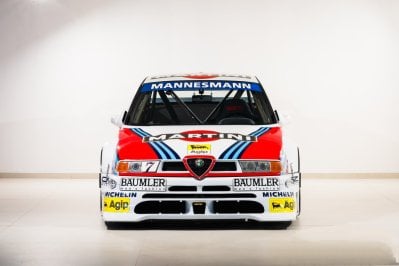
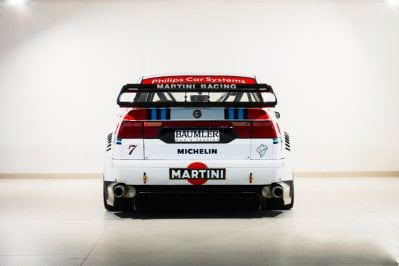
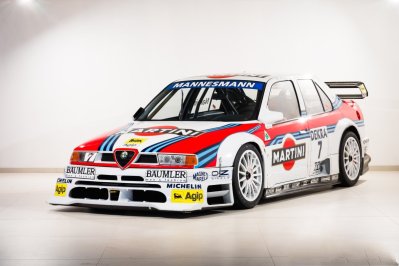
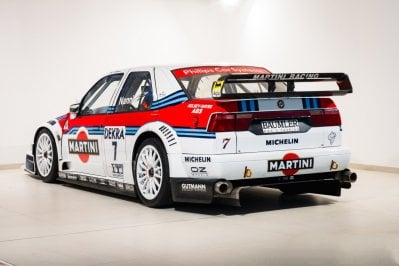
This mod is the 1995 DTM version; the '94 DTM version is different. It comes from the '93 version, with advanced mechanics and aerodynamics. The aerodynamics are similar to the '95 version but not the same.thank you :-)
or:
Alfa Romeo 155 Ti V6 DTM | Assetto World
Download, install and enjoy this Alfa Romeo 155 Ti V6 DTM Assetto Corsa mod instantly for free. alfa_romeo_155_v6_dtm_95www.assettoworld.com

BLCKBOX | Alfa Romeo 155 TI V6 DTM (alfa_romeo_155_v6_dtm_95)
Alfa Romeo 155 TI V6 DTM (alfa_romeo_155_v6_dtm_95), Assetto Corsa Car Modsimracing.blckbox.net
most of the skins could also work with the kunos one. haven't checked it. but the car based on the kunos 155
some WIPs, filling the DreamRace 2019 at Fuji Grid :-)
View attachment 1421808View attachment 1421807


I just joined the free tier, refreshed the page, opened the car-specific post and the link was in the post. No dollahYes, but to unlock the car you are invited to pay 1,89€/month...
What track is that? Besides the giant crab grass, the rest of it looks beautiful.I see on your picture 1 that the grass is still way brighter, but to be sure would you share your CSP settings? I might isolate the issue if i can compare to a setup where everything is working as intended.
On my side, here's the results from a playing view :
View attachment 1421857
CSP 0.2.4
View attachment 1421858
CSP 0.2.7
That's the "scale" issue i'm mentioning, not to mention the brighter color. It happens on many vintage tracks, but this one in particular is interresting because the track's skin has been edited just a few months ago, meaning it should have recent values for grass shaders and materials in its config file.
The Oulton Historic from Reboot team, with the _schock late 60s edit. It's one of the most beautiful track i have (video and links here oulton).What track is that? Besides the giant crab grass, the rest of it looks beautiful.
Which one? @Breathe track list has 3 different Oulton Park tracks from Reboot Team.The Oulton Historic from Reboot team, with the _schock late 60s edit. It's one of the most beautiful track i have (video and links here oulton).
If i may add something, the road mesh feeling is insane, you should completely steal it for your edits. You should get the trees as well.
already posted it at the CSP dev. But the scale does not change with newer CSP versions on my side!I see on your picture 1 that the grass is still way brighter, but to be sure would you share your CSP settings? I might isolate the issue if i can compare to a setup where everything is working as intended.
On my side, here's the results from a playing view :
View attachment 1421857
CSP 0.2.4
View attachment 1421858
CSP 0.2.7
That's the "scale" issue i'm mentioning, not to mention the brighter color. It happens on many vintage tracks, but this one in particular is interresting because the track's skin has been edited just a few months ago, meaning it should have recent values for grass shaders and materials in its config file.


 )
)