Assetto Corsa PC Mods General DiscussionPC 

  • Thread starter Thread starter daan
  • 150,286 comments
  • 45,669,153 views
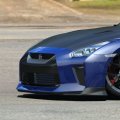
Hi everyone! I hope you're all doing well. Once again, I need your eternal wisdom. The cars in the two screenshots I've attached appear to be from the same family, and I want to separate them so I can display the race car with my other GT4 cars. Is there a way to do this? Thanks everyone!

1.webp
2.webp
 
Hi everyone! I hope you're all doing well. Once again, I need your eternal wisdom. The cars in the two screenshots I've attached appear to be from the same family, and I want to separate them so I can display the race car with my other GT4 cars. Is there a way to do this? Thanks everyone!

View attachment 1495500View attachment 1495501
Don´t know if I understood this question right but you may just click on "Coche Base" at the GT4 car and set it to "make independent"?
 
Hi everyone! I hope you're all doing well. Once again, I need your eternal wisdom. The cars in the two screenshots I've attached appear to be from the same family, and I want to separate them so I can display the race car with my other GT4 cars. Is there a way to do this? Thanks everyone!

View attachment 1495500View attachment 1495501
There is an option to make them Independent… in the options at the bottom… Brand, I think.
 
Hi everyone! I hope you're all doing well. Once again, I need your eternal wisdom. The cars in the two screenshots I've attached appear to be from the same family, and I want to separate them so I can display the race car with my other GT4 cars. Is there a way to do this? Thanks everyone!

View attachment 1495500View attachment 1495501
Press Coche Base & set it to independent or whatever it is in your language.
 
@admins Whoever integrated the snowman emoji and its associated nightmare should be put to death and brought to Satan for his last judgment.
Yeah, as if the way we have to add .txt to files just to share them here didn't give you enough 1990s bulletin board vibes, along come those godawful flash animated rope lights to hammer the point home.
Nostalgia isn't what it used to be.
 
Many thanks, this is something I had in mind looking at my replays of last tests with F1 '88 Monza and I'm happy that you confirm it with more details ! Iirc @Apocalypse211 mentionned also 40-50% aggression to be the maximum value to give in general. I'll polish the app, but also my F1' 88 grid accordingly.

A bit off topic but that may interest you too, I just made some bench tests on 40 laps on Monza '88 to look at how AI managed tyre wear and fuel level in terms of lap times. The good news is that I can confirm that they are taken into account as AI lap times evolves correctly with time (given the known bug in fuel management). The bad news for AI tweakers is that you may have to take this into account when modifying AI lines and hints as I saw in a test with ks Huracan GT3 in ks Monza that they were more or less able to deal with the first chicane according to fuel level and tyre wear (they still brake at the same point but slips more due to full tank or weared tyres)

50% is definitely pushing it for most cars. ASR / RSS/ VRC cars are way better quality and can probably handle that for the top drivers but I don't recommend that high of a value.

Higher aggression lead to issues with overtaking (AI knocks you out over aggressively) and also random mistakes in qualifying and race. I said that I tried 50% with ASR 1992 for Mansell because in that year he had overwhelmingly superior car and won pretty much everything. I increased it to 50% because that way he made random mistakes in some races.

I'd say 25% is already high if you want trouble free races. But it greatly depends on the cars you're using. I have used 0 and 1 values for the lower end drivers to make them easier backmarkers.

Any general CM value is not good. I always definie all these values individually for each driver in the championship.champ files.
 
A little track skin\config mod for the ks_nurburgring track. If you feel like trying it, make a backup of your track's extension folder first. This will overwrite your existing ext_config file.

ks_nurburgring_mod

The mod changes the tree textures and darkens the grass a bit. The skins are split into separate folders so you can pick and choose which parts you want to use. If you like all of them, feel free to lump them all into one folder. As usual, there is an optional vaos folder to eliminate some of the really dark areas under the trees. Although I found the default csp vao for this track is not as bad as on other tracks.

View attachment 1493683
View attachment 1493684
View attachment 1493685
View attachment 1493686

I have an updated version of my ks_nordschleife mod to match the trees and grass on this mod.. If you like how this looks, be on the lookout for it soon. I just need to double check some things.
Small update to fix two tree textures for those that use the seasonal trees feature. The bare winter and spring trees had an incorrect alpha layer on the texture that would cause a piece of the trunk to float above the tree. Use the link in the quote to get the update if you are interested.

I'm going to have to go back and double check my mod for the fn_nurburgring track as well because it may have the same problem. Might be back soon with an update for that one as well.
 
Hello community!
! I created additional layouts for the track Avto24ring. But I had to make changes to the main file (auto24ring.kn5) to remove the cones, because they are with a collision.
Who has the contact information for the creator of this track, "mcarno"? I want to ask permission to release it.
On OT he does not respond to messages.
Thanks.
 
shi
Donington Park 1993 v1.0

View attachment 1495406
Donington Park is a motorsport circuit located near Castle Donington in Leicestershire, England. (wikipedia)
Conversion from rFactor.

-CSP recommended
-2 layouts (GP and National)
-55 pit/start
-AI, cam

Credits & Thanks;
GTR2 Track by SimBin Studios
rFactor converted by ?

AC Converted by shin956
AI lines, sidelines and ai_hints.ini by @IMEAN
The CAMPARI bridge, Sonic (object) and some logo textures were imported from the F1C version (updated by dmarques).
roofed stand from silverstone_91_93
Crowds texture by Kniker97
Logos Research from video and image by M1GHTYM4VS
marshall, cameraman and some textures by kunos
Test and Feedback by Twilight, @Breathe

Enjoy.

Hello! Great job! But I have one question. Why do the spectators in the stands glow like light bulbs? And the spectators on the grass, on the contrary, are too dark like ants :confused:

1764591071287.webp

1764591083341.webp
 
fn_nurburgring Track Skins\Alternate Config File

Alternative look for the fn_nurburgring track. This mod replaces the default tree textures and alters the look of the grass. The grass textures are the same, but adjusted more to my liking. It also includes optional vaos and a track skin to make the trees look more accurate for the season. If you want to use the Seasonal Trees, I highly recommend you enable the Trees A2C dither option under CSP\Track Adjustments. If you don't, the trees may appear really transparent in the fall\winter and spring. BTW, the spring trees suck right now. I'm working on it.

I split the download into two files because the optional stuff is quite large. I didn't want to make someone who is not interested in the optional stuff have to download such a large file. If you want things to look like my attached pictures, download both files.

Lastly, because most of the layouts won't load for me since it gets stuck loading the AI Spline, I don't know how this will look on all of the layouts. If it screws them up, just delete the mod and stick with the original track.


fn_nurburgring_track_skins

fn_nurburgring_optional_stuff

Notes:

-- Backup your existing track folder first to be safe.
-- The replacement ext_config file adds some things I like and changes some things I didn't like. Everything I added\altered is in the ADDTITIONS section at the bottom so you can adjust or remove what you don't like. I did include the original ext_config so you can easily revert back to it.
-- There are 4 Grass skins. Enable either the Grass or Grass 2 skin. The only difference between them is Grass 2 has a little more vibrant green color. Couldn't decide which I liked better. The two Patchy Exterior Grass skins are optional and will make the exterior grass areas have a little more character and get progressively more patchy looking. Either one can be used in combination with either Grass or Grass 2 skin.
-- The Trees skin changes the default tree textures. The Road skin takes the purple tint out of the groove and skid mark textures.
-- If you are missing the bushes like I was, somewhere in the ADDITIONS section of the config is the section below. Change the ACTIVE status from 0 to 1 to bring back the bushes.

MATERIALS = bushes?
ACTIVE = 1
SHADER = ksPerPixelAT
PROP_0=ksAmbient, 0.25
PROP_1=ksDiffuse, 0.20
CAST_SHADOWS = 1

-- The vaos in the optional stuff package will eliminate the overly black shadow areas I hate on most vaos. It's a personal preference so you may prefer to skip these.

View attachment 1493061

View attachment 1493062
Small update to the optional stuff package. This is only for people who like to use the seasonal trees. Use the link in the quote to get the updated optional_stuff file.

-- Fixed the alpha layer on the bare winter and spring tree texture to eliminate the floating tree trunk above the trees.
 
Sharing a mod? Host it on GTPlanet Downloads. Free, public hosting for files up to 10GB in size.
Back